
Unpublish/Deactivate Site
If you unpublish your site it will no longer be publicly visible, but you will still be able to make edits. You can republish your site at any time to make it live and publicly available.
To unpublish your site:
In the side panel, click on Site Overview, then select Edit Site.
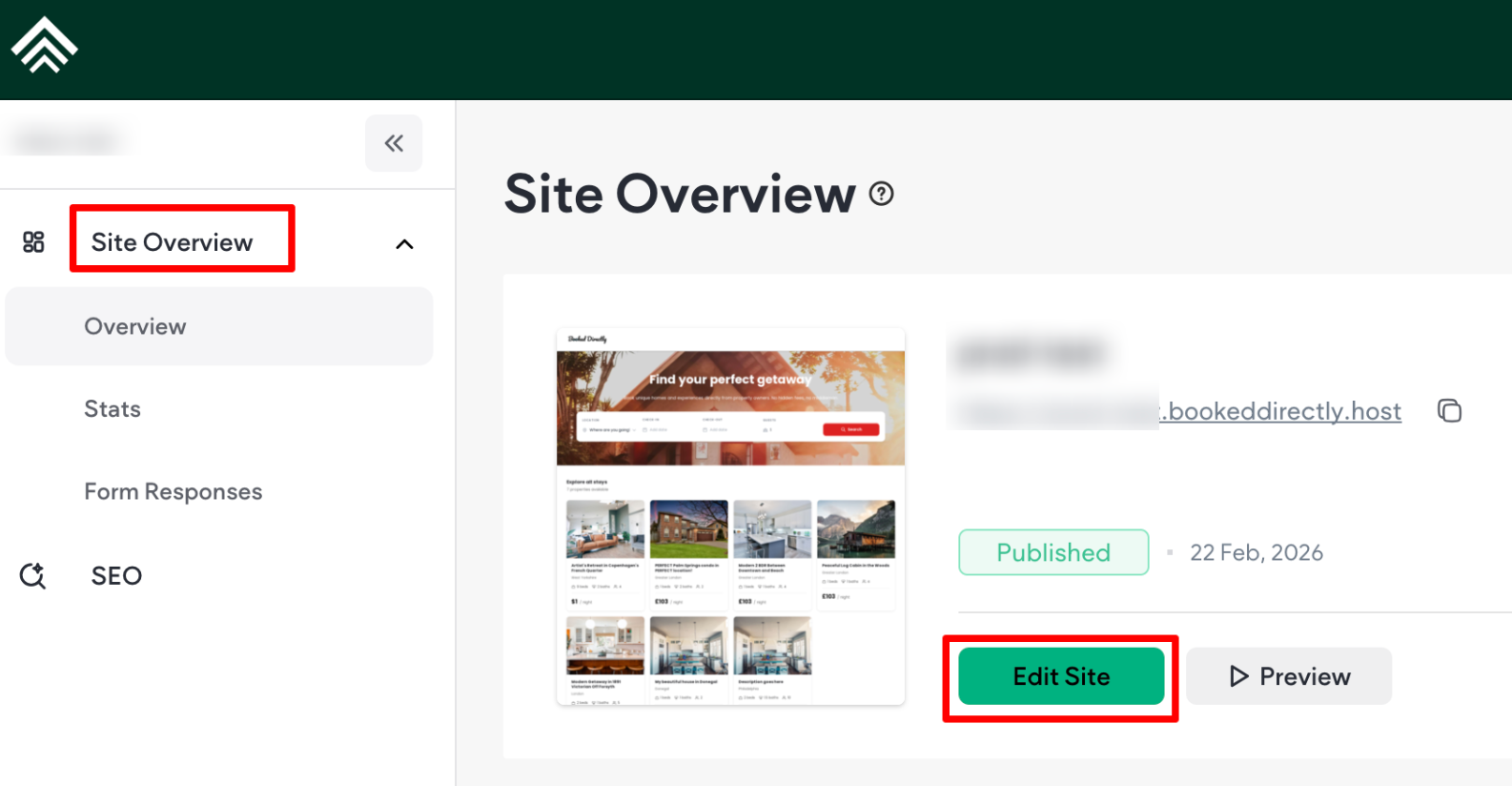
You'll be redirected to the Site Settings page. On the side panel:
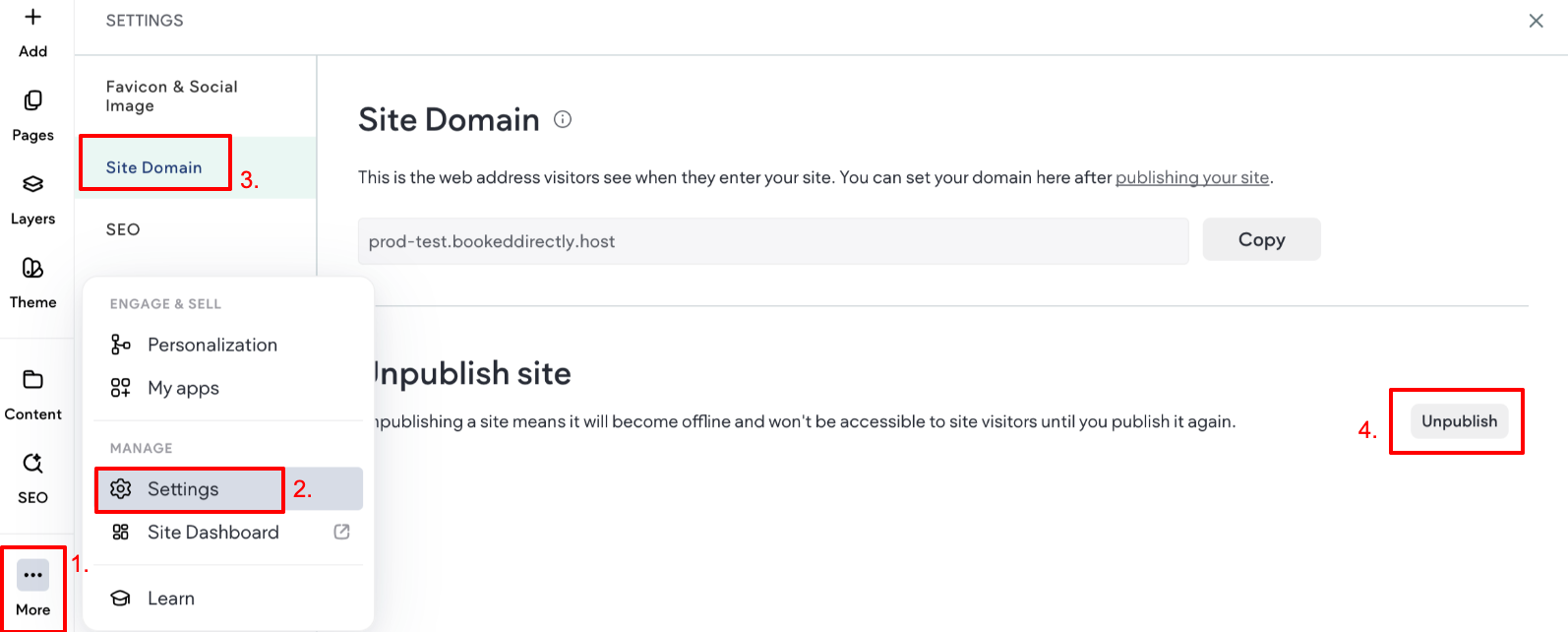
- Click the three vertical dots next to More, then click Settings.
- Click Settings
- Select Site Domain
- Locate the Unpublish Site section, and click Unpublish to unpublish your site.
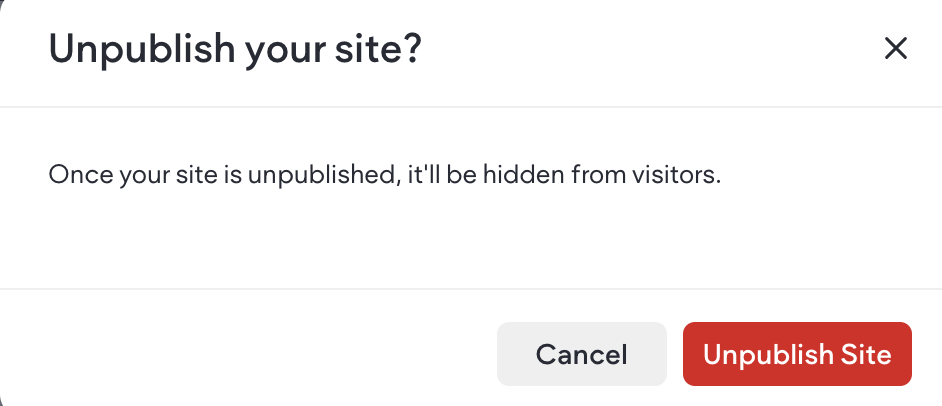
- A pop-up will be displayed asking if you want to unpublish your site. Click Confirm to proceed or Cancel to keep your site published.
Updated 3 months ago
What’s Next