
Cleaning FAQ's
Uplisting cleaning FAQ's
What do cleaners have access to on your Uplisting account?
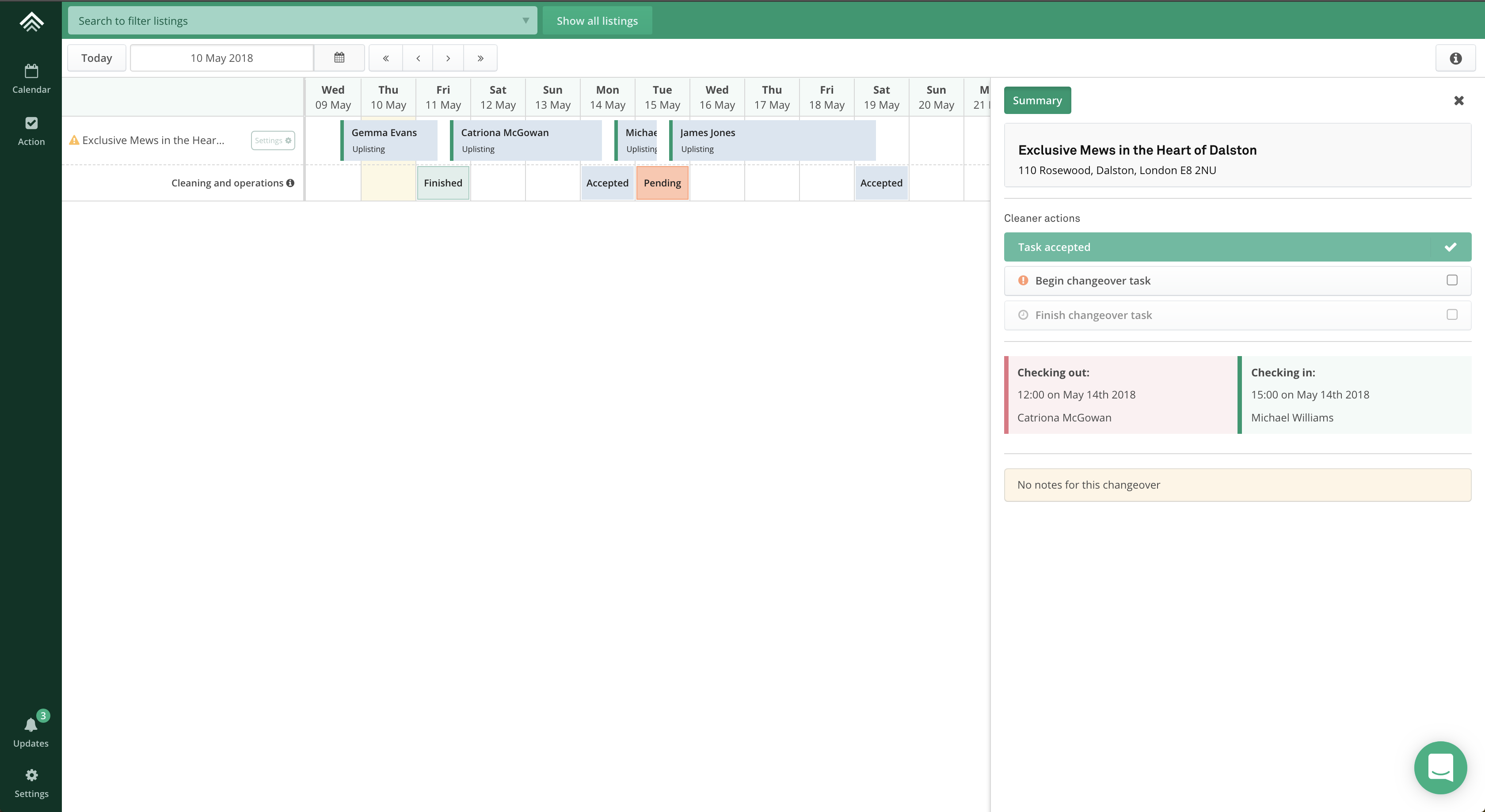
An invited cleaner has access to the Action and Calendar screens. What they can see on each screen is limited. For example, on the calendar screen (as seen on the image below) the cleaner can see bookings (but can't select them) and changeover events.
What can cleaners see or do
- Booking events on the calendar, however, they can't select those bookings to view pricing, messages etc
- Changeover events on both the Action and Calendar screens
What can't cleaners see or do
- Property settings panels
- Rates
- Booking panel
- Rate update
- Min stay update
- Billing
- Teammate
- Connect
- Automate
- Inbox
- Reports
- Create a listing
- Connect an Airbnb account
Can cleaners see manually blocked dates?
Unavailability markers are not synced to the Cleaners App, and cleaners will not see these blocked dates on their calendar.
If you'd like to notify cleaners about manually blocked dates, we recommend creating an Ad Hoc cleaning task for the blocked period. This task will sync to the cleaner’s calendar and ensure they are aware of any preparation required.
Updated 2 months ago