
Connecting a Partner iCal-Supported Site to Uplisting
You can connect external booking platforms that support iCal (calendar sync) to your Uplisting listing. This allows you to sync availability and bookings between systems.
When should I use the Partner iCal option?
Use Partner iCal when:
- The external platform supports iCal connections, but it is not listed in Uplisting under the listing's **Booking Sites **tab
🚫 When NOT to use Partner iCal
If:
- The external platform does not support iCal connections at all
- The platform is already available as a direct/API integration (e.g. Airbnb, Booking.com , Vrbo or Google Vacation Rentals ) .
- A native iCal option in the Booking Sites tab
In the above cases, it is recommend to use the native connection for better syncing and more features
Before connecting:
- Confirm the external platform supports iCal (or calendar export/import)
- Locate and copy the iCal/partner iCal link from that platform
⚠️ You’ll need access to both platforms during setup (Uplisting + external site)
Connecting Your Partner iCal
- In Uplisting, select the relevant listing
- Click on the Booking Sites tab
- Scroll down and select Partner iCal option
- Click the Connect button
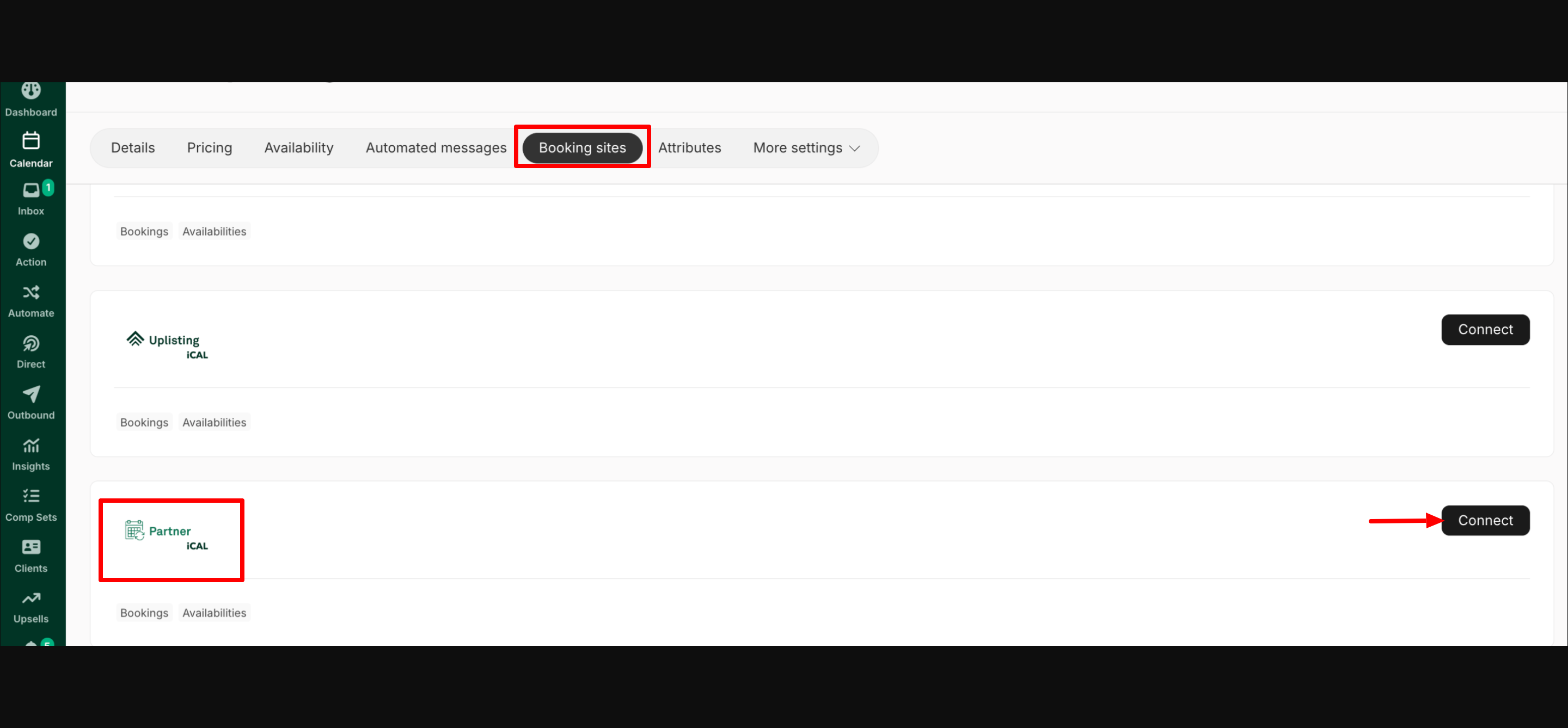
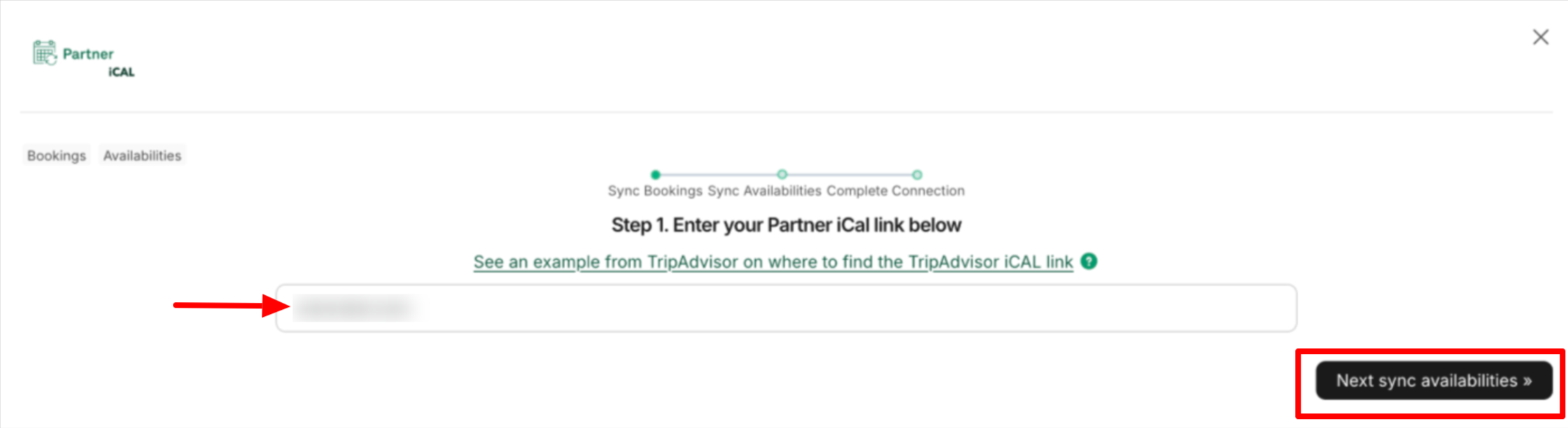
- Paste the Partner iCal link copied from the external platform into the field shown in the screenshot below
- Then click on 'Next: Sync Availabilities.'
- The listing's Uplisting iCal export link will be generated, as shown below. Copy the generated link, and do not exit this step yet.
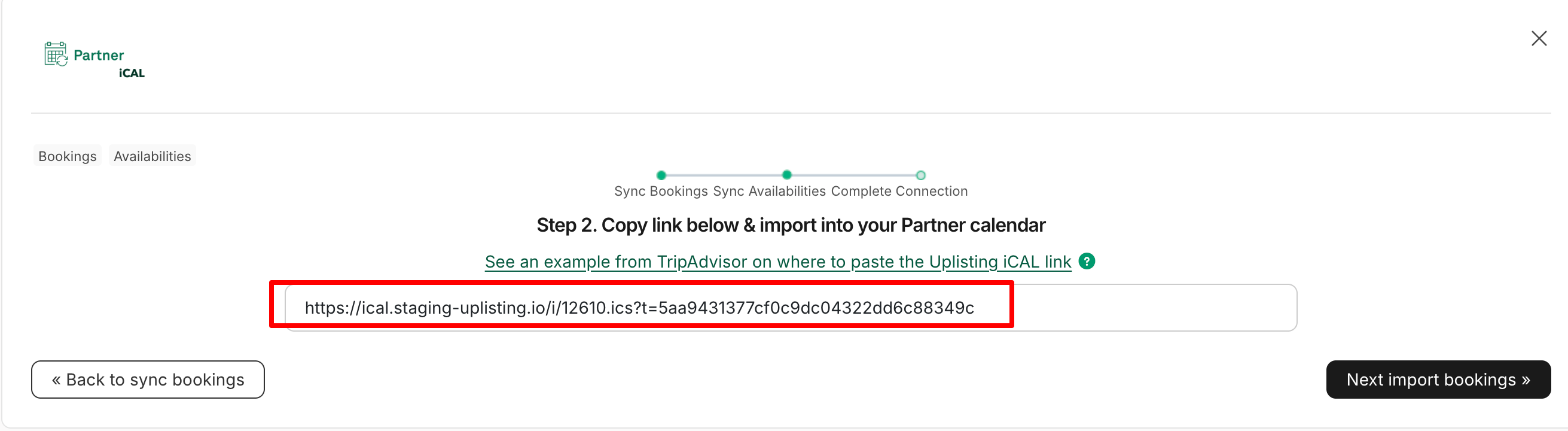
- Go to the external platform and paste the generated iCal link
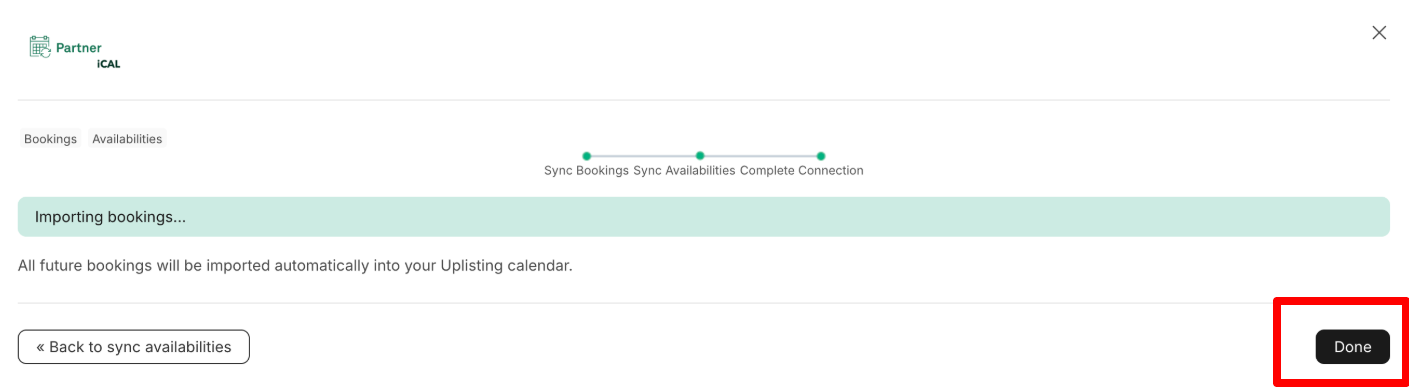
- Once done, return to Uplisting and click the 'Next: Import Bookings' button in** step 6 above**. This starts syncing bookings and availabilities.
- Once complete, click Done
What Gets Synced
With iCal connections, the following data is synced:
- Bookings
- Availability
(Here’s a sample screenshot showing the available tabs for a Partner iCal booking in Uplisting. )
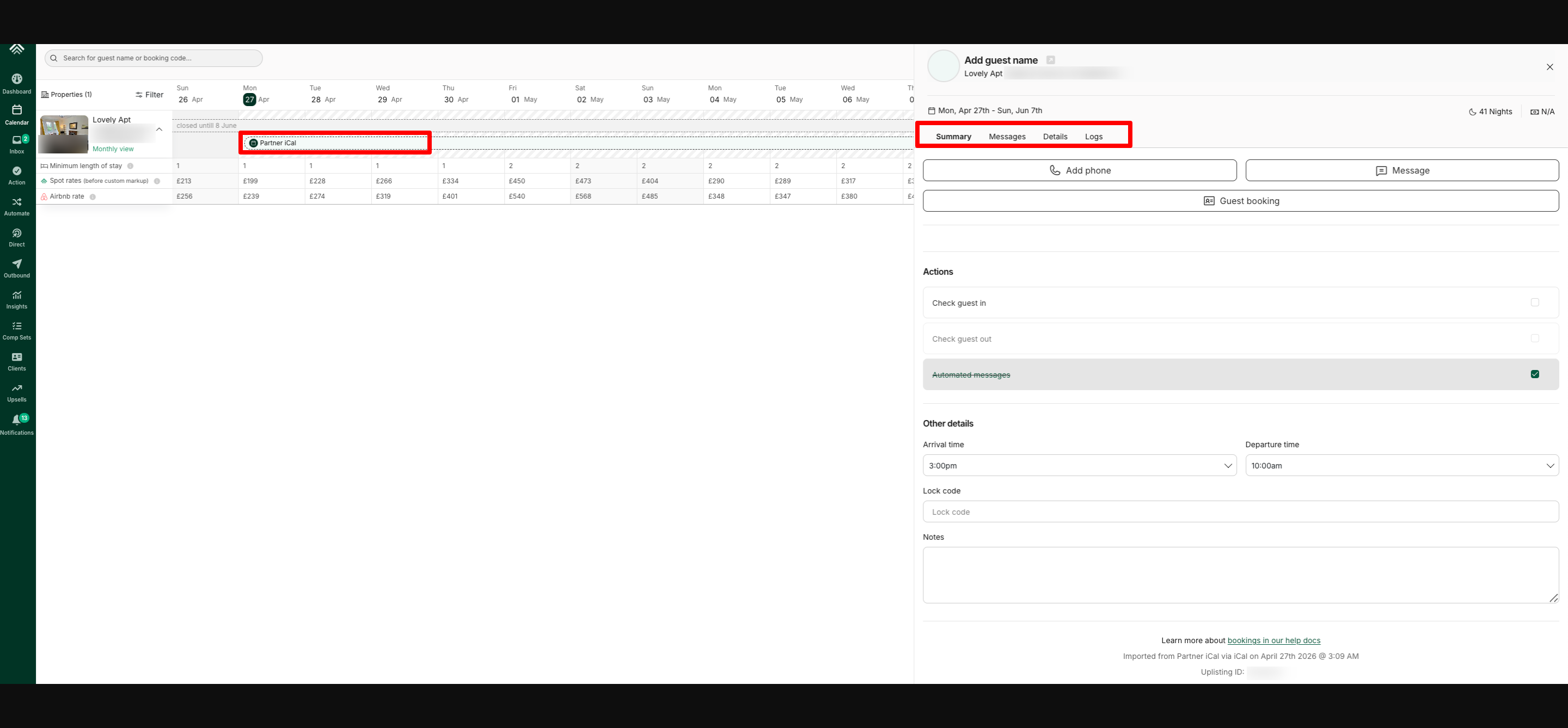
⚠️ Limitations of iCal Connections
iCal connections are limited in functionality. The following features are not supported:
- Automated messages
- The booking's Price tab
- Security deposits
- Guest Identity Verification
- Rental agreements
Workaround to Access Full Features
To use full Uplisting features for an iCal/Partner iCal booking, you'd need to manually create a booking in Uplisting for the same dates and mark the booking as paid. Here's a detailed step-by-step guide: https://support.uplisting.io/docs/how-to-take-advantage-of-uplisting-features-for-ical-bookings
Updated about 1 month ago