
Cancellation Policy
The cancellation policy section helps you better understand how your listings are set up and how your cancellation settings may be impacting guest bookings and overall performance.
It gives you clear visibility into the flexibility level of your listings, helping you strike the right balance between protection and conversion.
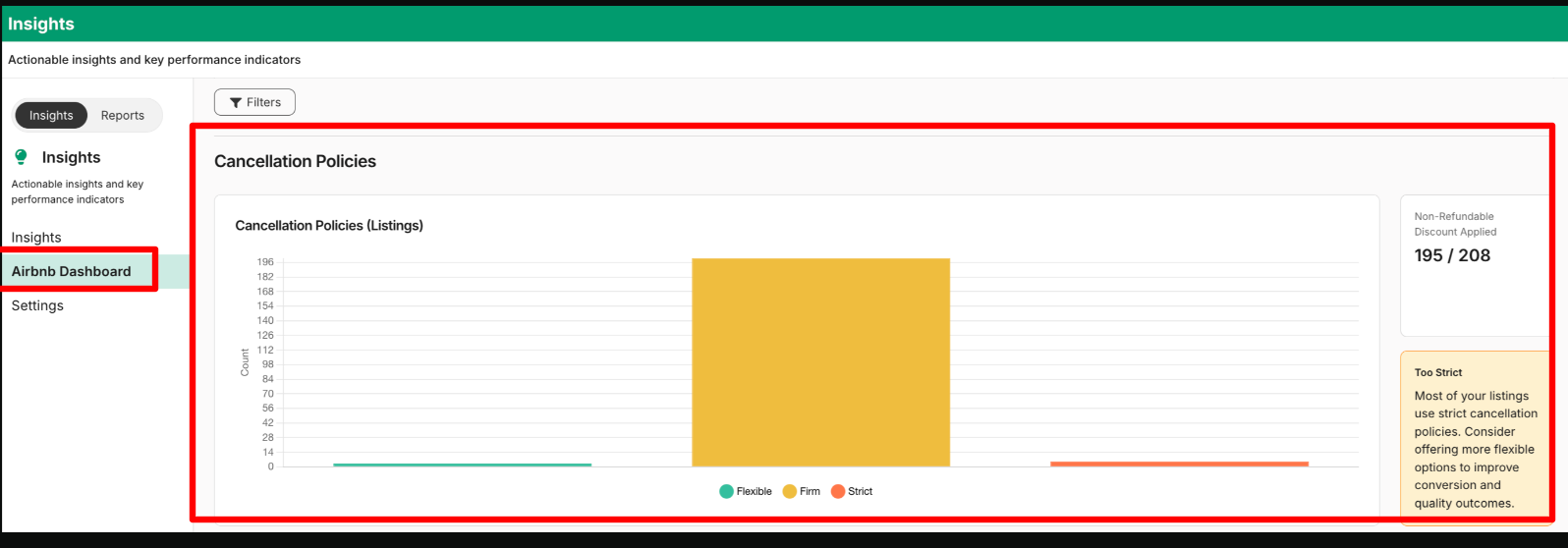
What metrics are included?
You’ll see a visual breakdown of your listings by cancellation policy type, including: (Flexible, Moderate, Firm, Strict, Super Strict 30 Days, Super Strict 60 Days, Non-Refundable and Limited)
For your selected filters (such as date range or account view), the dashboard shows the number of listings in each policy type, making it easy to understand your overall distribution at a glance.
1. “Too Strict” Highlight
- If many listings use strict or stricter policies (Firm or above), the dashboard suggests offering more flexible policies to improve conversion and guest satisfaction
2. Non-Refundable Discount Count
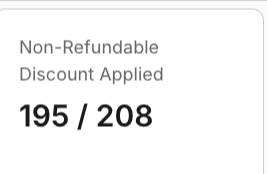
If you’re offering Non-Refundable options, you’ll also see the total number of listings with a Non-Refundable discount applied out of your selected listings.
This helps you track how widely you're using discounted non-refundable pricing across your portfolio.
If a large portion of your listings use stricter cancellation policies (such as Firm, Strict, Super Strict, Non-Refundable, or Limited), you may see a proactive insight message like:
“Most of your listings use strict cancellation policies. Consider offering more flexible options to improve conversion and quality outcomes.”
Updated 2 months ago