
Guest Verification Flow
Guest Experience
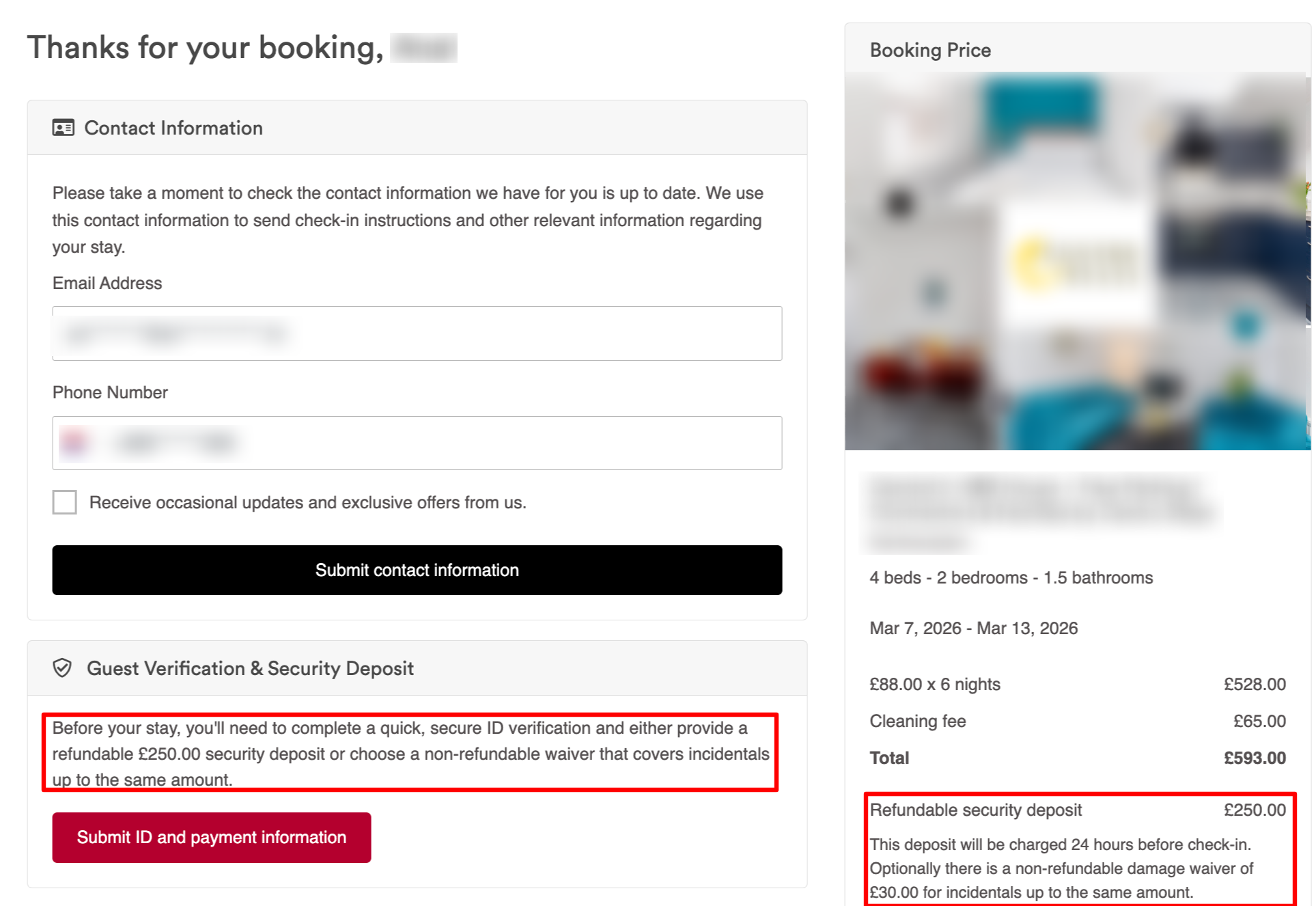
For confirmed bookings, when a guest opens their Uplisting booking page, they will see a prompt similar to:
'Before your stay, you'll need to complete a quick and secure ID verification and either provide a refundable security deposit or choose a non-refundable waiver.'
NOTE:
- Only confirmed bookings will display the Safeguest verification module on Uplisting's guest booking page
- Pending bookings will not show this section.
The guest will then:
- Click Submit ID and payment information
- Be redirected to Safeguest
- Complete identity verification steps
- They'll also be required to select either the Safeguest refundable deposit or the non-refundable waiver
- Finish verification
Once completed, check-in details become visible.
NOTE:
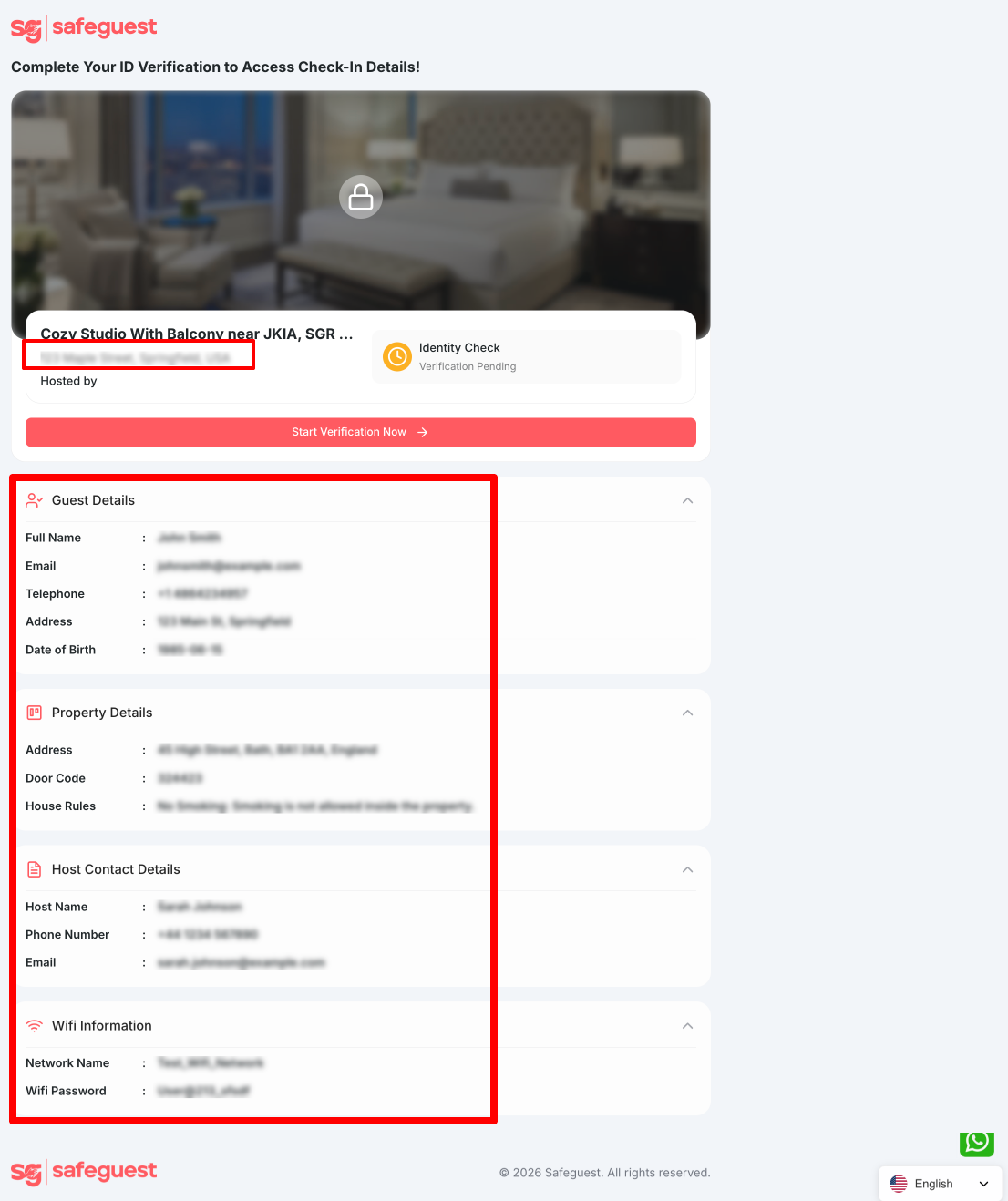
Until the guest completes the verification on Safeguest, check-in details such property address , door codes, wifi details, host contact details and guest details will appear blurred or hidden on the verification flow on Safeguest
Viewing the Safeguest Verification Link
Hosts can preview the guest verification experience.
Steps:
-
Open the booking in your Uplisting calendar
-
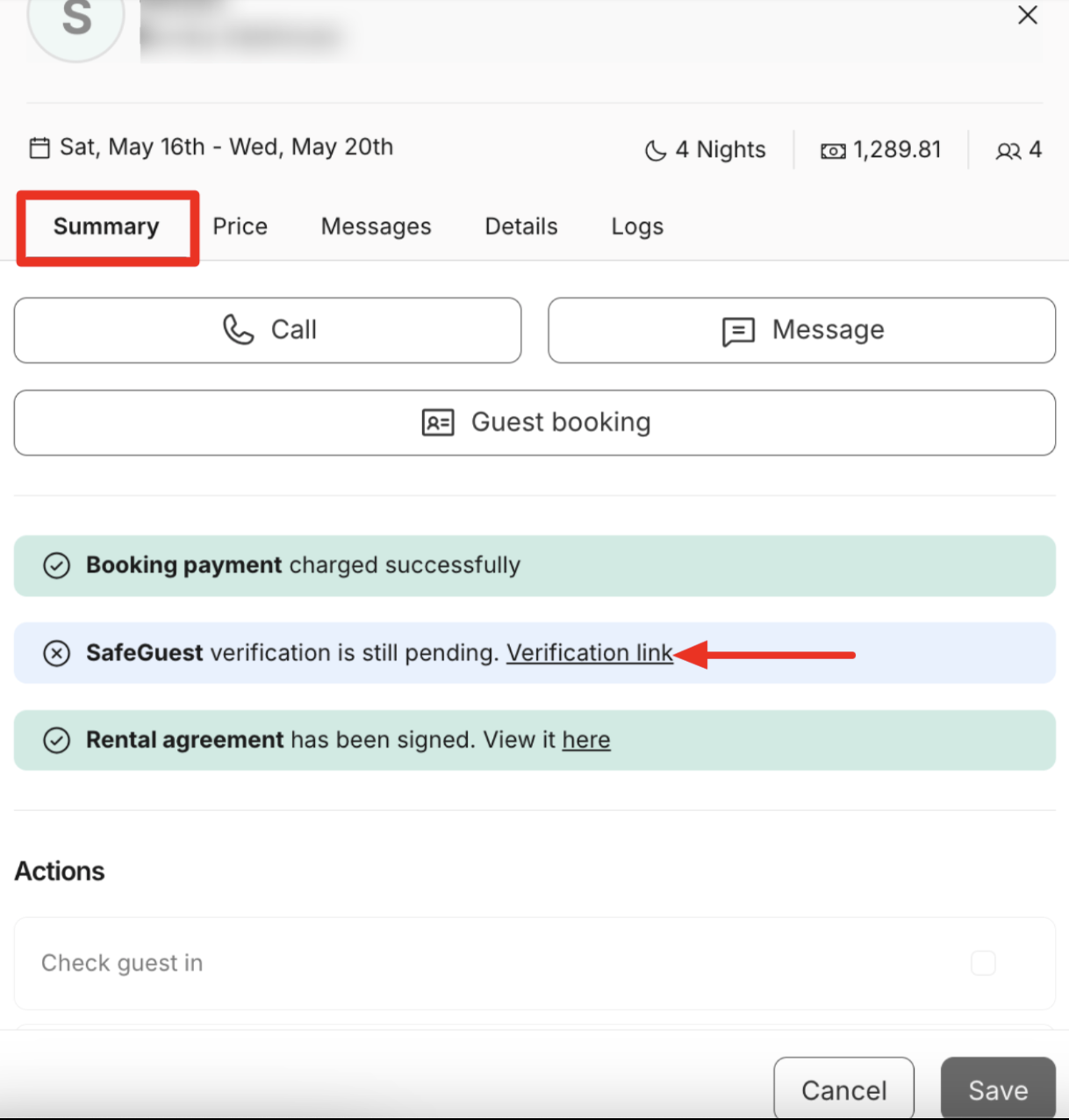
Go to the Booking Summary tab
-
Locate the 'Safeguest Verification Link'.
-
Click the Verification link. This will redirect you to the guest booking page.
Updated 25 days ago