
Gap Night Settings
Gap Night Settings allow you to automatically reduce your minimum length of stay for gaps between bookings, helping you fill otherwise unbookable nights without manually adjusting your calendar.
This feature works alongside your standard minimum length of stay rules and only applies when a gap exists between bookings.
Note:
If you’re using a third-party pricing tool such as PriceLabs, the Gap Night setting will override Uplisting’s.
To avoid conflicts, manage gap nights in one place only - either in PriceLabs or in Uplisting, not both.
Enabling the Gap Night Setting
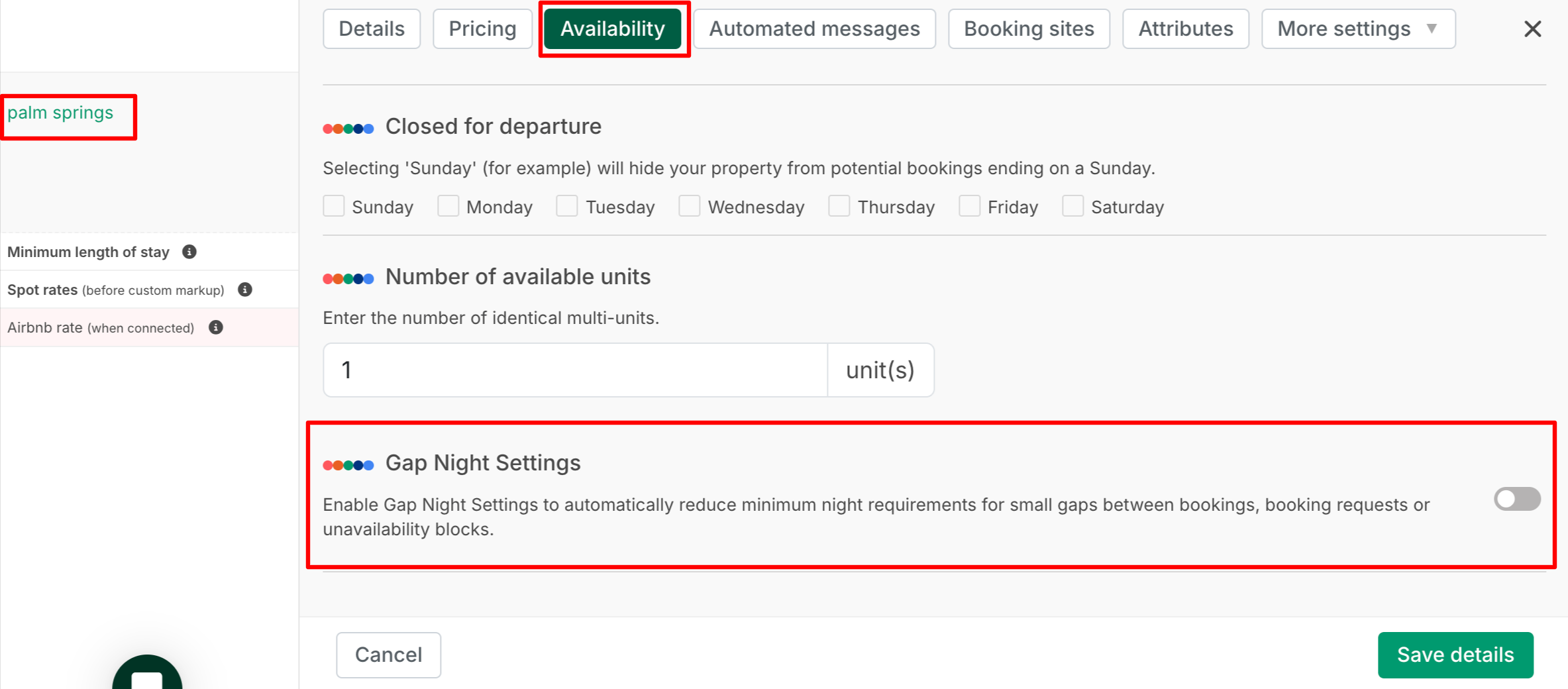
You can find and toggle on this setting under:
Listing → Availability → Gap Night Settings
When enabled, Gap Night Settings sync across all connected booking channels, including Airbnb, Booking.com, Vrbo, Google, and Uplisting Direct.
Why use Gap Night Settings
Gap Night Settings help you:
- Increase bookable nights by automatically filling small gaps between reservations
- Maintain longer minimum stays overall while staying flexible closer to check-in
- Reduce manual calendar adjustments
- Improve visibility by making more dates available across channels
How Gap Night Settings work
Gap Night Settings temporarily override your standard minimum stay rule, but only for eligible gaps between bookings. You define:
- The reduced minimum length of stay allowed inside a gap
- The look-ahead window (how far in advance the rule applies)
- If a gap meets your criteria, Uplisting automatically adjusts the minimum stay for those specific dates and syncs the update to your connected booking sites.
NOTE:
The rule only applies to gaps appearing between two bookings.
It does not change your standard minimum stay outside of those gaps.
Feature components
1. Reduced Minimum Length of Stay between bookings
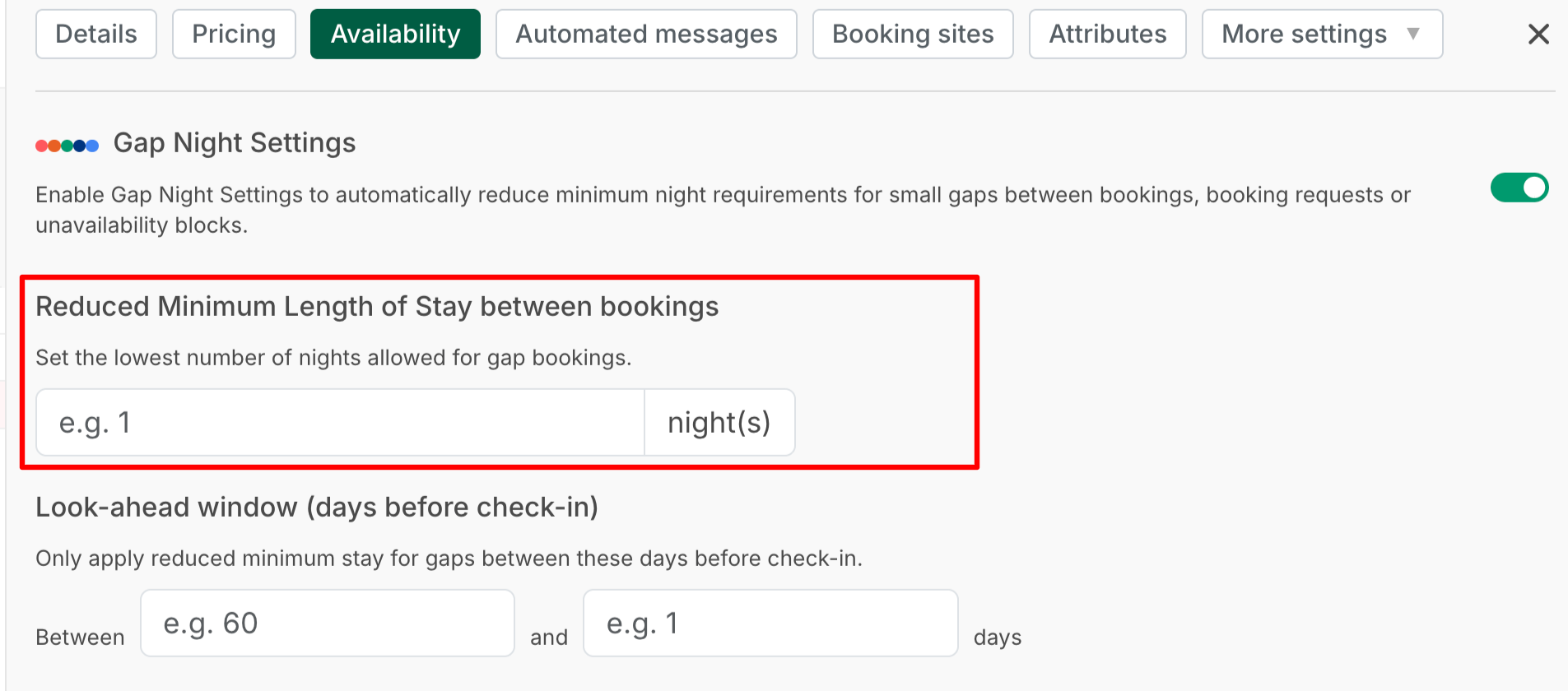
This is the lowest number of nights you are willing to accept to fill a gap. It allows shorter stays between existing bookings. It also overrides your standard minimum stay only for dates that meet the gap criteria
For example:
If your standard minimum stay is 3 nights, but you set the reduced minimum to 1 night, the system will allow a 1-night booking only if it fits within a qualifying gap.
NOTE:
- The system will not allow a booking shorter than the actual gap.
- If the gap is 1 night, only a 1-night booking can fill it.
- If the gap is 2 nights, guests can book 1 or 2 nights (depending on your reduced minimum setting).
2. Look-ahead window (days before check-in)
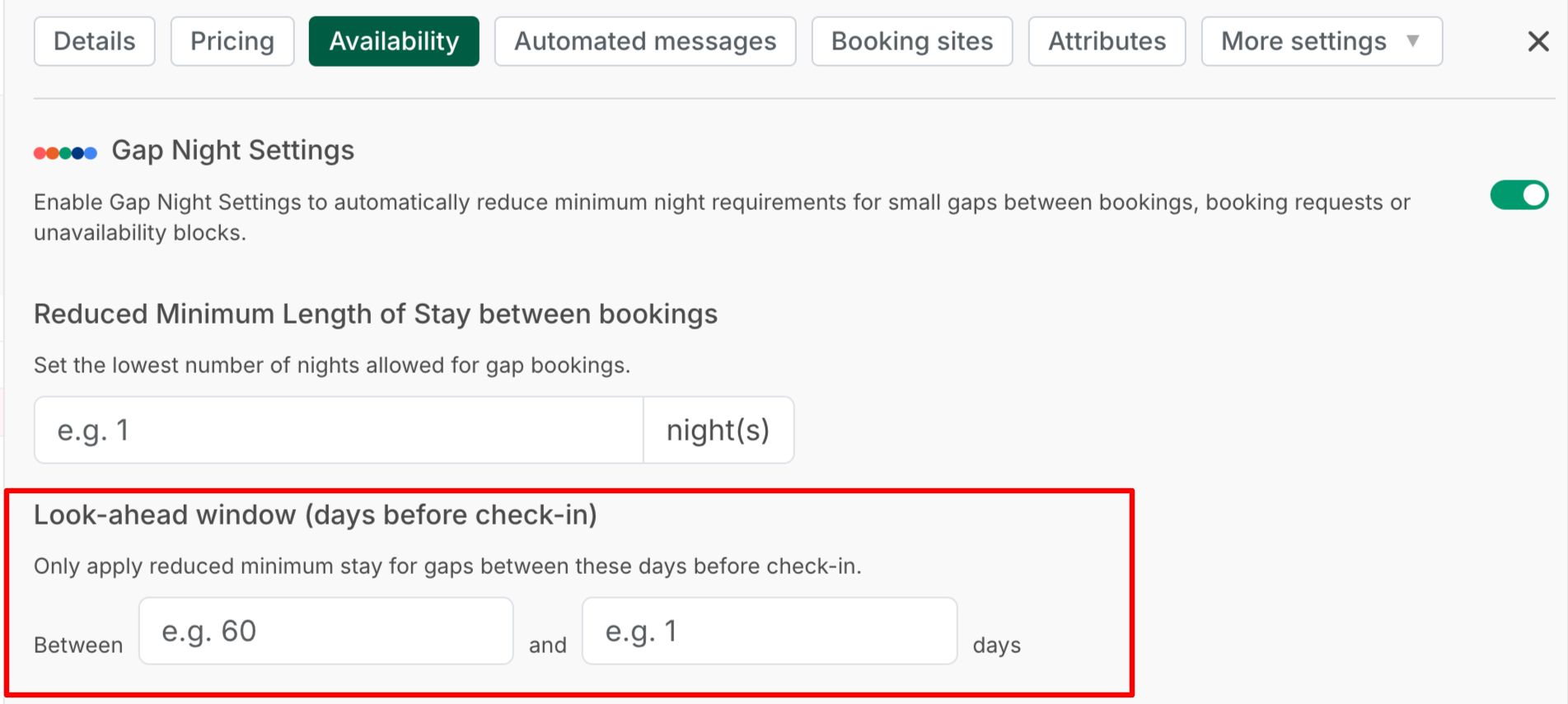
This defines when the reduced minimum stay rule applies. You can set a range: Between X days and Y days before check-in.
Example: Between 365 and 1 days before check-in means:
- The gap rule applies to bookings up to 365 days in advance
- The rule will not apply to same-day bookings (less than 1 day before check-in)
- Gaps beyond 365 days in the future will not have this rule applied
NOTE:
- The system will only apply the gap rule to bookings that fall within your defined time window.
- Gap Night logic does not consider listing check-in or check-out times when calculating the look-ahead window.
Example of bookings
Existing bookings: Jan 1–5 and Jan 7–10, and there is a 2-night gap between Jan 5–7.
If:
- Reduced minimum stay = 1 night
- Look-ahead window = Between 365 and 1 days
Then:
- A 1-night booking could be allowed for Jan 5–6
- A 1-night booking could be allowed for Jan 6–7
- A 2-night booking could also fill the full gap
- Outside of this gap, your normal minimum stay still applies.
When a gap night may not apply
Gap Night Settings may not work as expected if:
- The dates are blocked on the calendar
- Closed for arrival or closed for departure settings prevent the stay
- The gap falls outside the defined look-ahead window
- The gap is shorter than the reduced minimum stay you set
Updated 23 days ago