
Site Stats & Analytics
Site stats show detailed analytics about how many visitors your site gets, where they are coming from, and which pages they have visited. Analyzing this customer information can help you make more informed decisions to improve your site and your business.
We record and display full statistics for your site, per device, so you can view exactly what users are doing on desktop, tablet, and mobile. If you are not seeing any statistics, likely a user has not yet visited the site (it takes 24 hours for stats to update). If you are using a mobile-only site, ensure the redirect is installed and is redirecting users to the correct site.
To see statistics on the site performance, in the side panel, click Stats. This shows a general overview.
NOTE:
To see more detailed stats, click Open Full Stats.
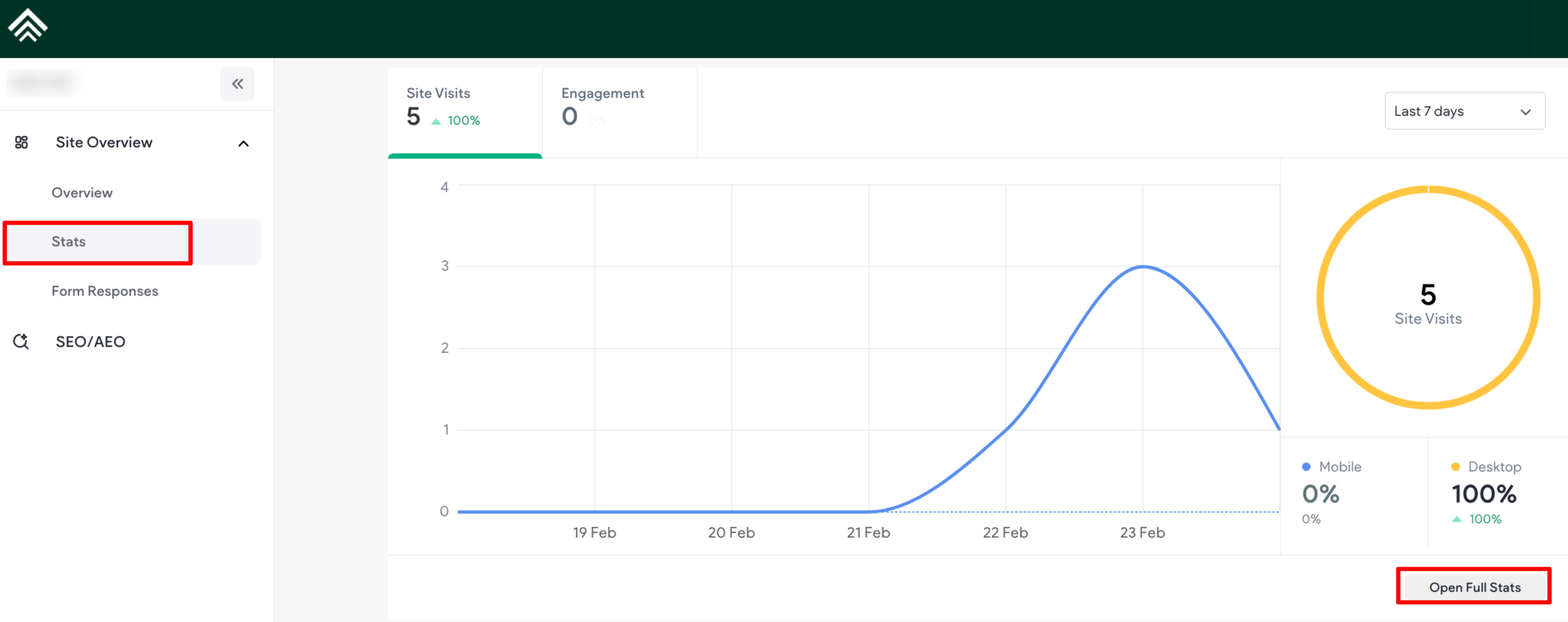
Clicking on the “Open Full Stats” option shown in the screenshot above will take you to the complete statistics page.
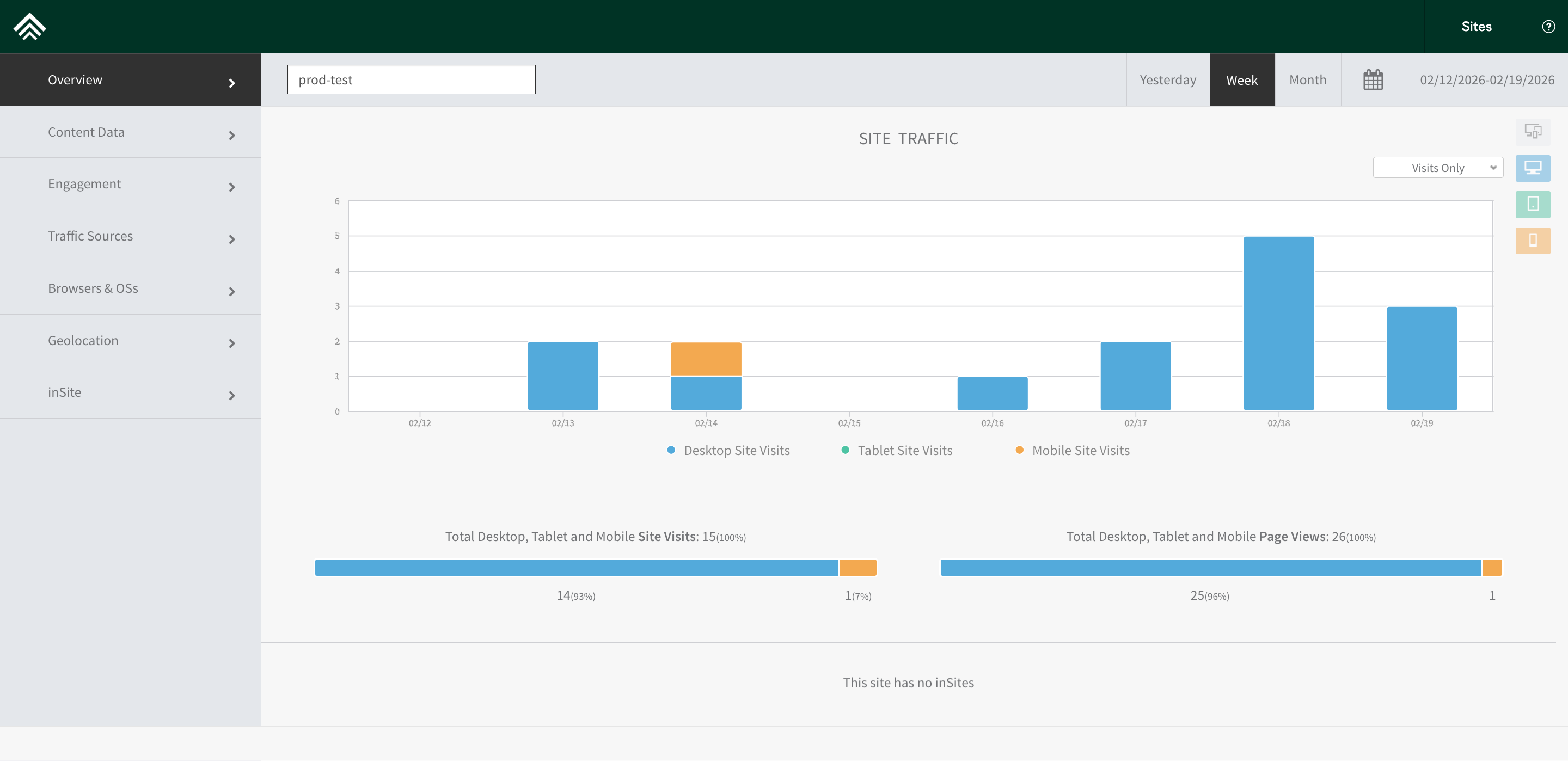
Stats Tabs
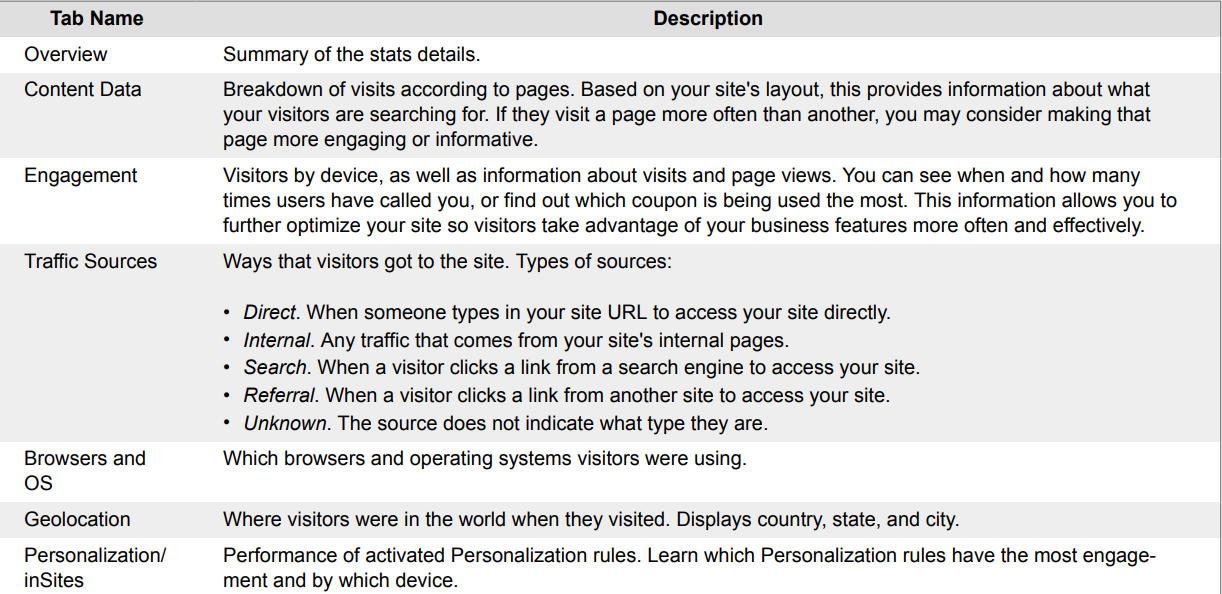
The various stats fields in the stats dialog above, display different information about the site:
Updated 3 months ago