
Troubleshooting
Troubleshooting
Automated messages sent at the wrong time
There are two reasons messages may send at the wrong time:
- The timezone on the listing is incorrect
- The arrival and departure time is incorrect. Learn more about Arrival and departure times.
How to troubleshoot
Check the listing basics tab on your listing to ensure both these settings are correct.
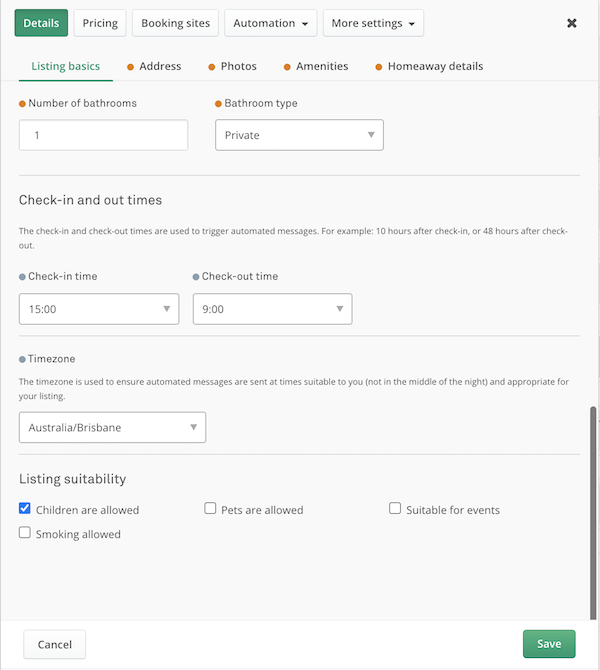
Listing details tab
Automated messages aren't sending
These are the most common reasons automated messages don't send.
1. The guest didn't provide a security deposit
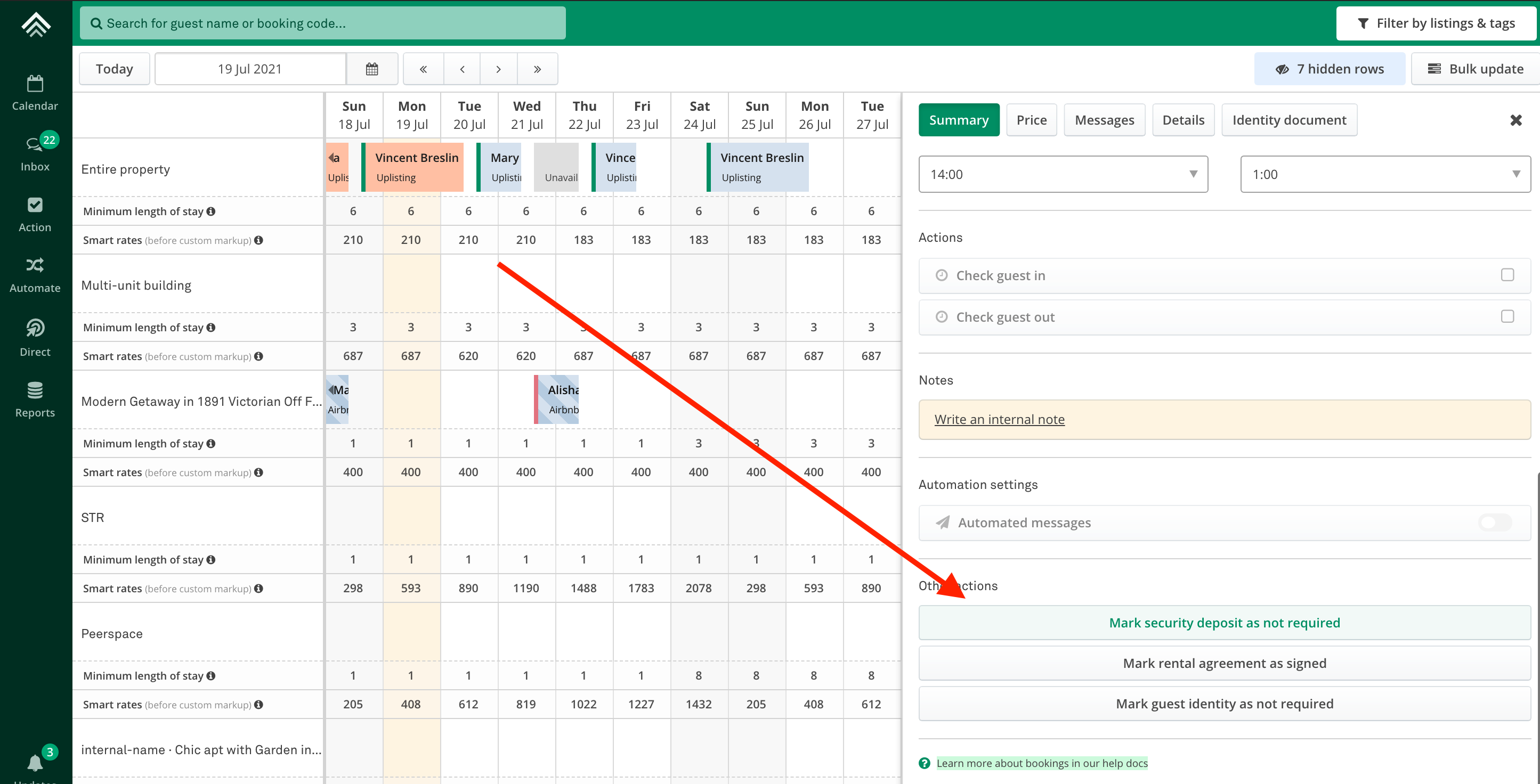
Suppose you have enabled the Uplisting Protect (security deposit collection feature). In that case, Uplisting will block the check-in instructions message from sending if a guest has not provided payment for their deposit.
You can override this requirement on a booking level (image below).
2. Guest did not sign the eSign rental agreement
If you have enabled the eSign Rental Agreement feature, Uplisting will block the check-in instructions message from sending if a guest has not signed it.
You can override this requirement on a booking level by clicking the 'Rental agreement signed' button on the booking summary.
3. Automated messages aren't enabled
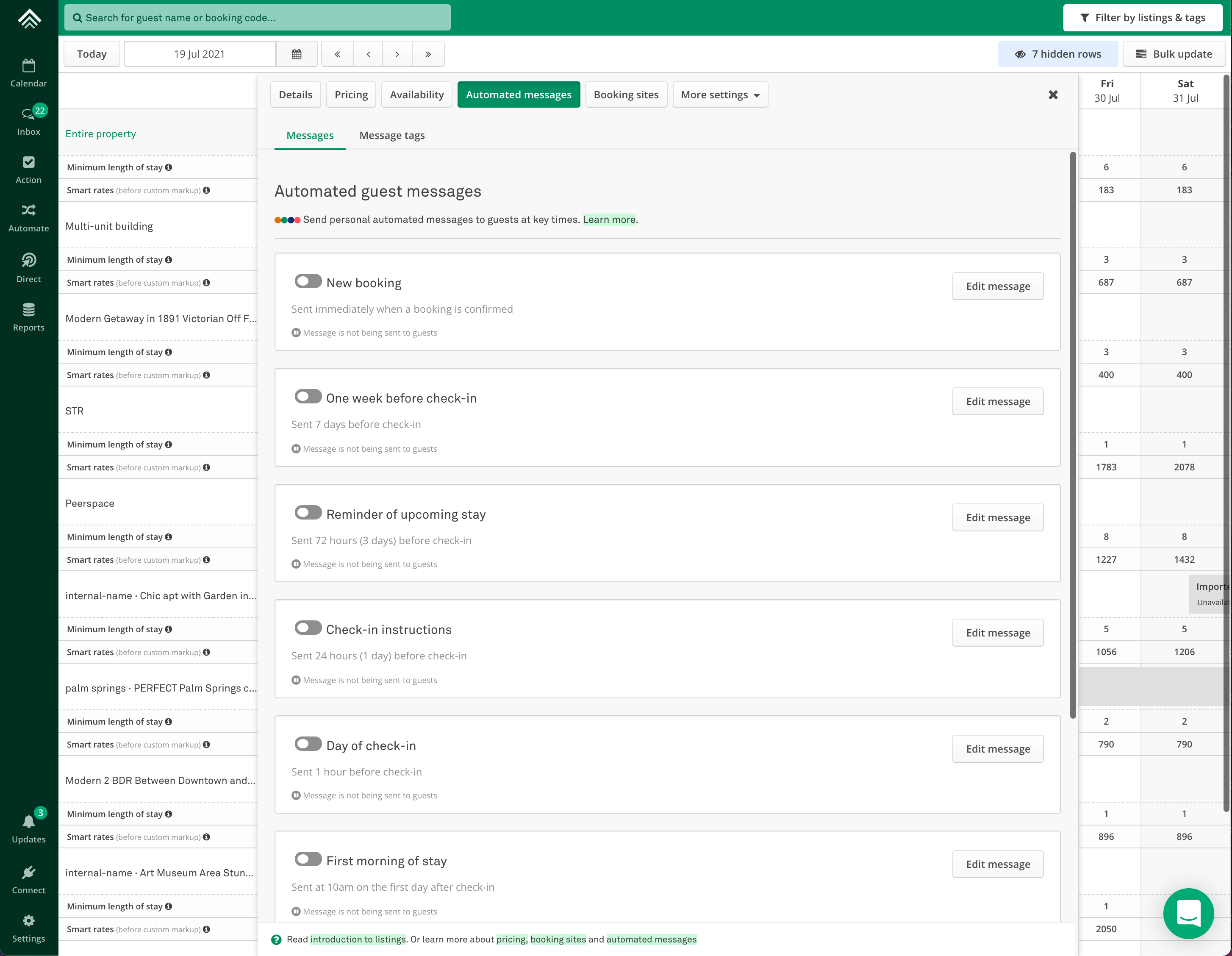
Check that the automated message you expect to send is enabled on the Automated messages tab listings.
Updated on: 12/05/2026
Thank you!