
How does Uplisting work for cleaning teams?
How does Uplisting work for cleaning teams?
What do cleaners have access to, and how can cleaners use Uplisting to manage changeovers
Introduction
Once you (a cleaner) have accepted an invitation from an Uplisting account owner, the first screen you will see is the Uplisting calendar. On the Uplisting calendar you can see all upcoming (and previous) bookings and changeover events.
📘 Although you can see bookings on the calendar (relating to changeovers they are assigned to), these are not selectable. They are provided for extra context.
You can select changeover events, doing so will open the changeover panel (as shown in the image below)
Changeover panel
Key information
The changeover panel provides the key information required:
- Property name
- Property address
- Existing guest details\
-- Guest name
-- Check out time and date
-- Number of guests (if available)
- Next guest details\
-- Guest name
-- Check in time and date
-- Number of guests (if available)
- Any notes left by the account owner
Actions
Changeover events also allow you to perform 3 actions:
- Accepted changeover
- Begin changeover
- Finish changeover
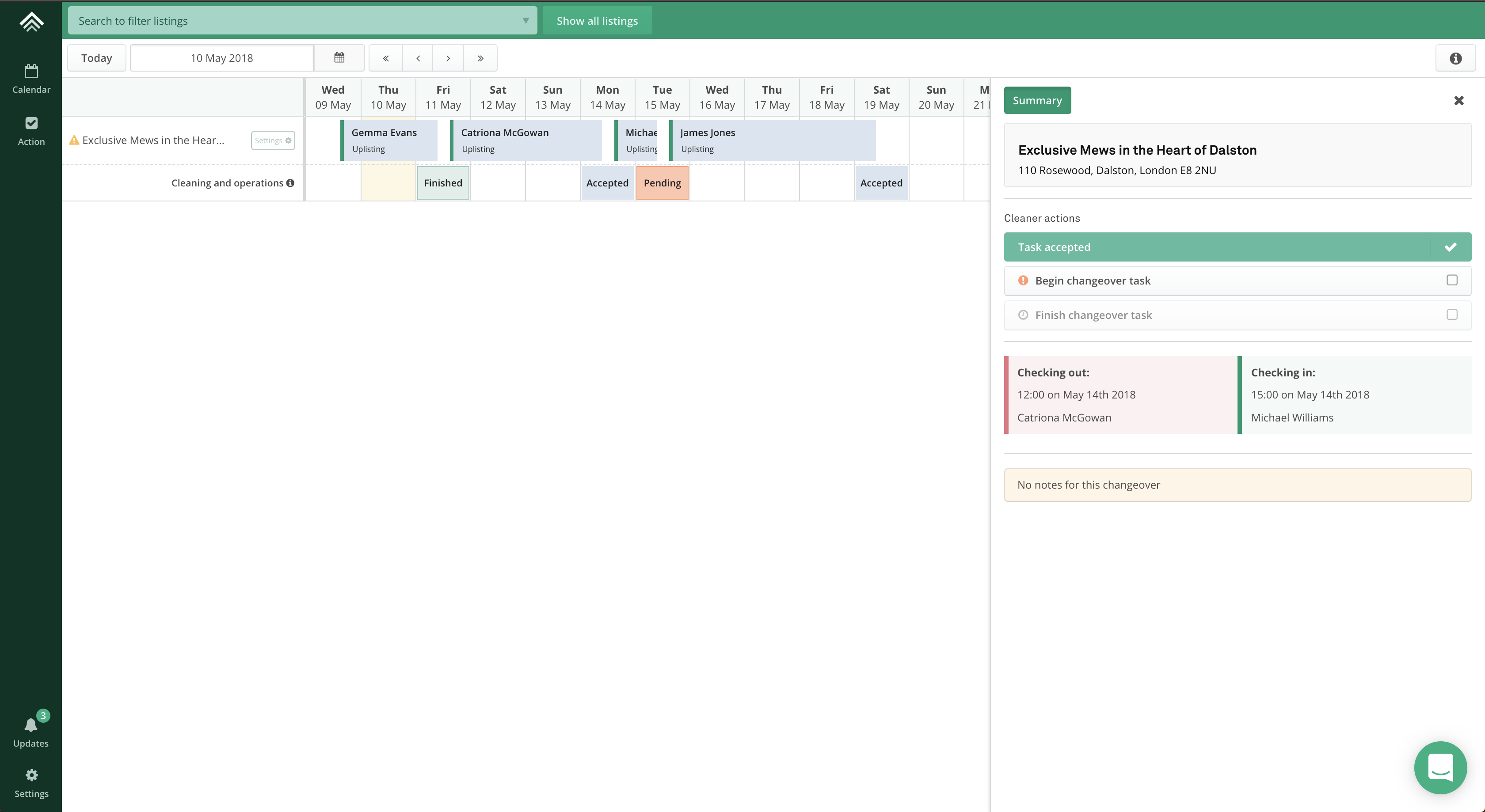
The changeover event on the calendar changes colour based on each of these actions to help the account owner keep track.
- If you don't accept a changeover task, the event remains in a 'pending' state so the account owner knows to action on it.
- Once you accept a changeover task the event enters an 'accepted' state
- Once you finish a changeover task, the event enters a 'finished' state
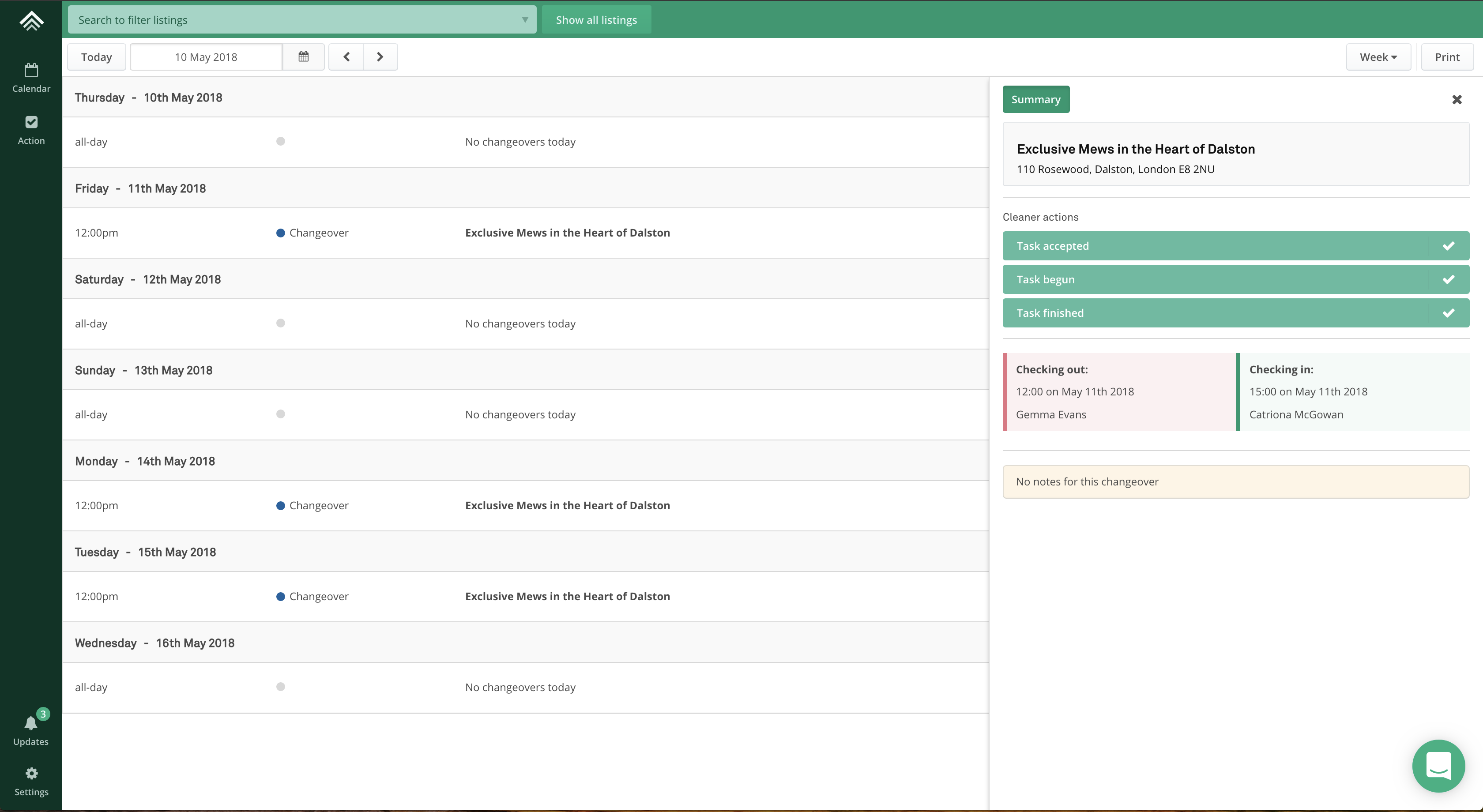
Action screen
The action screen provides a different way of viewing upcoming changeover events. You can perform the same actions by selecting a changeover event and interacting with the changeover panel.
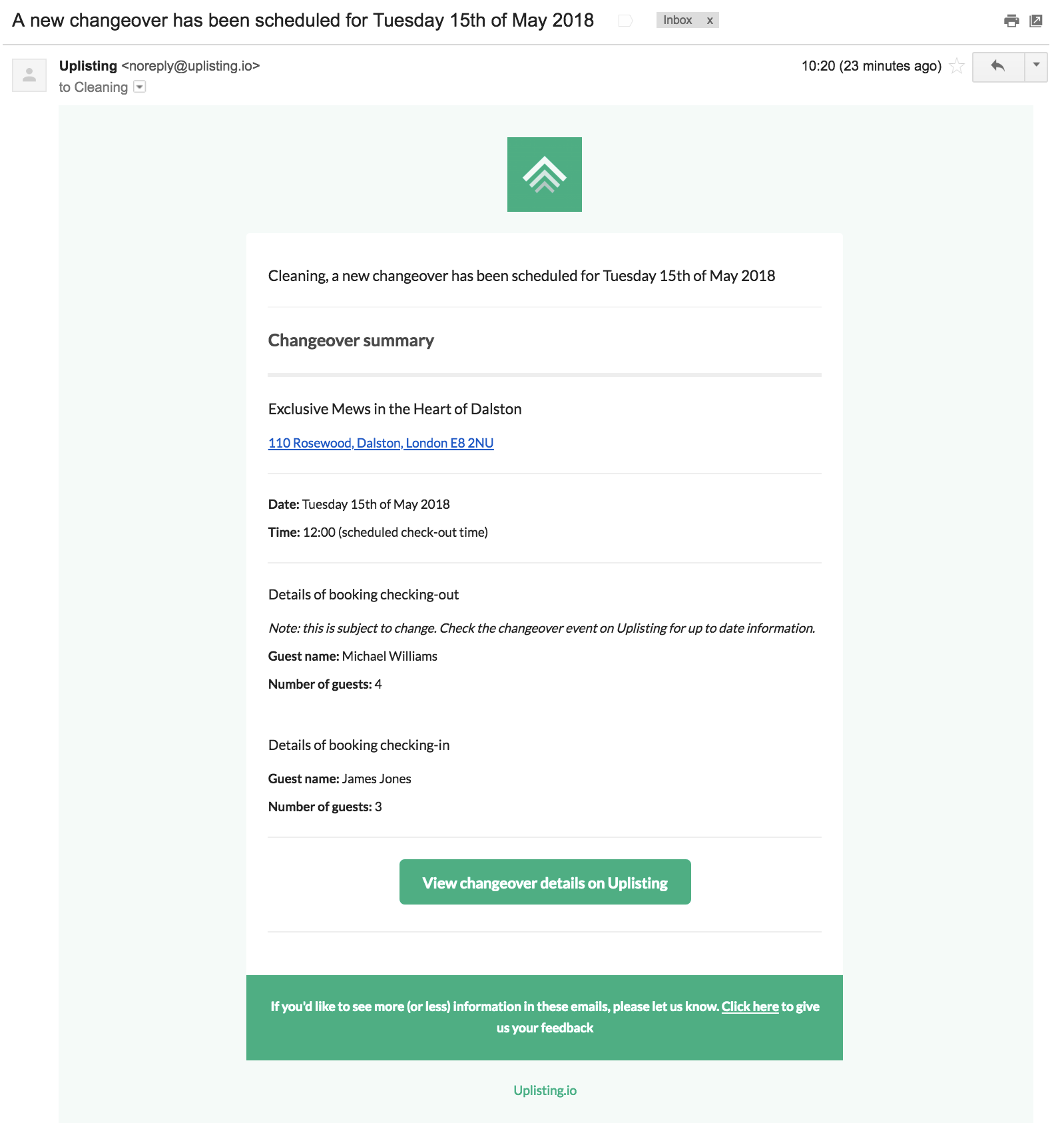
Email notifications
Each time a changeover event is created, modified or cancelled you will receive an email alert to the email address you signed up with.
Updated on: 12/05/2026
Thank you!