
Guest identification verification
Guest identification verification
What is guest identity verification?
Ask guests to verify their identity before they arrive.
Guest identity verification is an extremely powerful feature. Easily and securely verify your users’ identities and collect identification documentation directly and seamlessly via Uplisting. Verify the authenticity of over 4,000 document types from 100+ countries.
Benefits of using Guest Identity Verification
- Enable a powerful and very user-friendly guest verification flow with the click of a button.
- Guests can verify their identity by uploading an image or taking a photo in real-time. Both on desktop and mobile.
- Verify the authenticity of over 4,000 document types from 100+ countries.
- Prevent fraudulent bookings.
- No external provider is needed.
Airbnb bookings from 20 Nov 2026
Airbnb's guest data policy applies to Airbnb bookings made on or after 20 Nov 2026. On that date Uplisting switches Guest ID off for Airbnb.
- Airbnb bookings made before 20 Nov keep the setting they had on 20 Nov.
- Other booking sites don't change.
- If you switch Guest ID off for Airbnb before 20 Nov, it also stops on existing Airbnb bookings.
You can switch Guest ID back on for Airbnb only where applicable law or a documented community association rule (HOA or building security) requires it.
Go to Protection › Settings (older accounts: Automate › Guest identity and deposits), here.
Uplisting asks which exception applies and asks you to acknowledge that Airbnb can act on your listings. The step then applies to every new Airbnb booking on your account.
If you switch it back on, state the requirement in your listing's Additional rules on Airbnb and collect no more than is required.
You can also check ID in person at check-in, without keeping a copy, if your listing says so.
How much does Guest Identification cost?
The following charges are per verification (including any retries following failed checks). For most common currencies these are:
GBP | EUR | USD | CAD | AUD | NZD |
|---|---|---|---|---|---|
£1.25 | €1.50 | $1.65 | $2.10 | $2.20 | $2.40 |
How does identity verification work for guests?
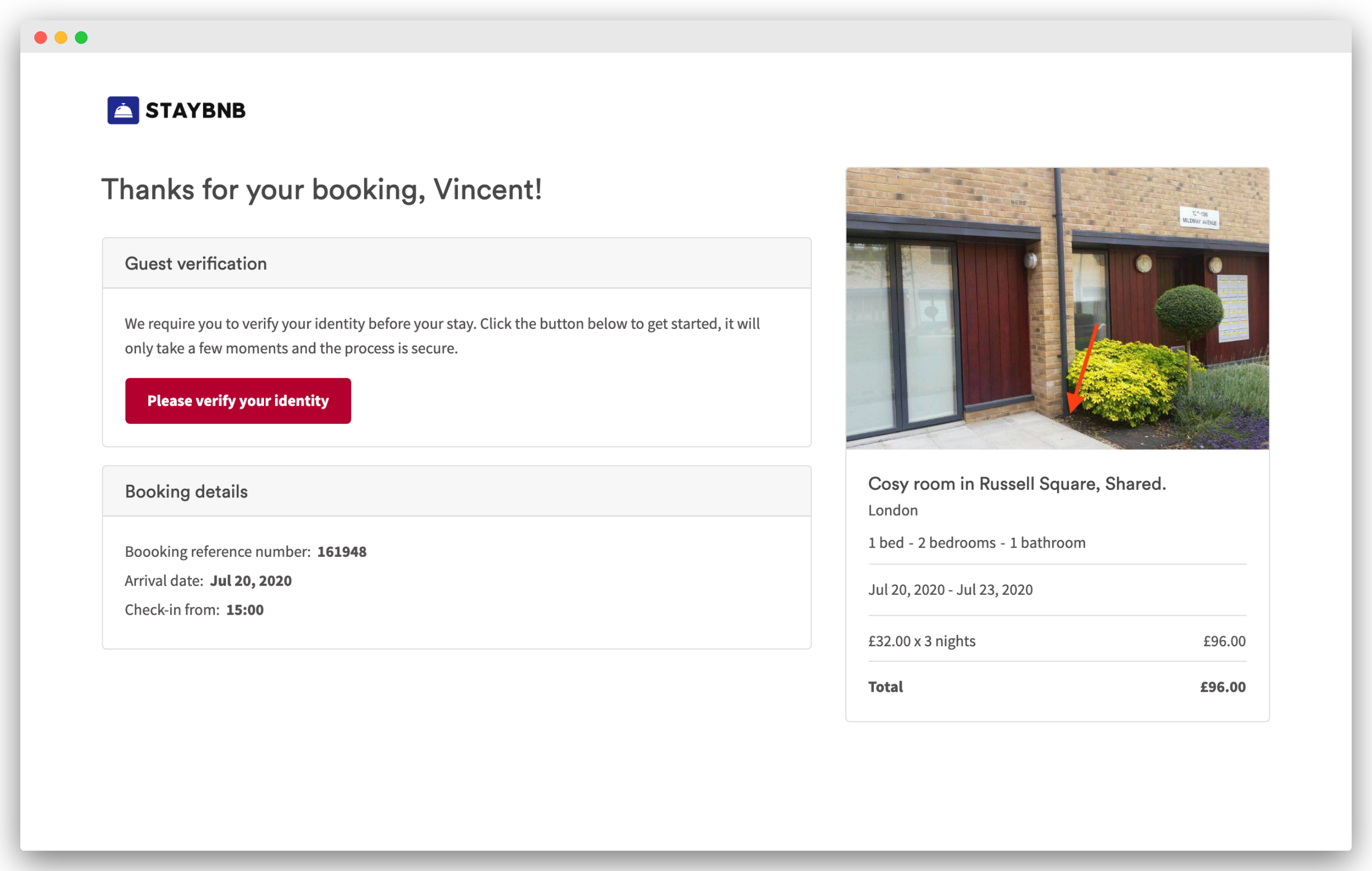
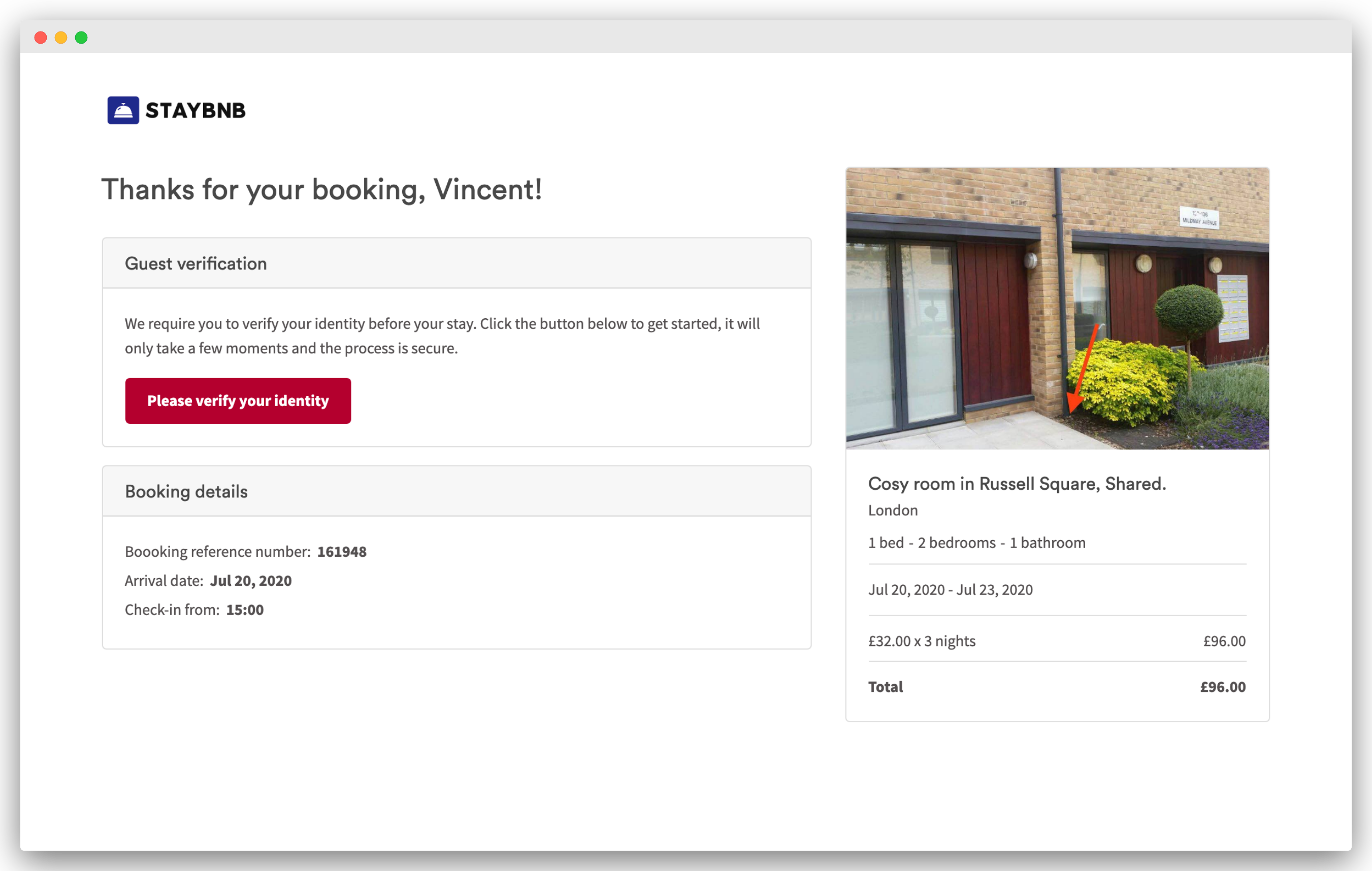
1. New guest verification module on the booking confirmation page
When the feature is enabled, a Guest verification module appears on the guest booking confirmation page. Within this module is a Please verify your identity button.
2. Guest verification flow
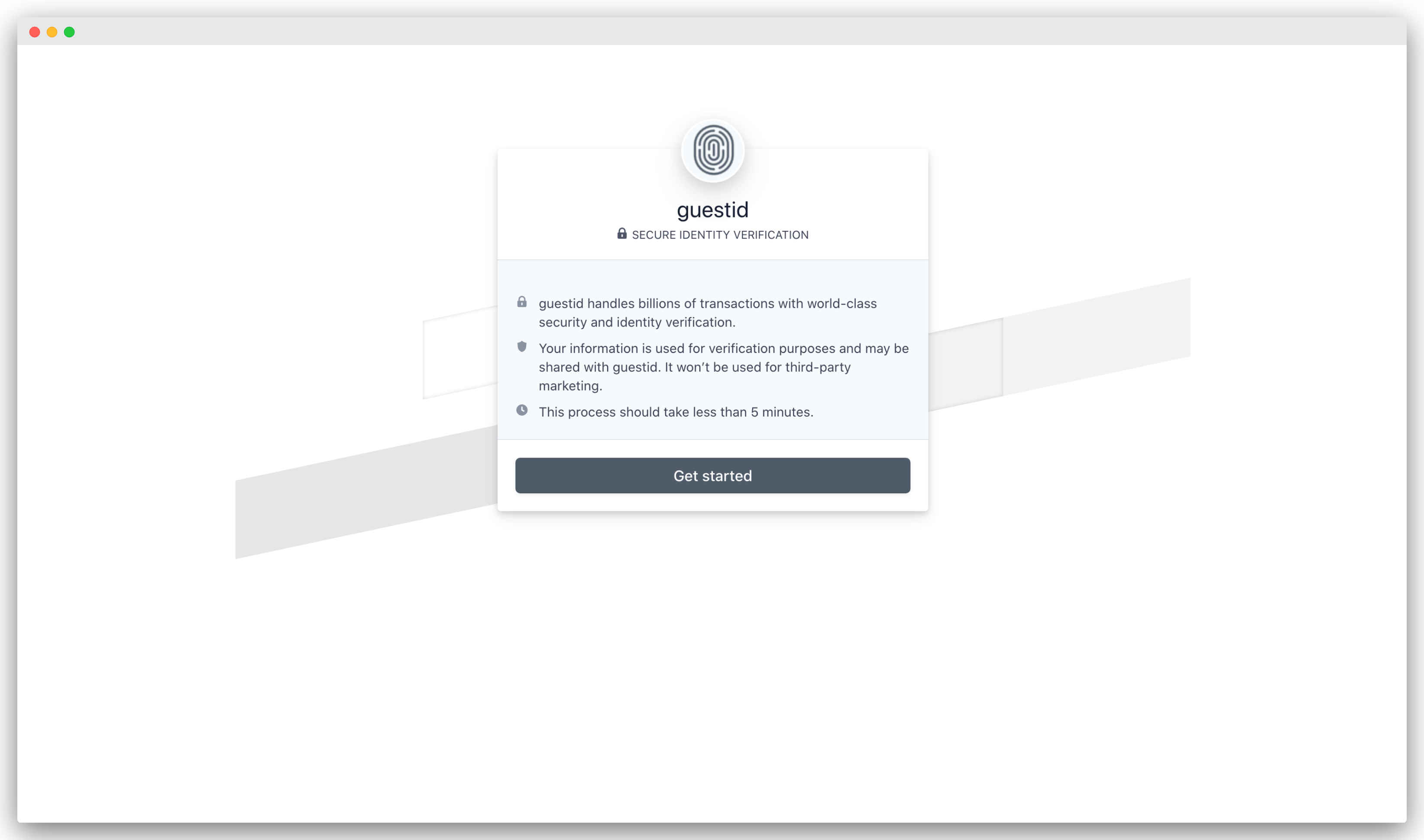
Once your guest selects the Please verify your identity , the following screen is shown. This screen is mobile responsive.
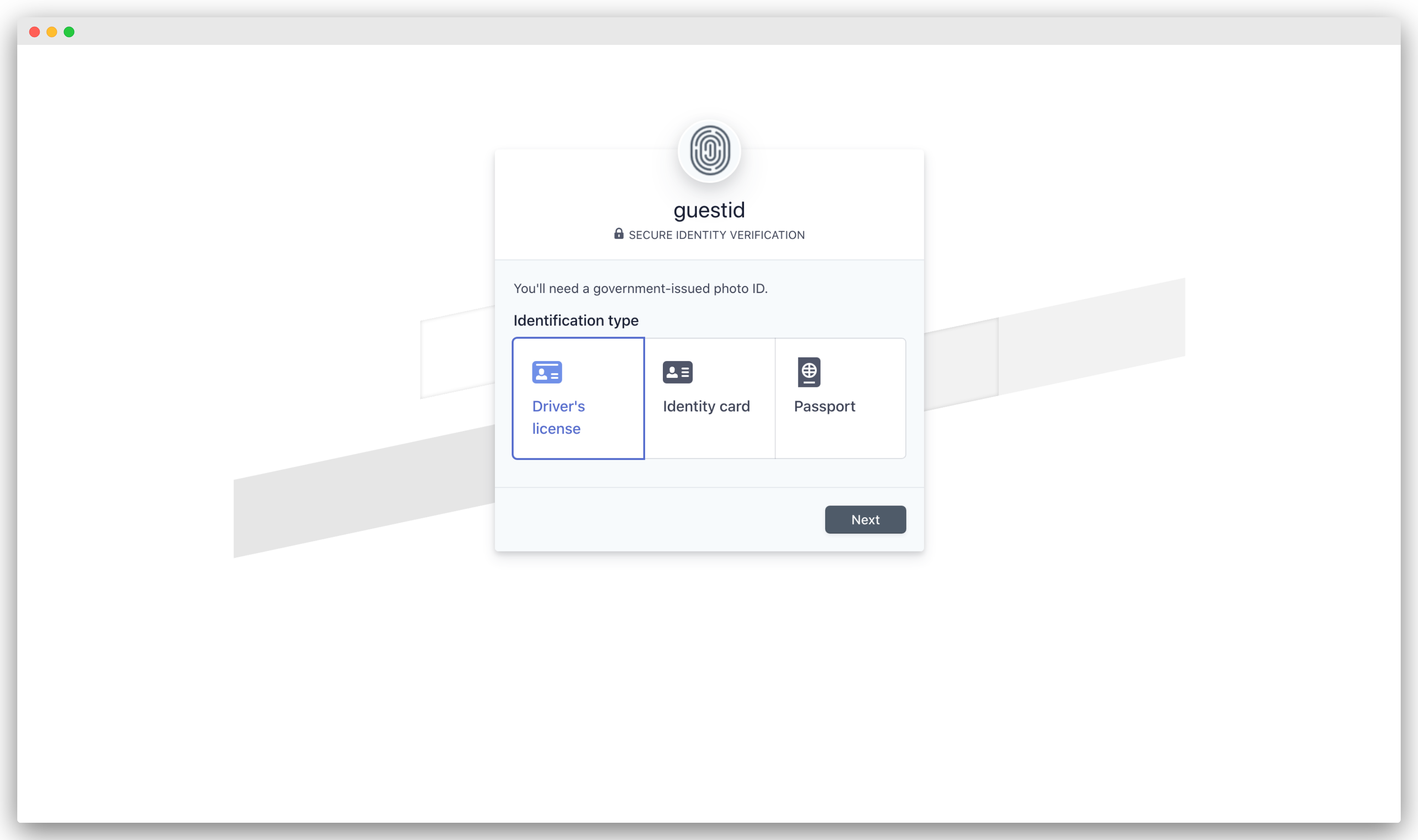
Select identification type
Next they select which identification type to verify their identity with.
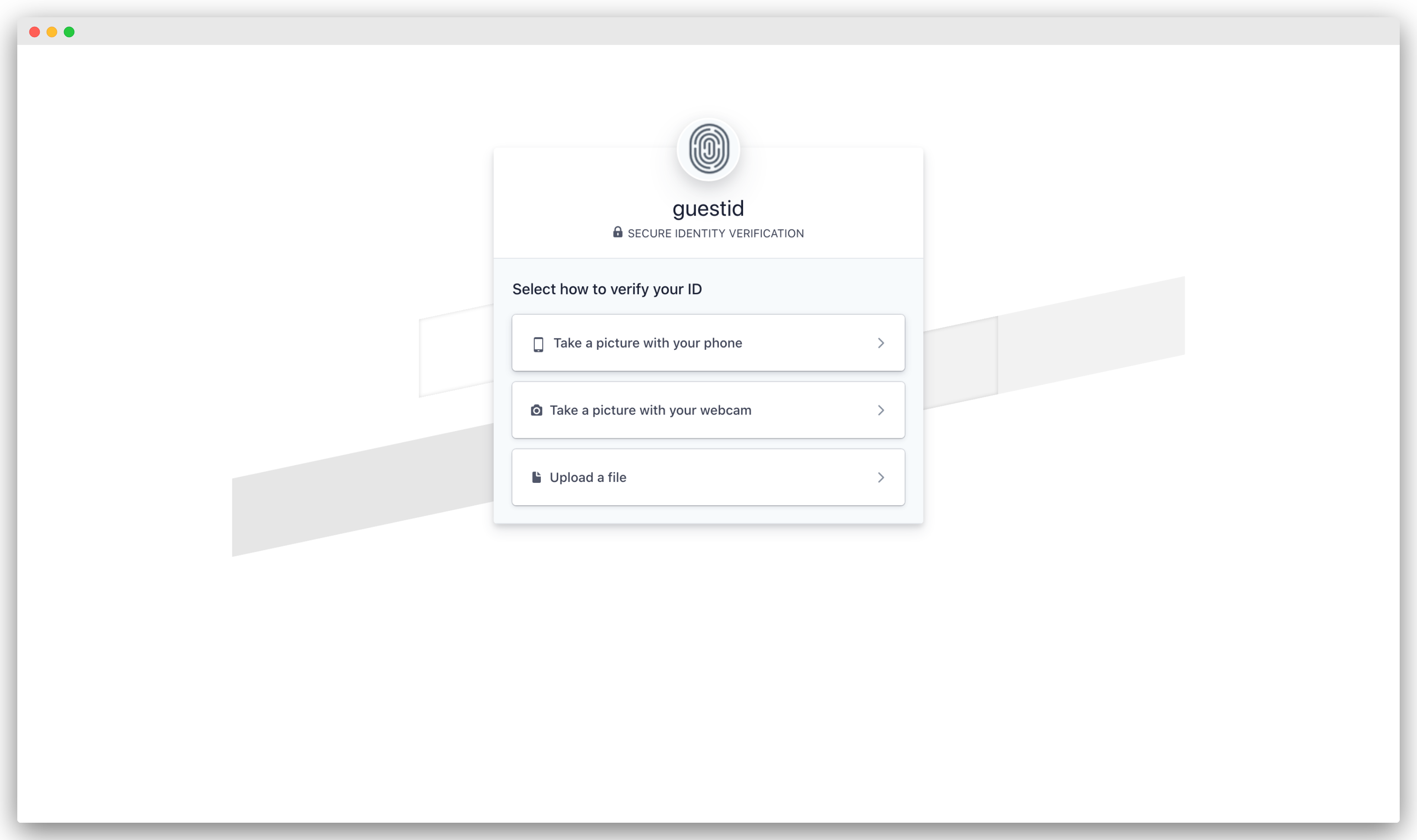
Identification source
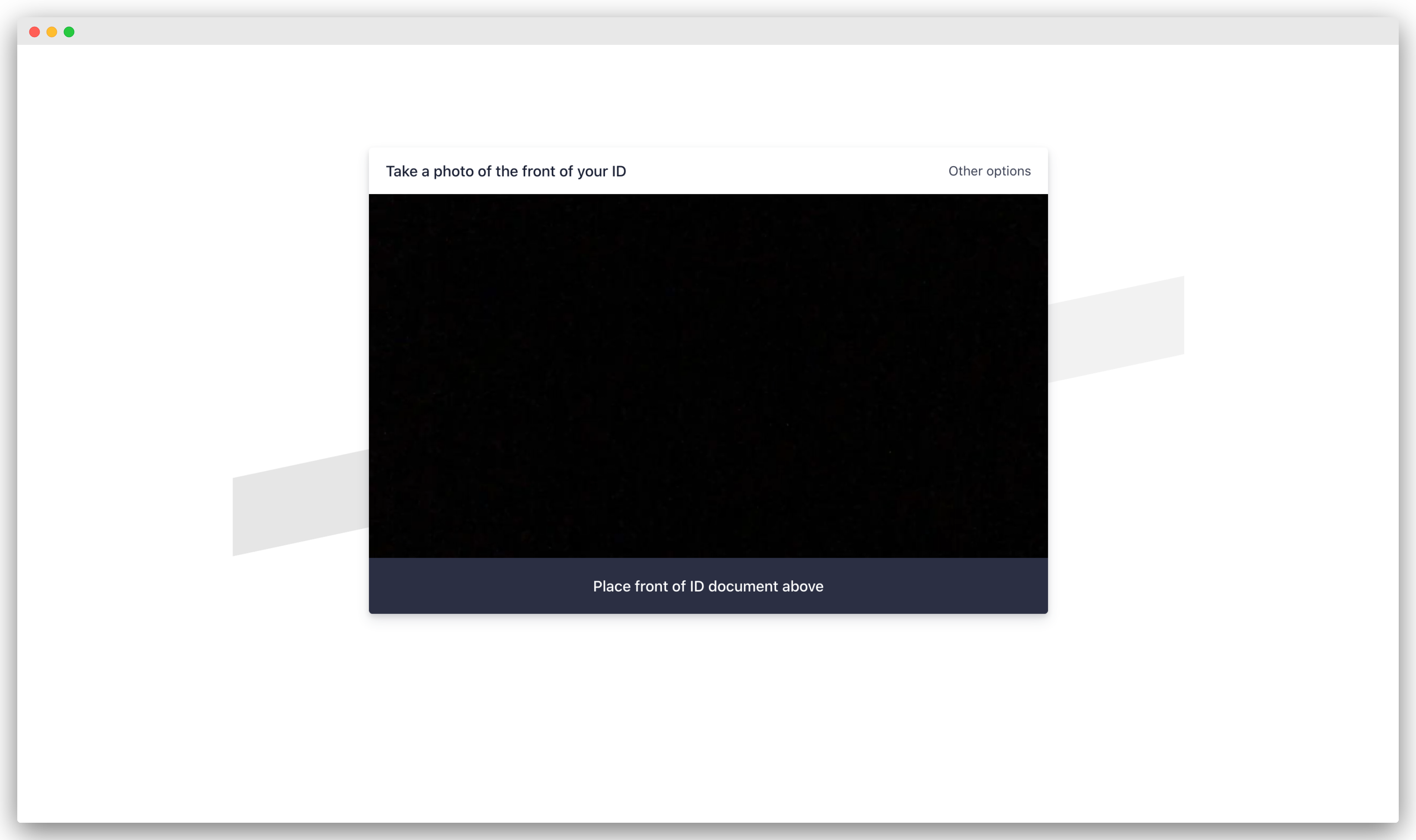
Guests can take a picture on their phone, on their laptop or by uploading a file (image). This makes it very easy for the guest to provide their identification in a way that suits them best.
Upload identification
If taking a photo of their identification, guests are asked for access to their camera. They can then take a picture of their identification.
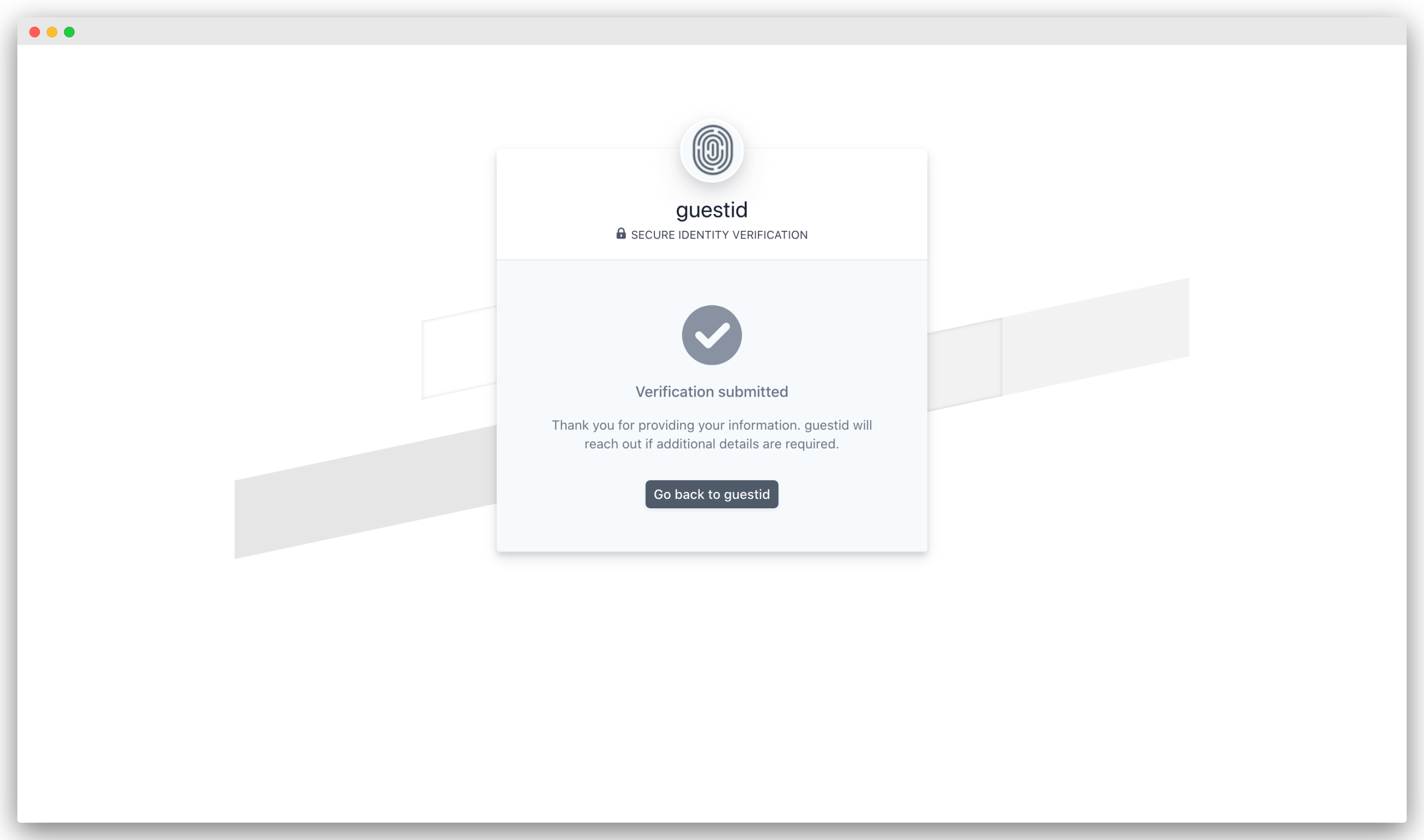
Identification successfully submitted
As soon as the identification document has been submitted the system attempts to successfully verify.
3. Verification states
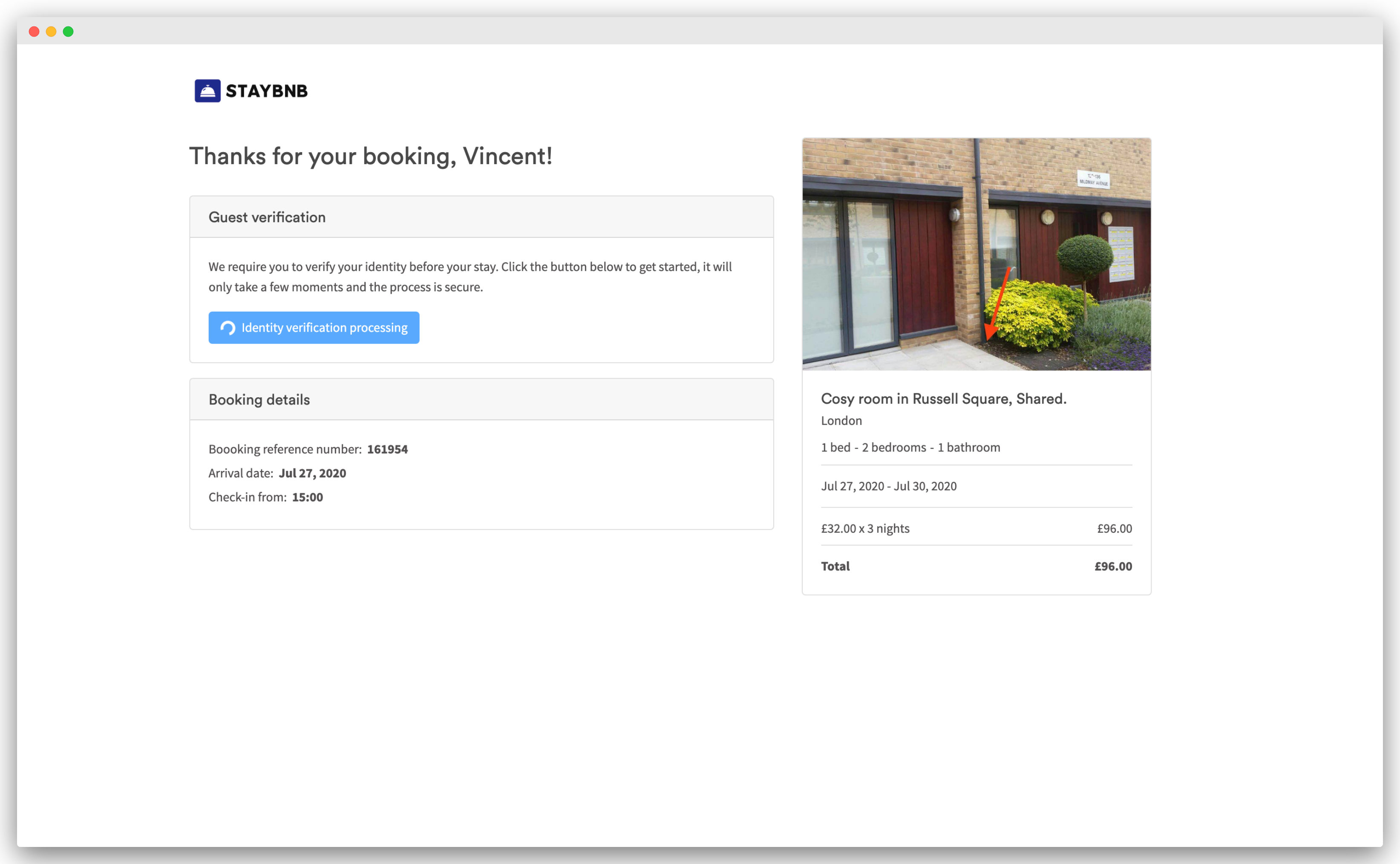
Processing state
As the verification documents take time to process, your guests will see a Identity verification processing state on the Guest Verification module after completing the steps above.
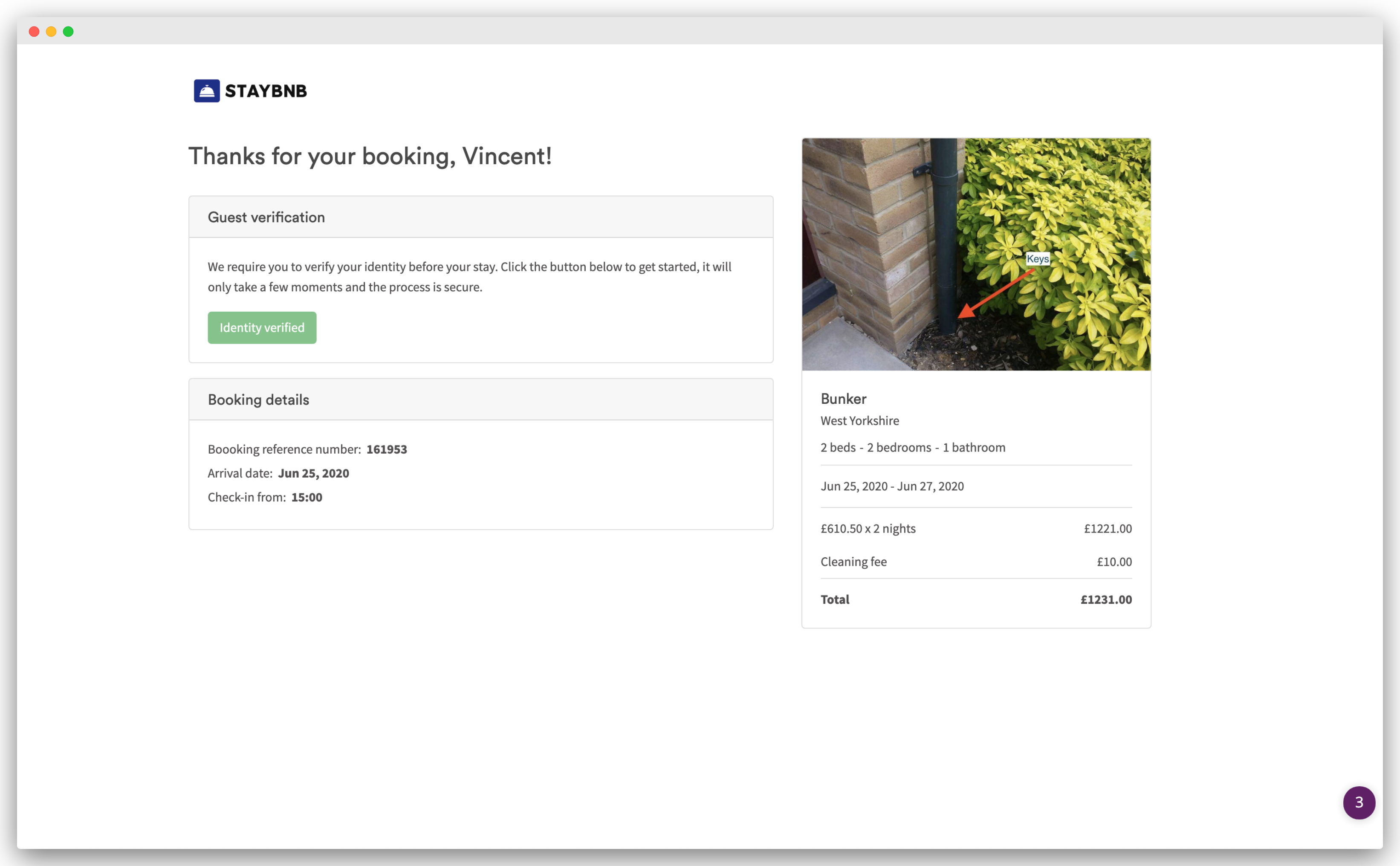
Successfully verified
When the identity verification is successful, you and your guest will see a Verification verified status on the Guest Verification module.
Not successfully verified
If verification fails, the state returns to Please verify your identity
FAQ's
Can I ask Airbnb guests to verify their Identity?
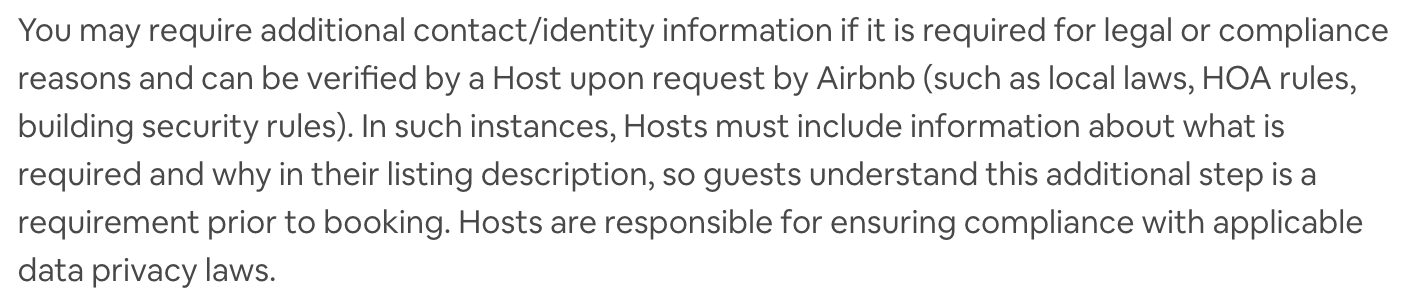
Only where applicable law or a documented community association rule (HOA or building security) requires it. See Airbnb bookings from 20 Nov 2026 above and Airbnb's policy.
How do I know if a guest has verified their identity?
- Open the booking in your Uplisting calendar.
- Click the Summary tab.
- If the guest has successfully completed verification, the status will display 'Guest identity has been verified'.
If the guest has not yet verified their identity, you can send them a link to their guest booking page so they can complete the verification process. See [How do I send my guest a link to verify their identity?] in this guide for instructions.

How do I send my guest a link to verify their identity?
- Open the booking in your Uplisting calendar.
- Click the Summary tab.
- Locate the Guest Booking option. Right-click it and select the option to copy the link address. Alternatively, click Guest Booking to open the guest booking page. Copy the URL from the page and share it with your guest via the Uplisting inbox, email, or any other suitable method.
Your guest can use this link to access their guest booking page and complete the identity verification process. The page is mobile-friendly and can be accessed on any device.

How is guest identity verification data stored and protected?
Guest identity verification is handled through Stripe Identity. Both Stripe and Uplisting follow strict data protection standards, and Uplisting is fully GDPR compliant.
During verification, we check that the identity document provided is authentic and valid.
Privacy and data protection
For more information about how personal data is handled, please refer to:
Requesting deletion of verification data
If a guest would like their verification data removed after completing the verification process, they can request this by emailing privacy@stripe.com with their details
provided during the identity verification process.
Stripe will process the deletion request in accordance with its data retention and privacy policies.
Updated on: 09/11/2026
Thank you!