
Design and content
Design and content
Home page
👍 The homepage is designed to do two things. First, impress potential guests with a stunning first experience, and secondly, start them on the booking flow why only offering one button to click. Your guest knows what to do next → enter a date range and click search.
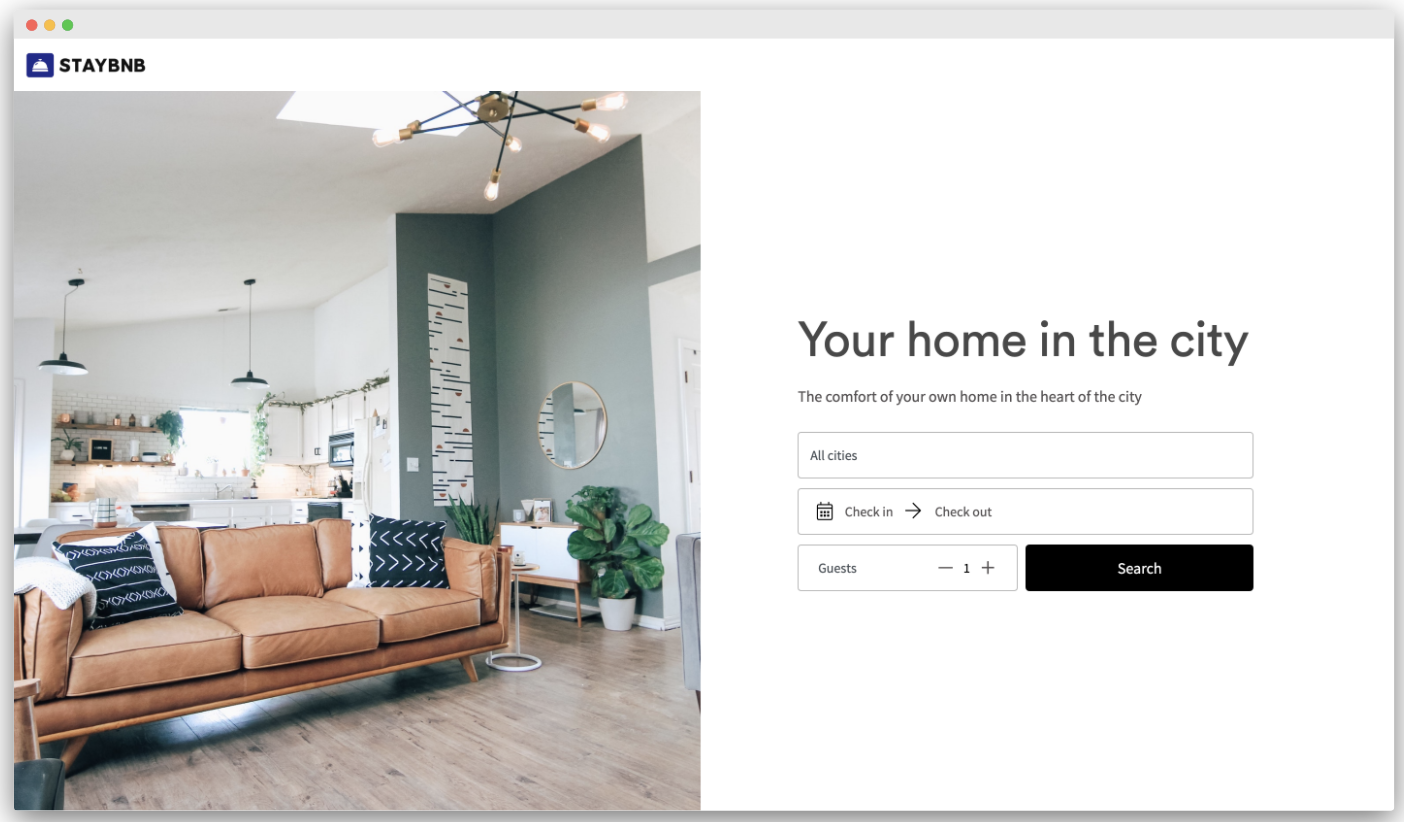
If they want, your guest can scroll down to see more information, as shown in the image below. This extra information includes a configurable description and description heading as well as a button to 'Browse all listings'.
The structure and content of the home page
The images above show a fully-featured home page. The content settings you can configure are:
Global settings
- Your logo
Listing content
- Hero image
- Hero title (eg. Your place in the city)
- Hero tagline (eg. The comfort of your own home in the heart of the city)
- Description title (eg. About Staybnb)
- Description content (eg. our luxury...)
- Footer
- Email address (optional)
- Phone number (optional)
Individual listing page
Each direct listing page is created automatically once you import or create listings on your Uplisting account. You can edit the information displayed and that will update in real time.
📘 Prices, availability and extra charges are automatically synced to each listing page in real time. When a guest attempts to book, they will always be shown the most up to date information.
The structure and content of each direct booking listing
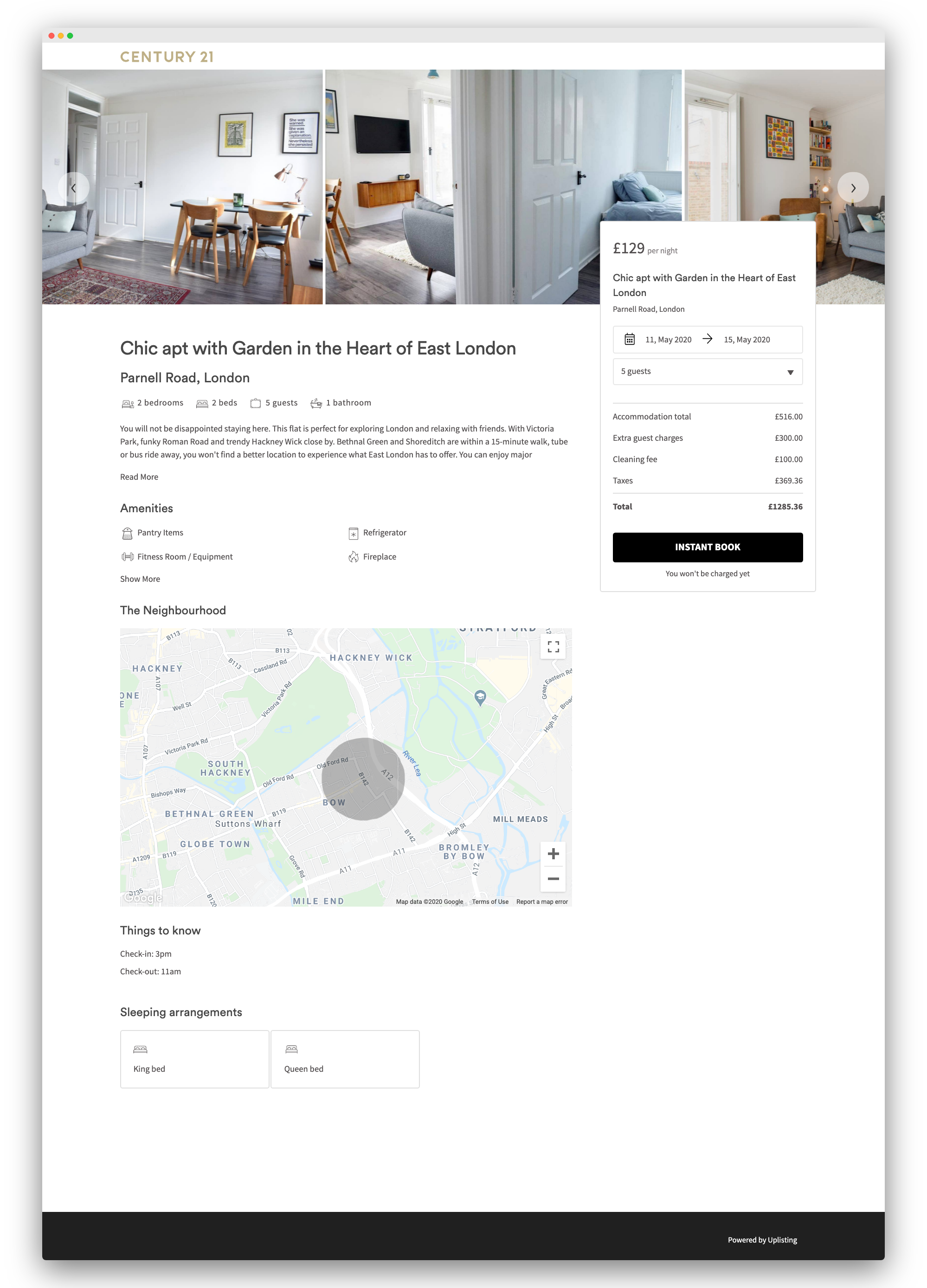
The image below shows a fully-featured direct listing page. The content settings you can configure are:
Global settings
- Your logo
Listing content
- Images
- Title
- Address (without detailing exact location)
- Summary information
- Number of bedrooms
- Number of beds
- Guest capacity
- Number of bathrooms
- Description
- Amenities
- Map (showing rough location) → automatically populated using the address of the listing
- Things to know
- Check-in and out times
- Sleeping arrangements
- Bed types
- Footer
- Email address (optional)
- Phone number (optional)
Updated on: 12/05/2026
Thank you!