
Advance notice (booking lead time)
Advance notice (booking lead time)
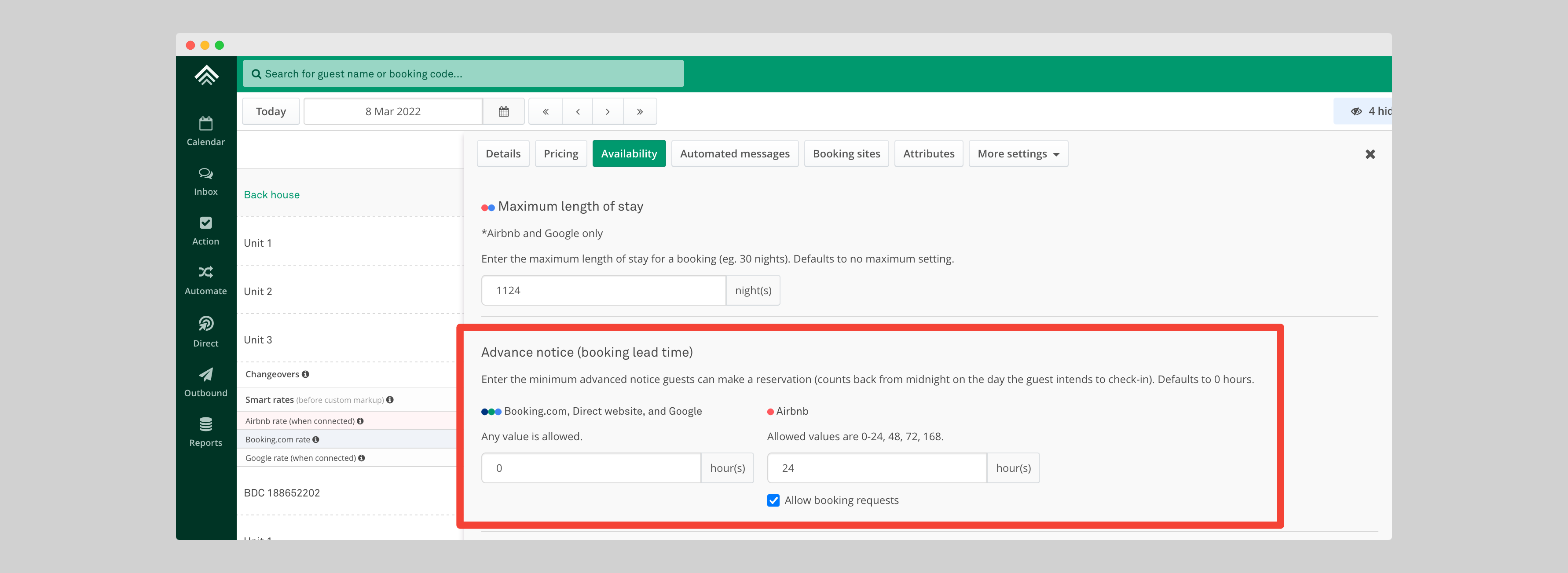
Advance notice is the minimum time between a guest booking and their check-in. Set it per listing in hours and Uplisting syncs it to Airbnb, Booking.com, Google Vacation Rentals and your direct booking site, so you can stop last-minute bookings on every channel, not just Airbnb.
How to set advance notice
- Open the listing and go to Availability.
- Enter the advance notice in hours.
- Save.
How the hours are counted
Hours count back from midnight at the start of the check-in day. With 40 hours (1 day 16 hours), a guest can book until 8am on the 5th for a check-in on the 6th.
Checking it on Booking.com
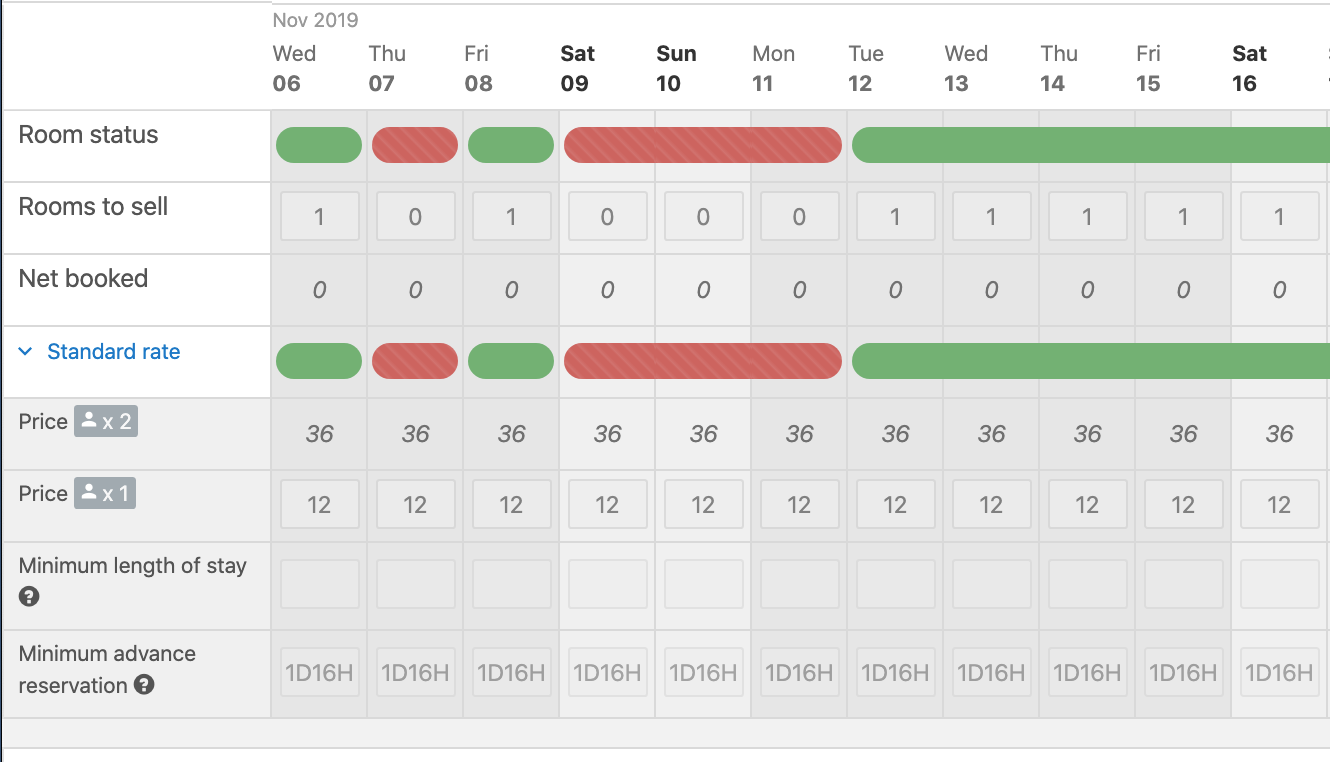
In the Booking.com extranet calendar, look for the Minimum advance reservation row. Uplisting sets it for every day three years ahead. 1D16H means 1 day 16 hours, the 40-hour example above.
If the row is not visible, ask Booking.com support to enable it. Uplisting cannot show or hide extranet rows.
Related articles
Updated on: 08/11/2026
Thank you!