
Turno (formerly TurnoverBnB)
Turno (formerly TurnoverBnB)
The smart way to schedule, pay, and find Airbnb vacation rental cleaners and Airbnb cleaning services.
How to connect to Turno
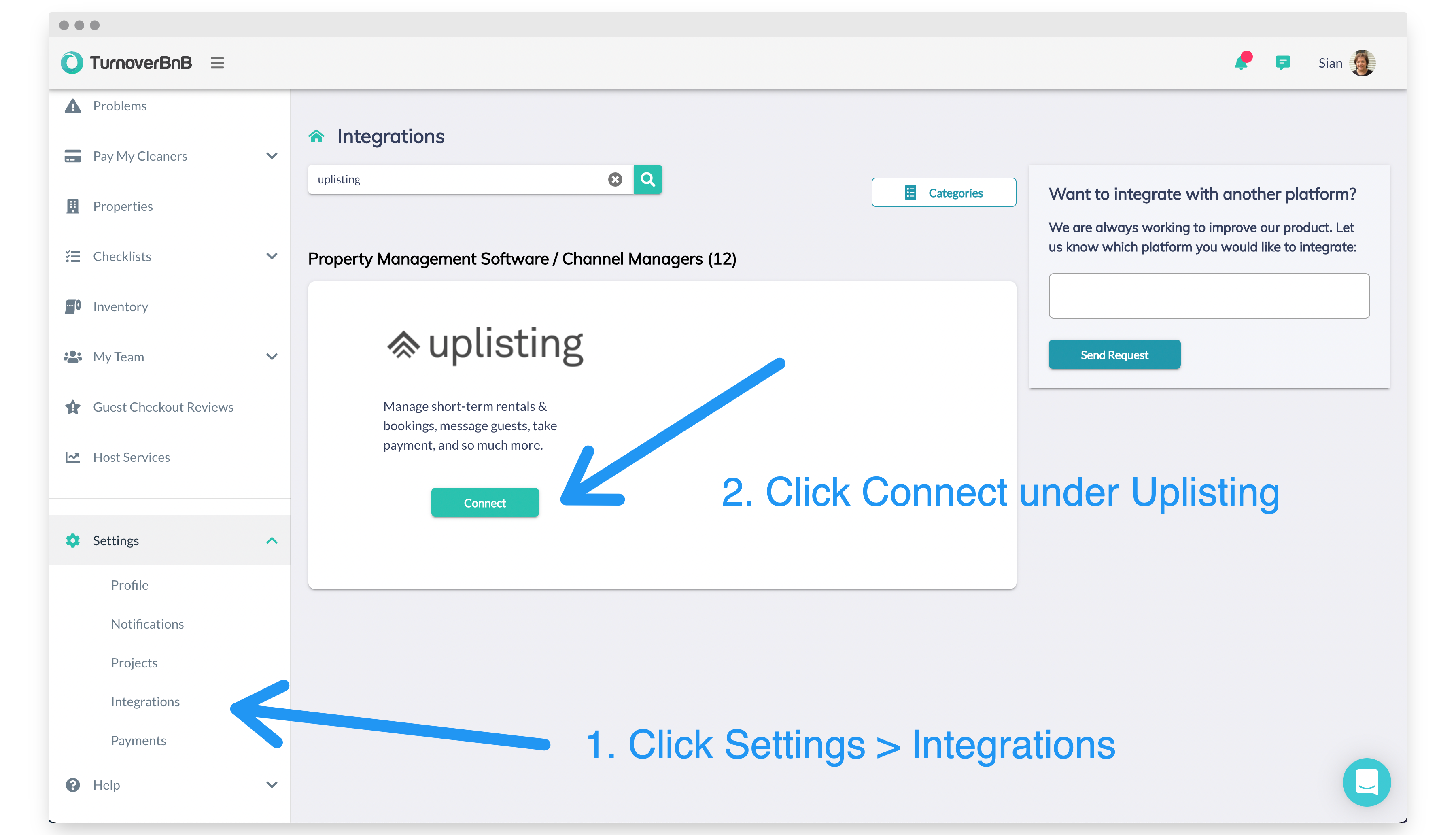
Select Uplisting on the Turno integration page
Go to Settings > Integrations (here).
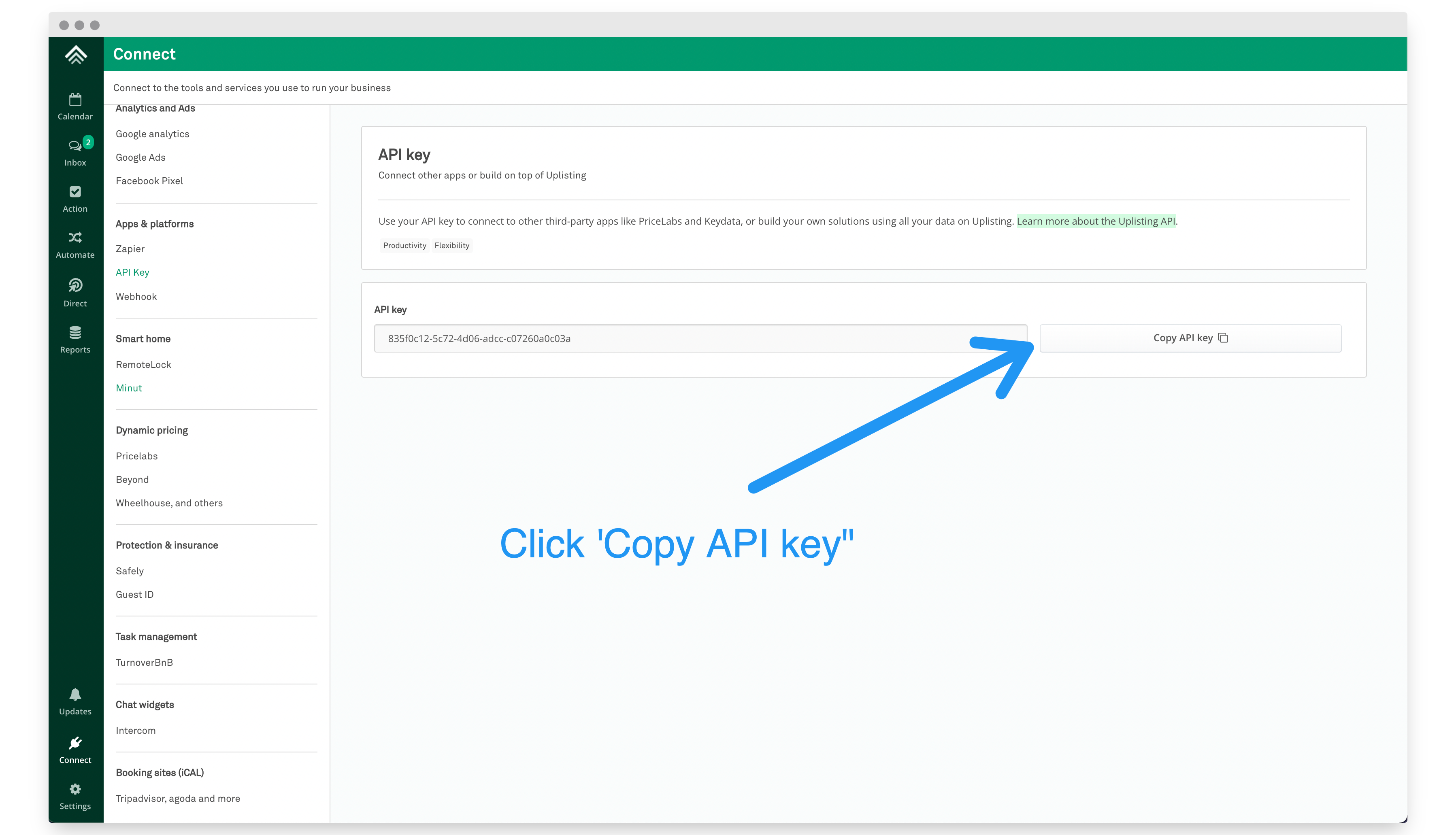
Copy your API key on Uplisting
Go to Connect > API (here) and copy your Uplisting API key.
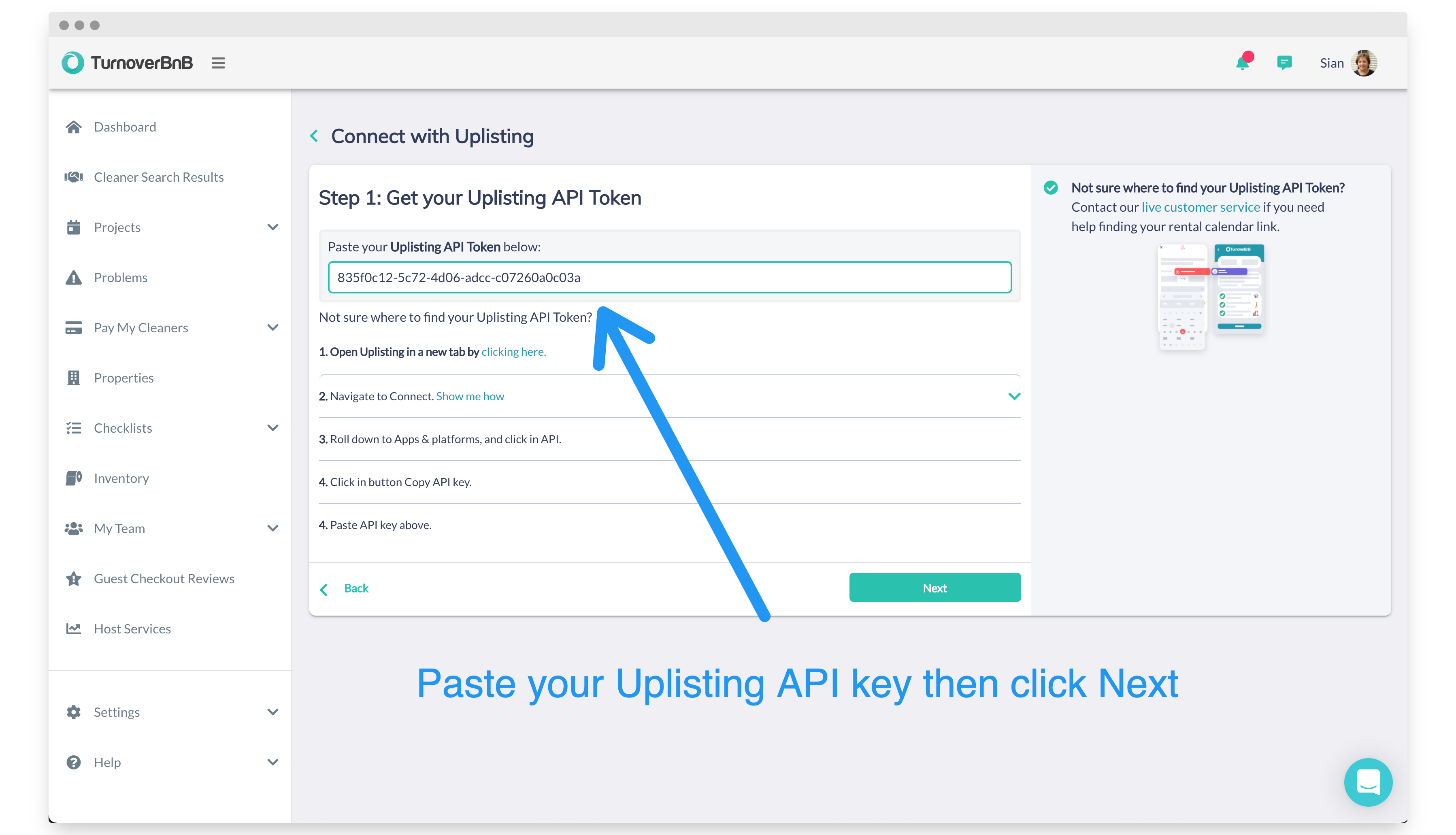
Paste your Uplisting API key on Turno
Paste your API and click the 'Next' button.
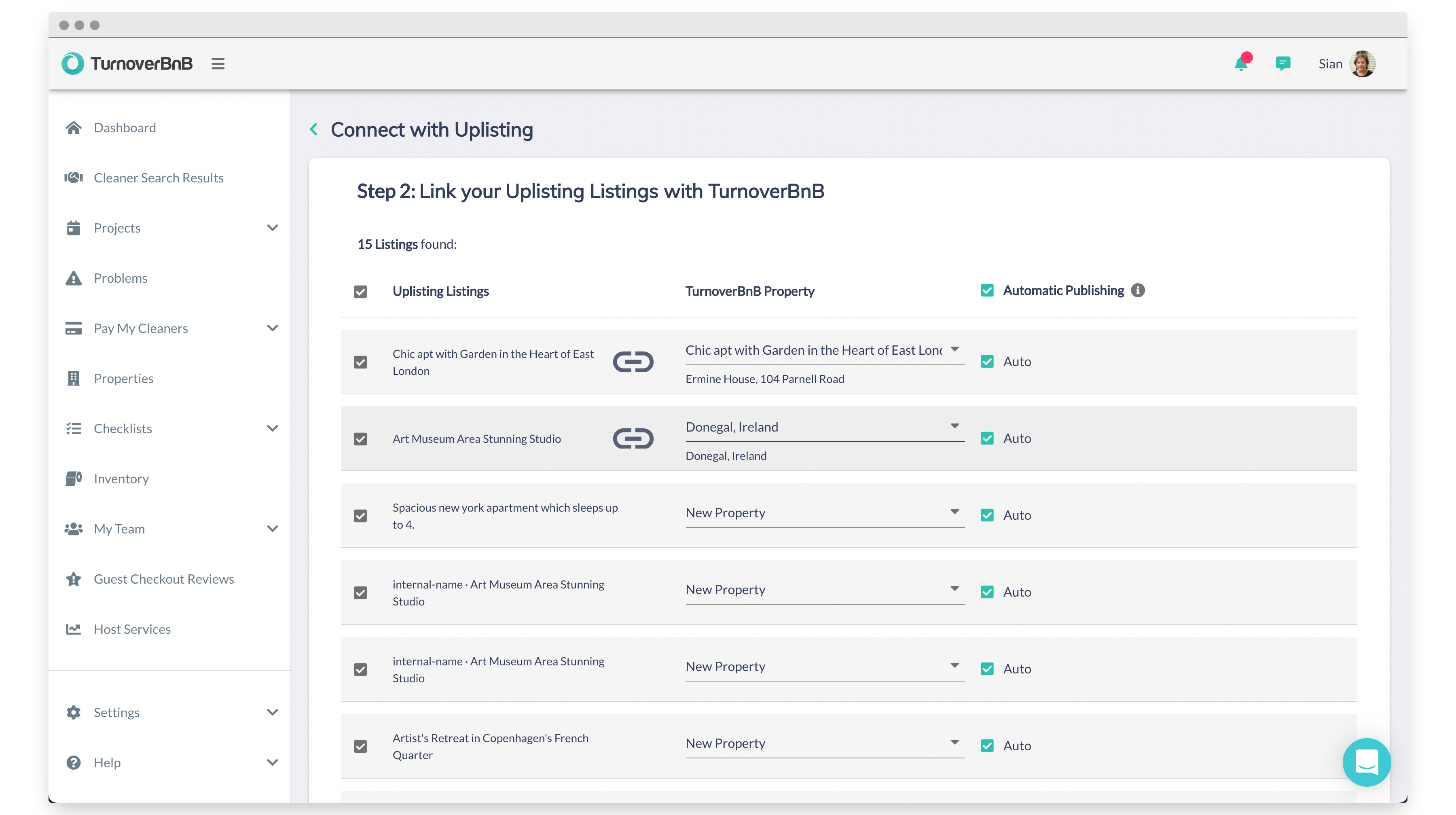
Turno will import your properties from Uplisting
You can create new Turno properties from the properties they import from your Uplisting account, or you can link the Uplisting properties to existing Turno properties (or both).
Once complete, click the 'Link' button at the bottom of the page.
Multi-Unit Properties Support
Turno now supports multi-unit functionality for properties configured in Uplisting.
If your property is structured in Uplisting as a main unit with sub-units, this structure will now be imported into Turno during the connection process.
How Multi-Unit Sync Works
- Properties configured as multi-unit in Uplisting will sync to Turno with the same structure
- Main units and sub-units will be mapped automatically
- Turnovers will align with each booking configuration
- No manual project creation is required
This ensures that cleaning schedules automatically reflect whether:
- A full property booking occurs
- A sub-unit booking occurs
- Multiple sub-units are booked simultaneously
Why This Matters
Multi-unit properties are common in the vacation rental space. Managing cleaning and turnovers across full-property and individual unit bookings can otherwise require manual scheduling.
With multi-unit support, Turno now mirrors your Uplisting property structure, helping you stay organized and reduce manual work.
📘
If your property is already configured as a multi-unit in Uplisting, this structure will sync automatically to Turno. No additional setup is required.
If you'd like to confirm your structure, you can review your properties directly in Turno after connecting.
If you have questions or need assistance, contact Turno support at help@turno.com
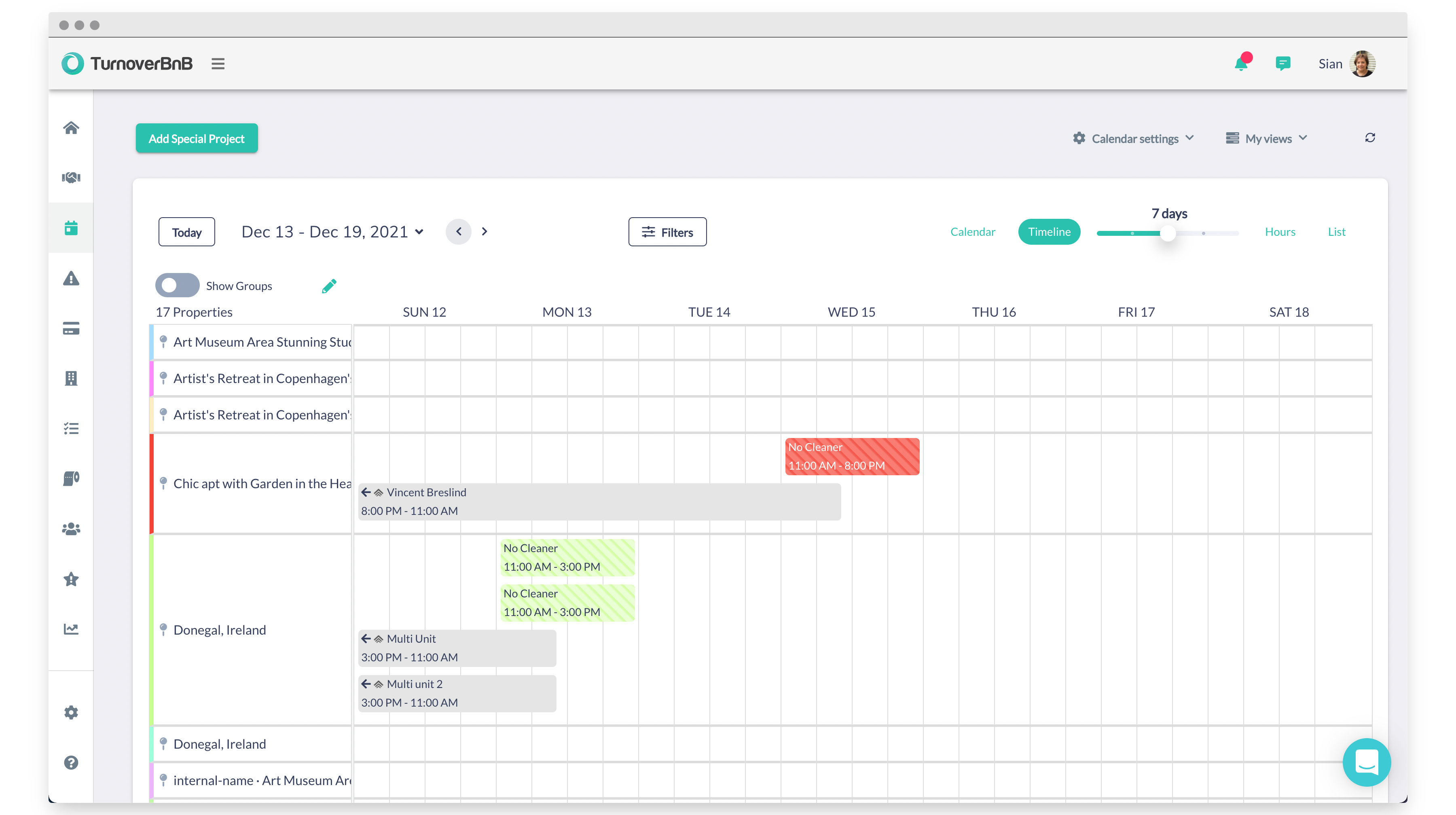
View your bookings on your Turno scheduler
Turno and Uplisting are now linked. Turno will automatically sync new bookings.
Updated on: 12/05/2026
Thank you!