
SafeGuest Security Deposits & Waivers
SafeGuest Security Deposits & Waivers
Safeguest manages both security deposits and damage waivers.
Setting the Deposit Amount
On Uplisting, you can set your preferred Safeguest security deposit amount on this page. Safeguest will display this amount to guests during verification.
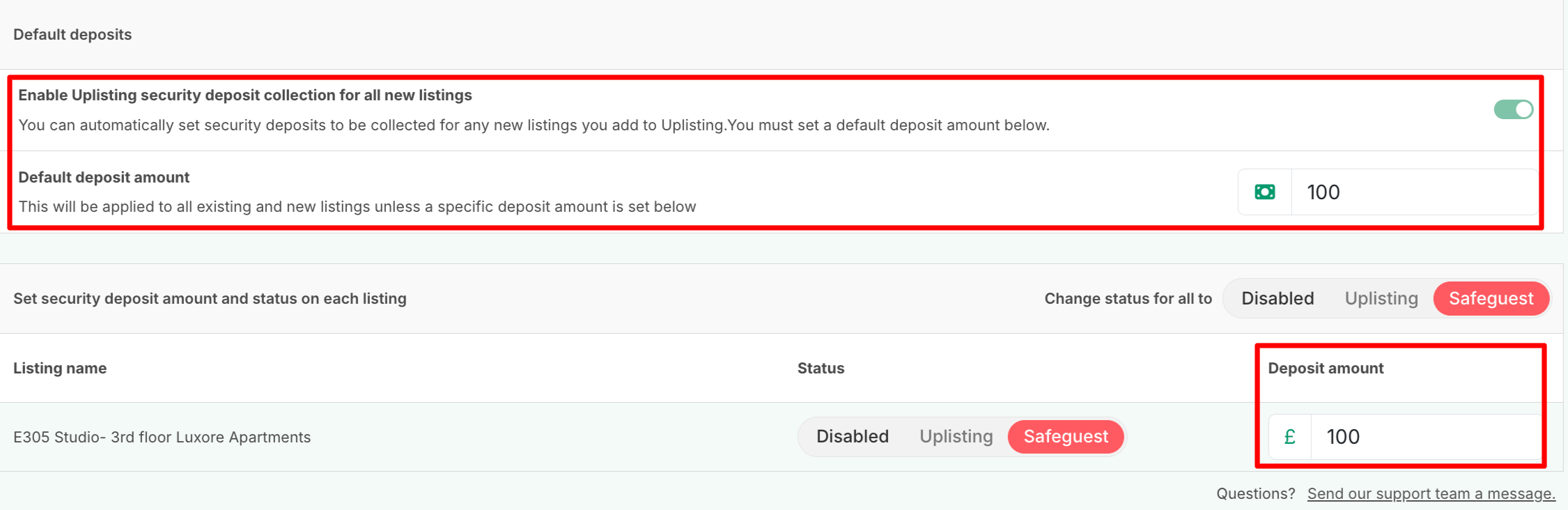
Default Deposit
📘
If no security deposit amount is configured in Uplisting, Safeguest will default to:
- £250 refundable security deposit
- And £30 (GBP) non-refundable waiver.
Waiver Calculation
On SafeGuest, guests can choose a non-refundable waiver instead of paying the SafeGuest refundable deposit.
The waiver amount is calculated as: 10% of the deposit + £5 (GBP)
Example:
If a listing's deposit on Uplisting is set to £100

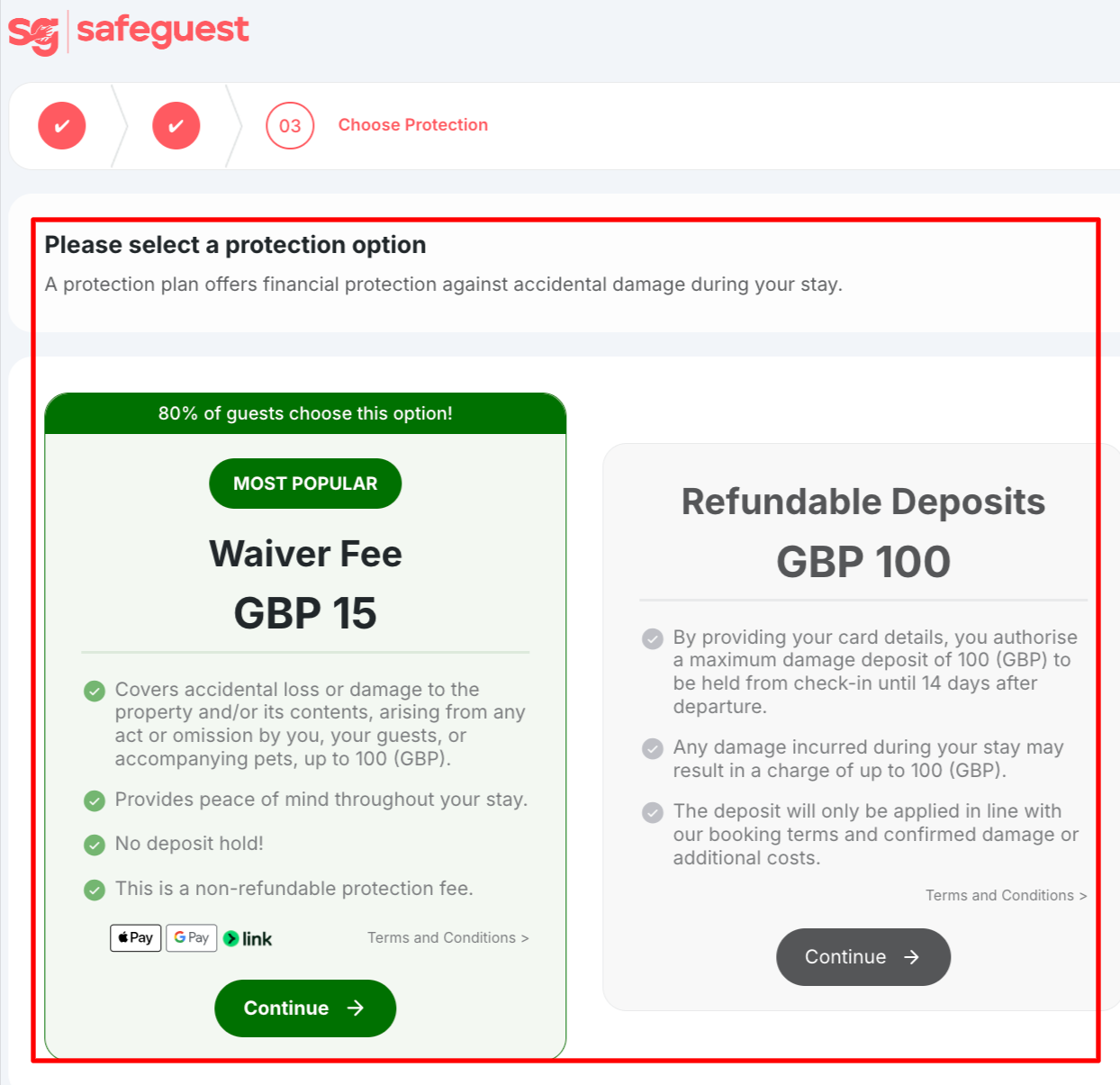
On SafeGuest, guests will see the option to select either of the following:
- £100 SafeGuest refundable deposit
- £15 non-refundable waiver
📘
NOTE:
Guests must either choose the refundable Safeguest security deposit or non-refundable waiver
- This step is mandatory on the Safeguest verification flow
- The refundable deposit is a temporary authorization hold
Damage Claims
To submit a damage claim, you'd need to do so directly via SafeGuest, provided the following requirements are met:
- Claims must be submitted within 48 hours of guest check-out
- Claims must include timestamped photographic evidence and supporting documentation (such as receipts or invoices)
These requirements are outlined in SafeGuest’s Terms & Conditions, which you can review here: https://safeguest.ai/terms-conditions
Refunding Safeguest deposits for a cancelled booking
For SafeGuest refunds, particularly for cancelled bookings, please ask the guest to contact the SafeGuest Support Team directly using one of the options below:
- WhatsApp: Use the WhatsApp support option available through the guest’s verification link.
- Email: support@safeguest.ai
Once SafeGuest receives the refund request, their Support Team will forward it to the relevant team for processing and communicate the outcome directly to the guest.
Updated on: 08/09/2026
Thank you!