
SMS messages
SMS messages
Start and manage two-way SMS conversations with guests directly from Uplisting’s Unified Inbox — on web or mobile — using your dedicated Uplisting phone number.
We’re excited to introduce SMS messaging — a powerful new communication channel built right into Uplisting! Hosts can now start and maintain two-way SMS conversations with guests, directly from the mobile app or web browser (in the Unified Inbox), using an Uplisting phone number.
What’s New?
- Two-way SMS messaging: Hosts initiate a message and guests can reply.
- Regional Uplisting phone numbers: Seamless guest communication using Uplisting’s phone number (no need to share personal numbers). Phone numbers intelligently matched to guest’s phone number globally (sent from the closest region among US, UK, Australia & Spain).
- Unified Inbox and Single Thread: All guest messages — SMS, OTA, email — appear in a single, threaded conversation in the Unified Inbox.
- Message method & status visibility: See whether a message was sent via SMS or email and if it was delivered or failed.
- Full length & method control: SMS messages capped at 160 characters (SMS technology limitation). Hosts can import or create templates and trim content as needed.
- Free with subscription: Included in host subscription at no extra charge (within a reasonable usage limit).
- Mobile app SMS functionality launching soon
⚠️ Important:
Due to regulatory requirements in certain regions (incl. US), guests must opt-in to receiving text messages from hosts. We have built the functionality within the Unified Inbox to make it as easy as possible for hosts to seek this consent.
✉️ How to Send and Receive SMS messages
1. Get guest phone number & consent, if not already provided :
a. Phone numbers are imported automatically from direct bookings. For Airbnb bookings, see Airbnb guests below.
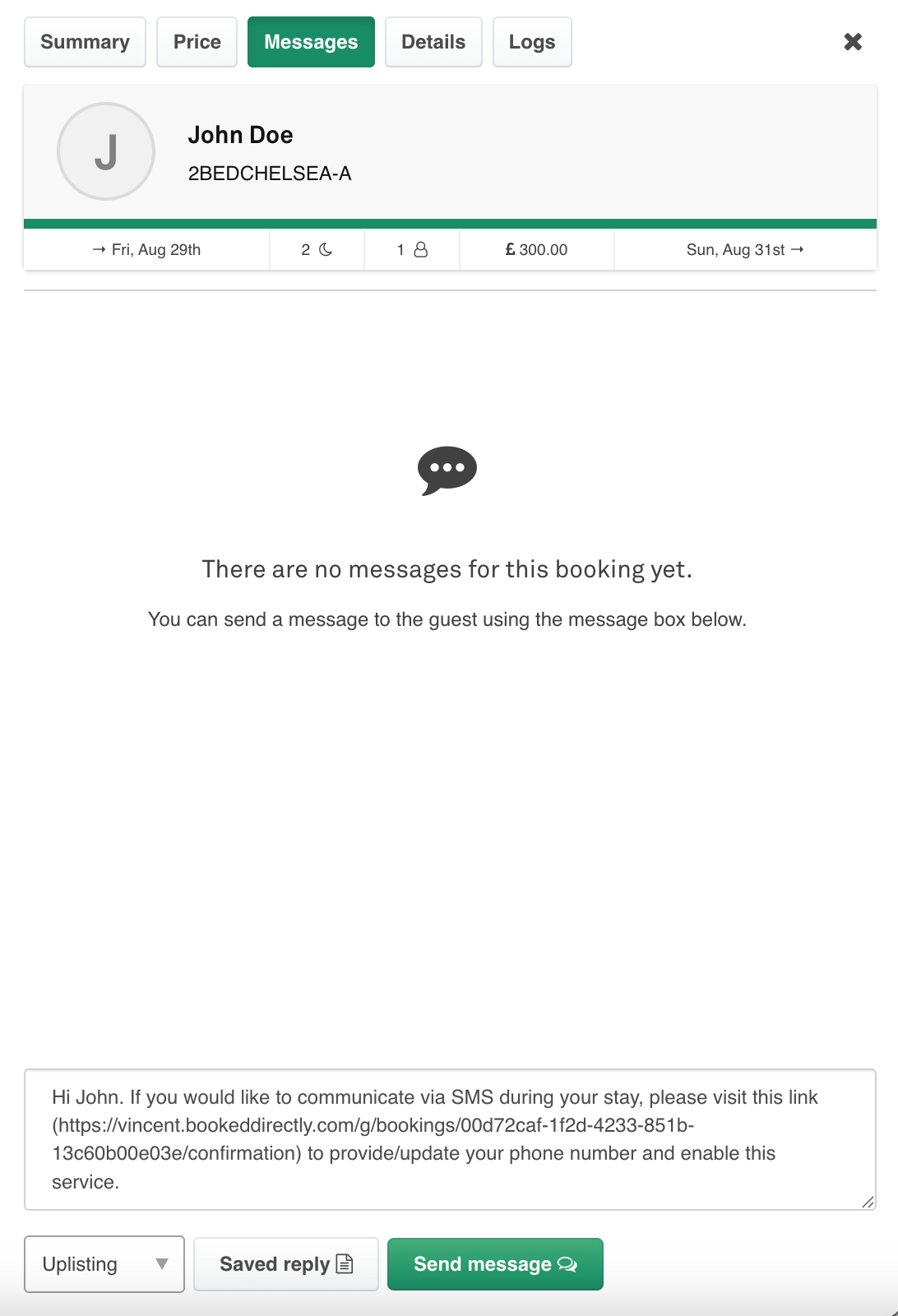
For other bookings, you can ask for it by sharing the booking form from the Message page by clicking on the “Send Request” button (see Images 1 and 2 below):
Image 1 - Inbox and Message thread (pre-consent):
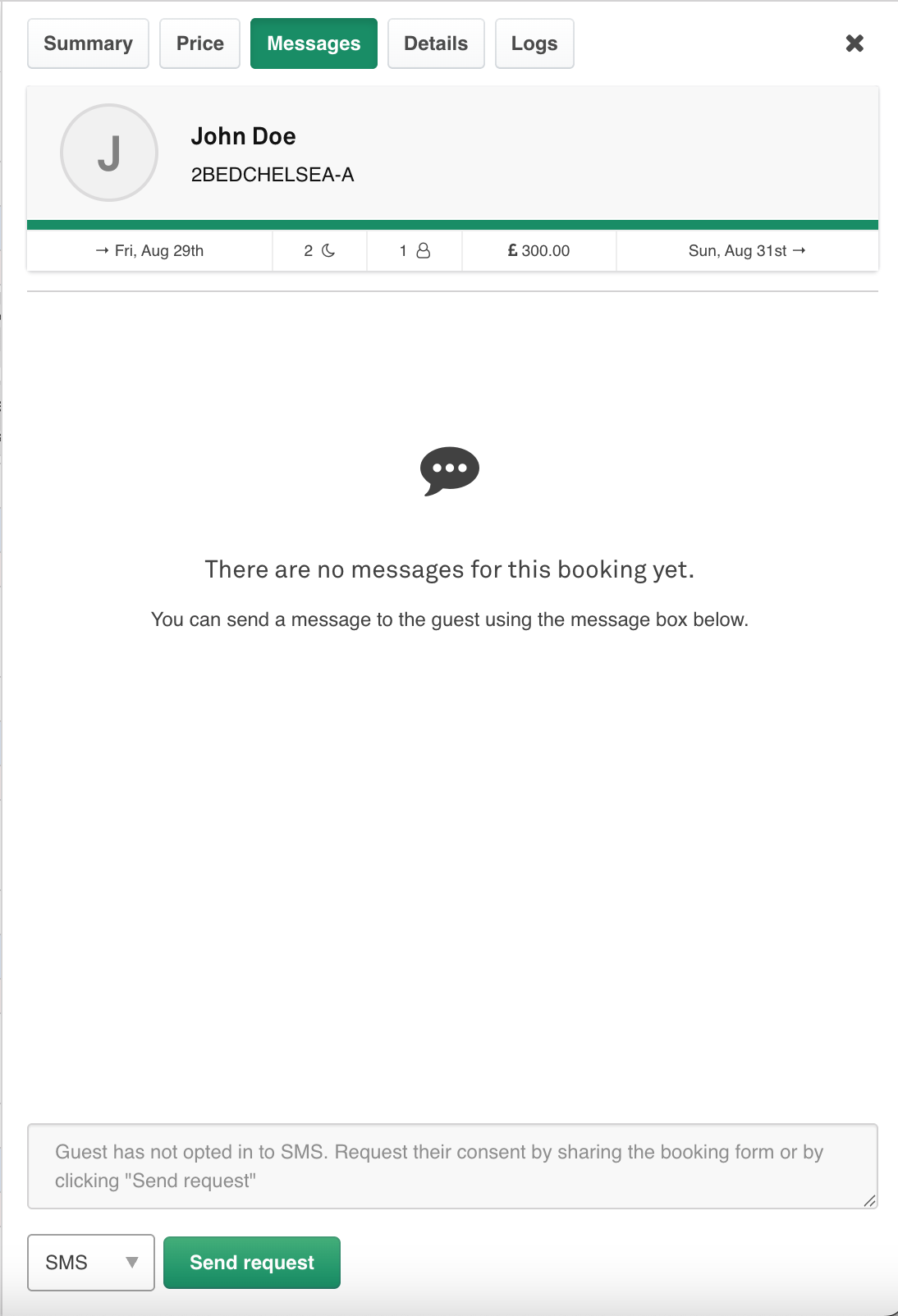
Image 2 - Inbox and Message thread (request consent ):
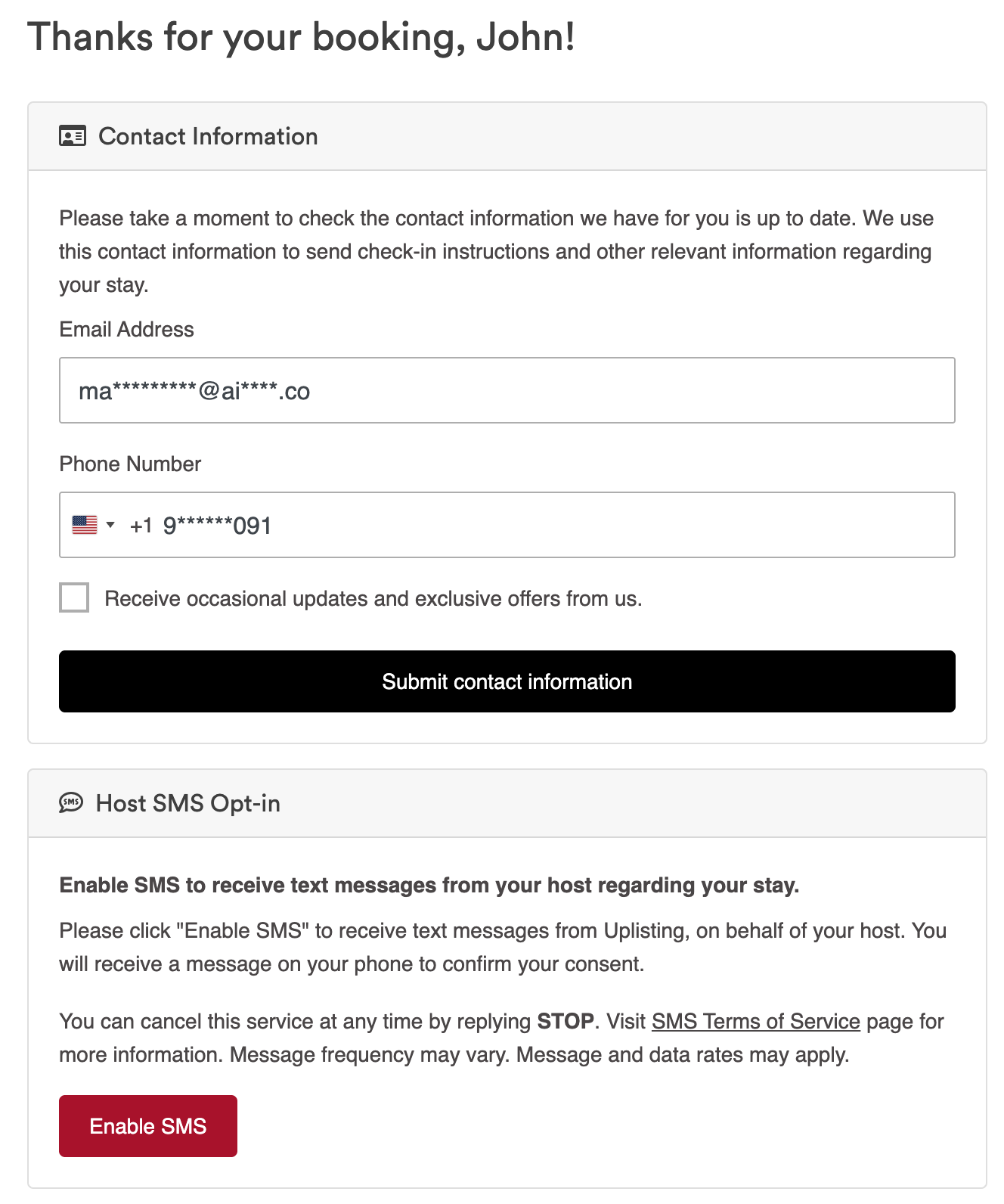
b. Consent is required to text guests in certain regions and can also be collected via the booking form (see Image 3 below)
i. When selecting the SMS option in the Unified Inbox, hosts will see the status of consent; if consent is needed but hasn’t been given, they have the option to share the booking form directly from the Inbox
ii. We’re also working on an automated template, so hosts can trigger an automated message to gather contact details and SMS consent automatically
Image 3 - Booking Form (pre-consent ):
- Send an SMS (see the image below)
- a. Start from the web or mobile unified inbox.
- b. Choose SMS method (default is last-used).\
Image showing Inbox and Message thread (post-consent)
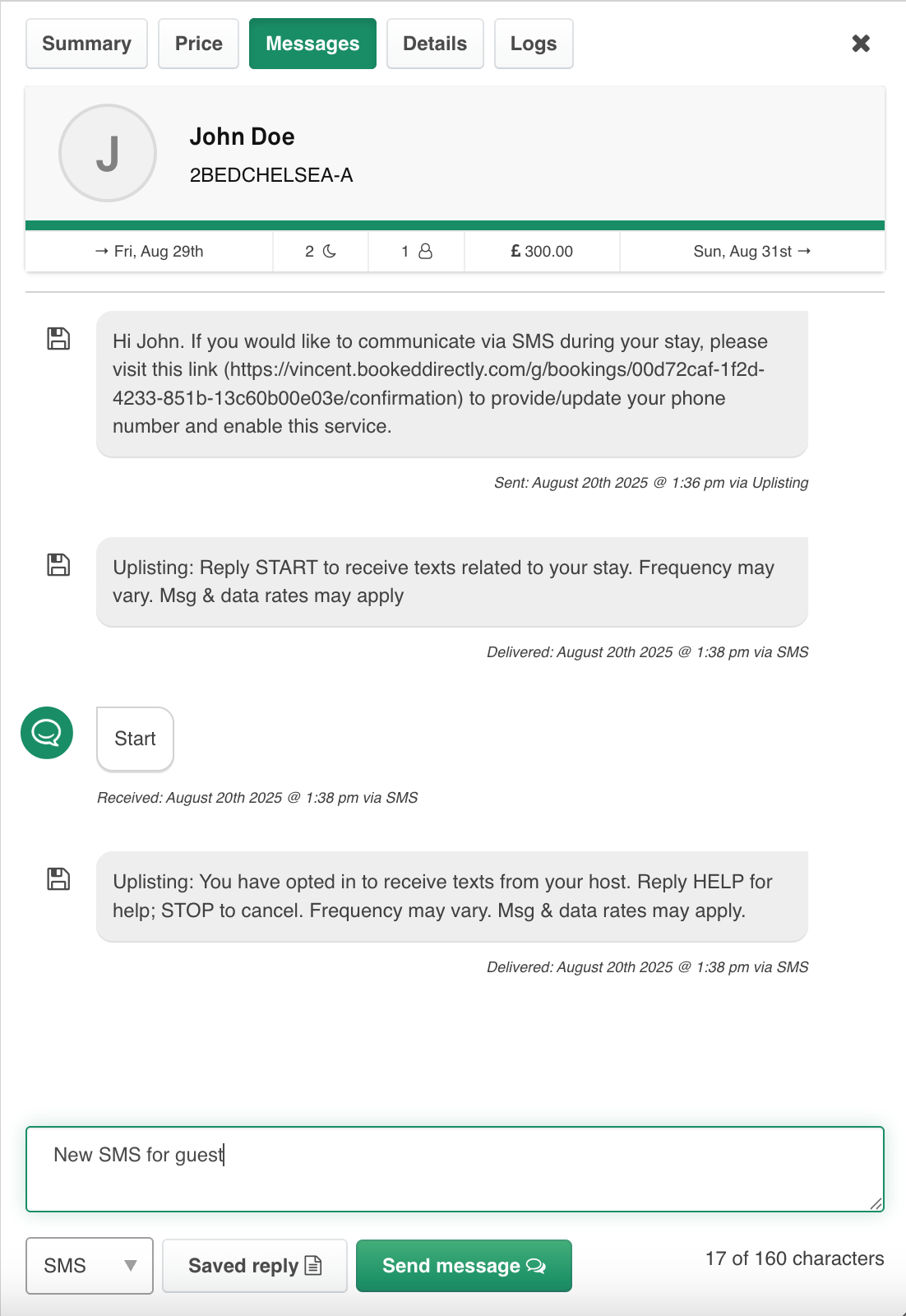
- Type a message or import a template, review to stay under 160 characters, and send.
- The UI will show the status of the SMS (i.e. delivered vs. failed).
- Guest replies: Replies are sent to the Uplisting number and appear in the host’s Unified Inbox with a “via SMS” tag.
- Hosts can switch communication methods: The full conversation is kept in one thread, regardless of method — all SMS and other channel messages are merged per guest.
Airbnb guests
Airbnb no longer shares guests' real phone numbers with connected software, in any country. See Airbnb's guide.
- US and Canada: eligible reservations get a temporary Airbnb number. It expires 48 hours after checkout, or straight away if the booking is cancelled. There is no temporary number if the guest or host books from outside the US and Canada.
- Everywhere else: Uplisting gets no number. You can see the guest's number in the Airbnb app or website.
You can text a new Airbnb guest only if the booking has a temporary US or Canada number and the guest agrees. On the booking's messages, select Send request. Uplisting writes a message for you to send in Airbnb, asking the guest to reply TEXT ME. Use the web app for this. The mobile app still sends the old contact details request until its next update.
Country Mappings
Uplisting Phone Number | Guest Phone Region |
|---|---|
US | North and South America |
United Kingdom | UK, Europe, Asia, Africa |
Australia | Oceania |
Important Note: we use a phone number that most closely matches the region of the guest’s phone number (as mapped in the table above), regardless of where the listing is located, to minimize costs for the guest.
Further reading [SMS FAQ's]
Updated on: 08/11/2026
Thank you!