
Introduction to the Cleaning scheduler
Introduction to the Cleaning scheduler
Video introduction
How does the Cleaning scheduler work?
1. Changeover events are created automatically
Every time a booking is imported/synced to, or manually created in Uplisting, a corresponding changeover event is created.

2. Invite one or more cleaners
You can invite your cleaners to have access to one or more of your listings.
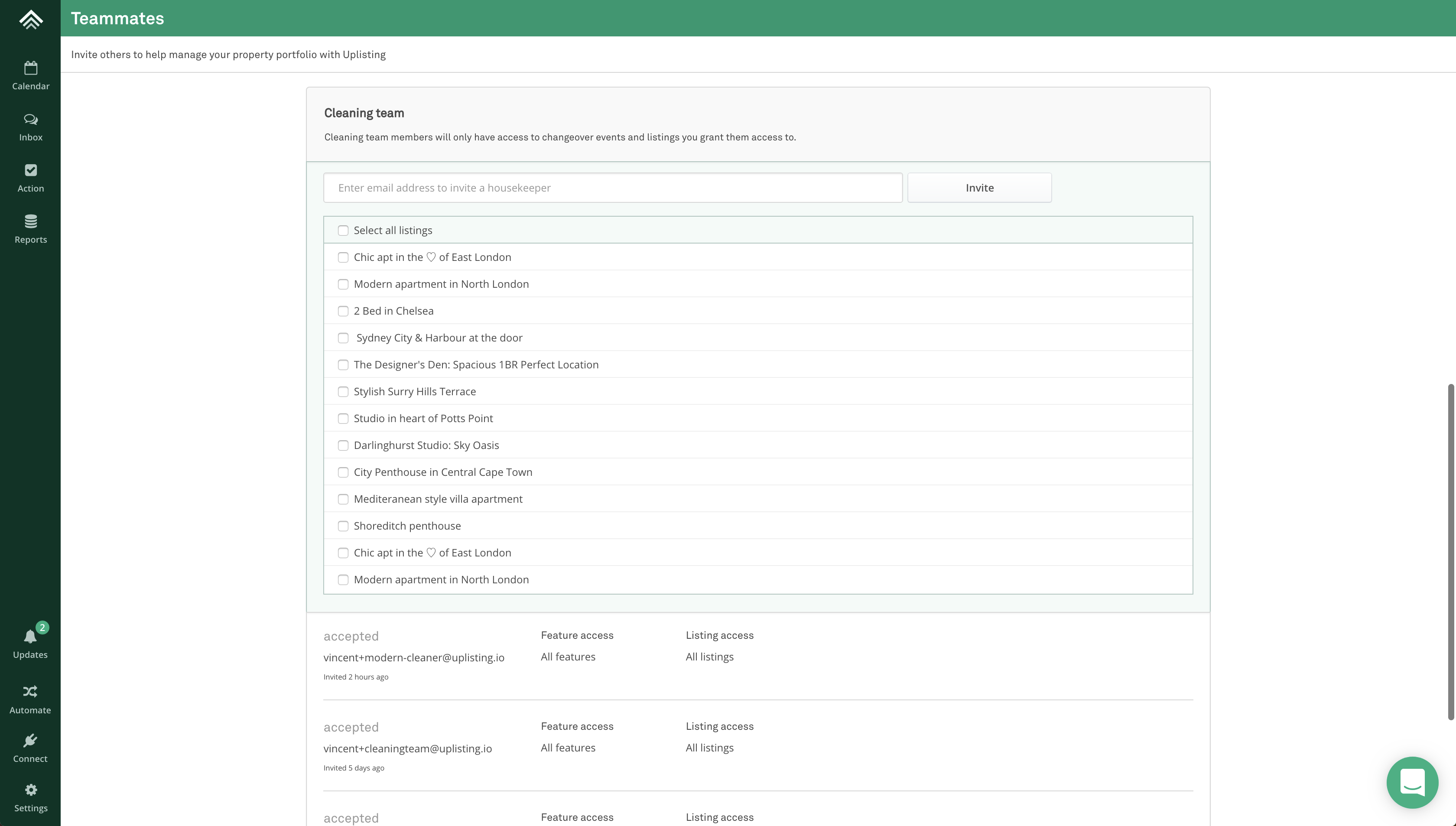
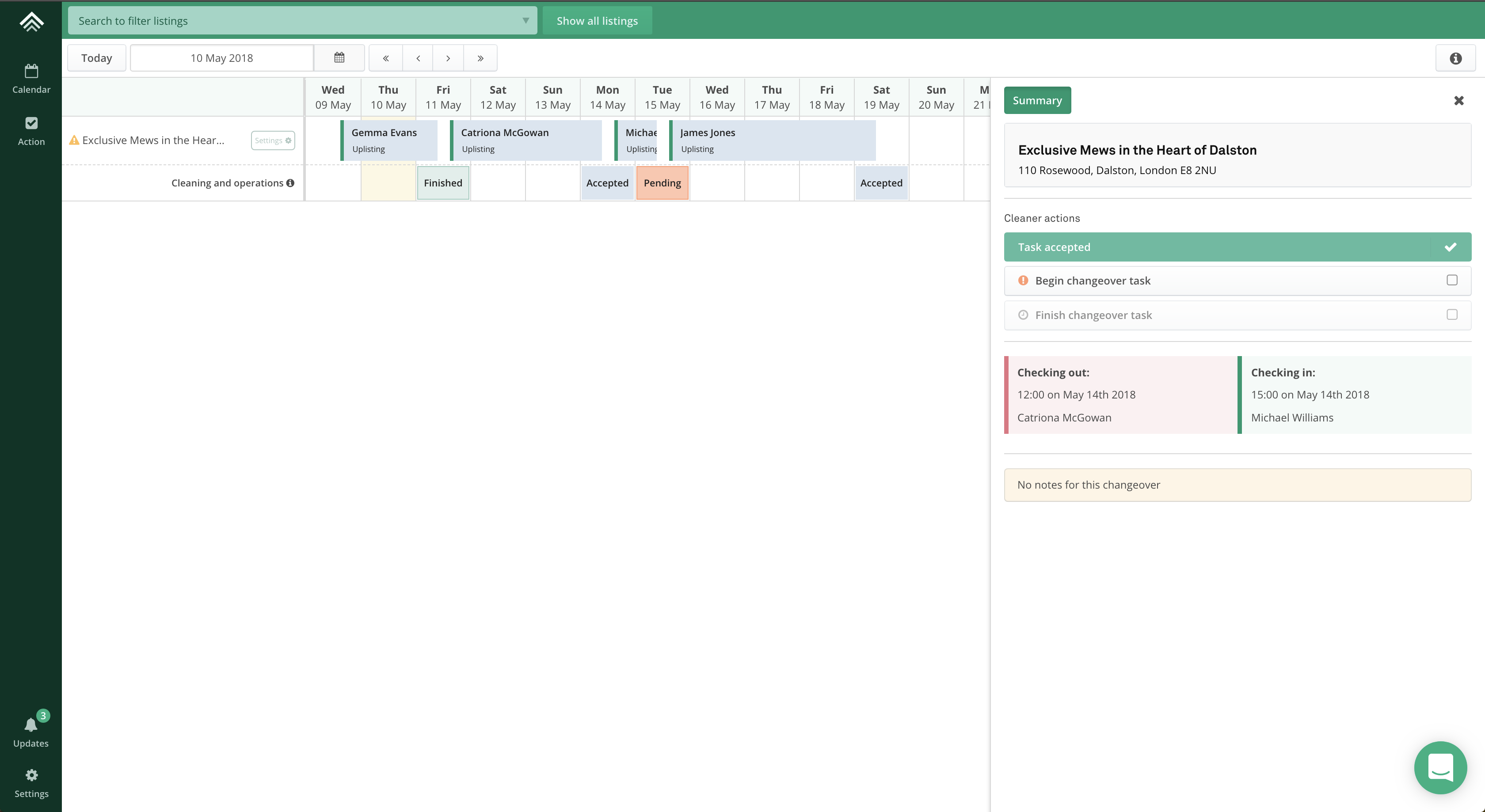
3. Cleaner has access to a restricted calendar and action screen
A cleaner who accepts your invitation will be able to see a restricted calendar and action view on Uplisting. The only elements cleaners can interact with are changeover events.
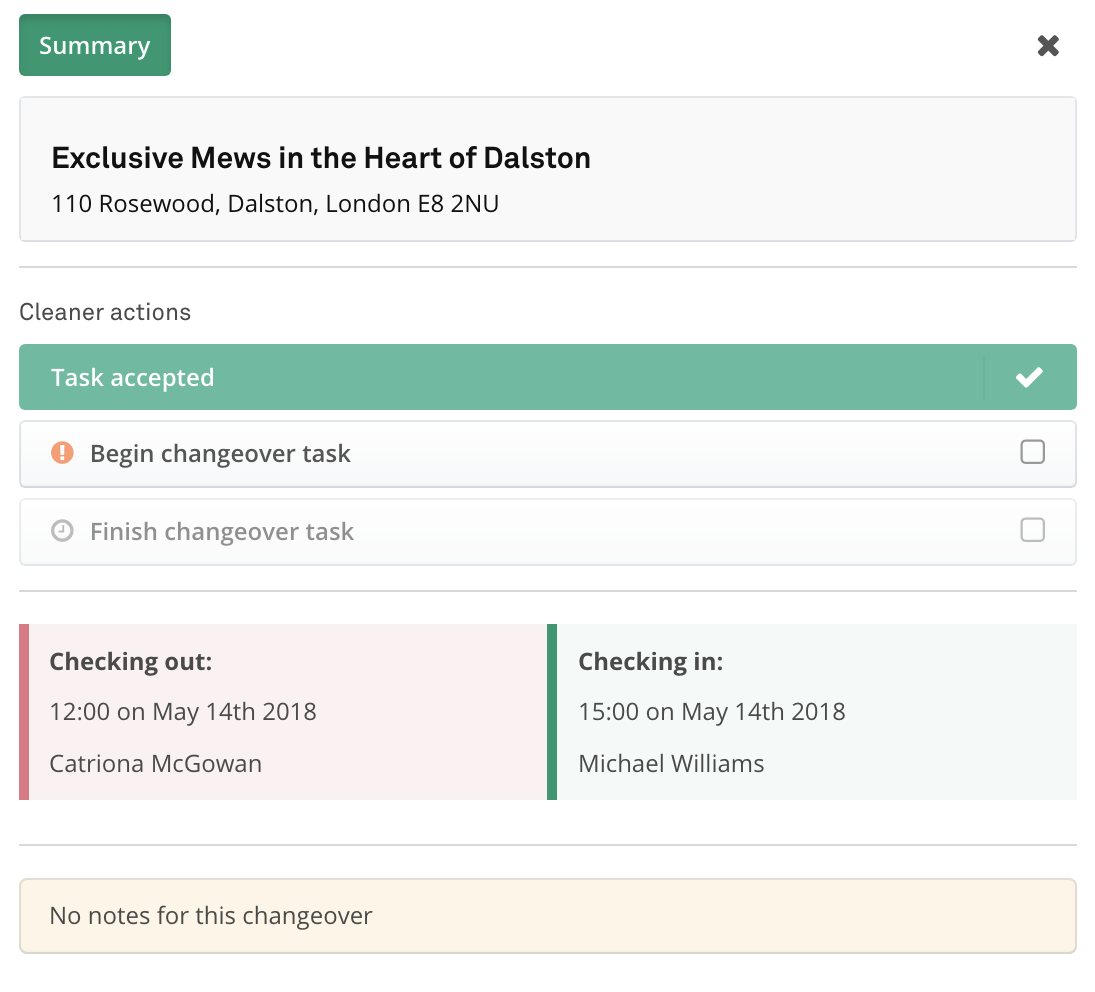
4. The changeover panel contains key information for cleaners
The changeover panel provides the key information required:
- Property name
- Property address
- Existing guest name, check out time and date, and number of guests (if available)
- Next guest name, check out time and date, and number of guests (if available)
- Any notes left by the account owner
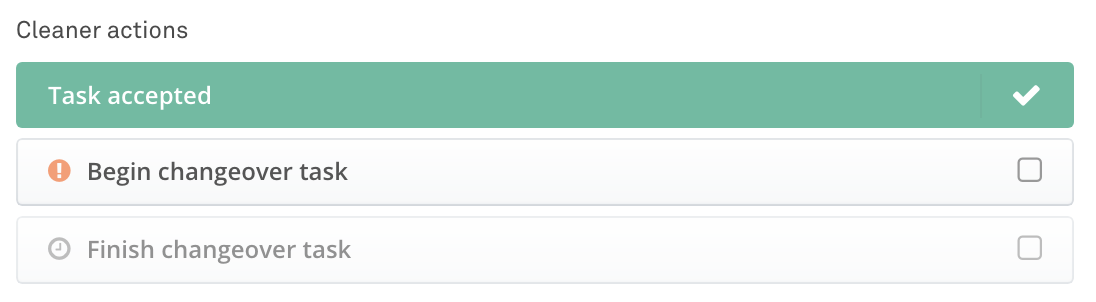
5. Cleaners can perform a 3 actions on each changeover event
- Accepted changeover
- Begin changeover
- Finish changeover
6. Cleaners receive email alerts when changeover events are created, updated or cancelled
❗️ Email alerts are not sent for iCAL bookings
We don't support email alerts for iCAL bookings due to the nature of how they work. Changeovers will be created as normal.
When a booking's check-in or check-out date changes, the associated changeover task is automatically rescheduled. The assigned cleaner will receive an email notification showing the updated changeover, including the booking's revised check-out date and time.

If a booking is cancelled, the cleaner will receive an email notifying them that the scheduled changeover has been cancelled (for example: "A changeover scheduled for Tuesday 4 August 2026 has been cancelled."). The cancelled changeover will also be removed from the cleaner's calendar and action screens.

Updated on: 21/07/2026
Thank you!