
How to find the Outbound message rule for a property
How to find the Outbound message rule for a property
Use the property (listing ID) column on the Outbound messaging rule page to find the message rules connected to a property.
- Find the property ID
- Search for that property on the Outbound page
1. How to find a Listing ID
The Uplisting listing ID is found on the Details > Listing basics tab a listing settings panel.
- Select the listing on the calendar or action
- Copy the Listing ID (the listing number on the image above is 8419 for example.
- Paste it into the conversation you are having with a member of our support team
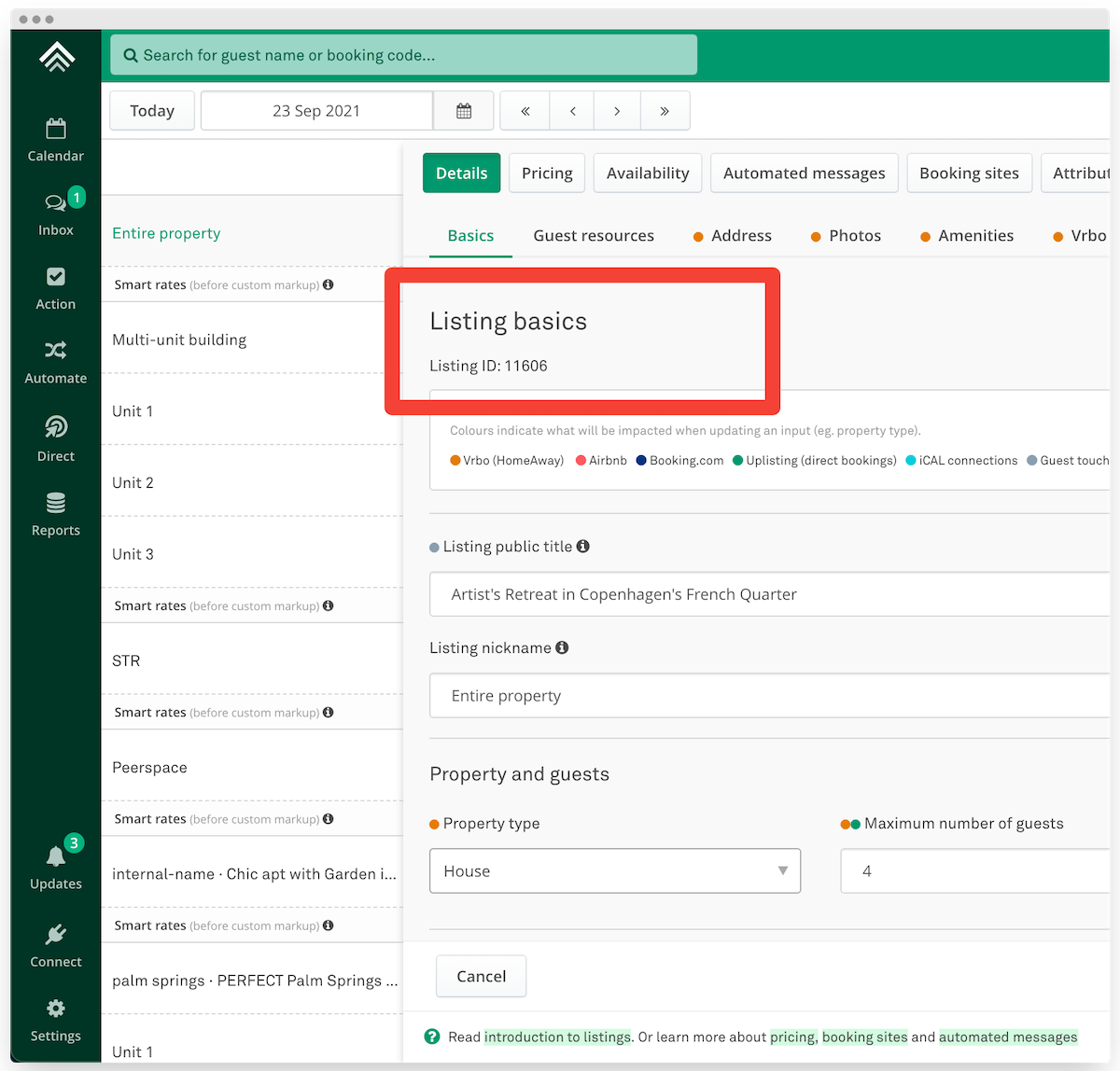
How to find the property ID
2. Search for that property on the Outbound page
Use the search function on your browser to search for the property ID above.
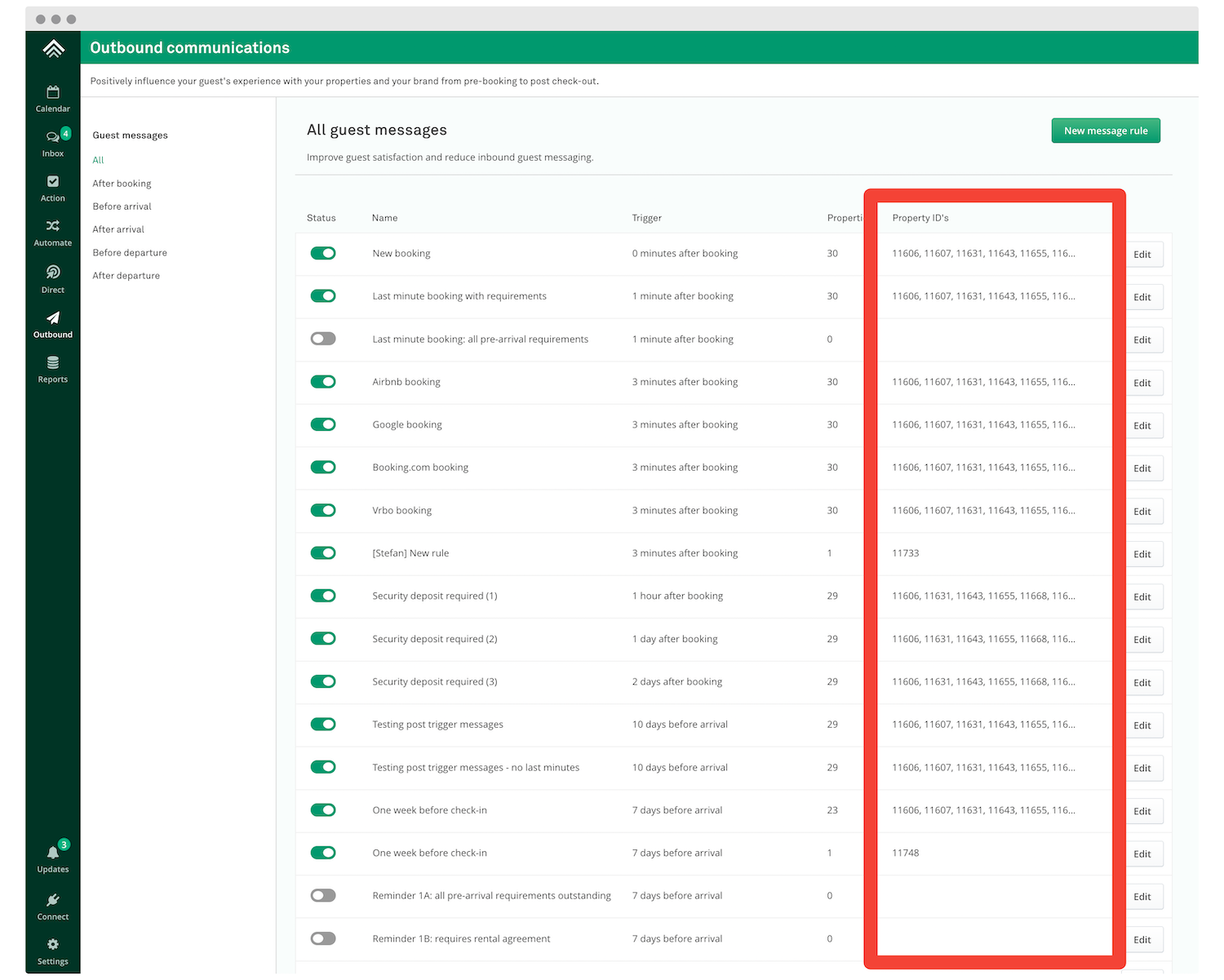
Where to search for the relevant messaging rule
Updated on: 12/05/2026
Thank you!