
Airbnb Enquiries
Airbnb Enquiries
Responding and pre-approving Airbnb enquiries on Uplisting.
You can respond to Airbnb enquiries in two ways, manually and automatically.
Automated Airbnb responder
To enable and configure the Airbnb enquiry auto-responder, read this short guide.
Manually respond and pre-approve Airbnb enquiries
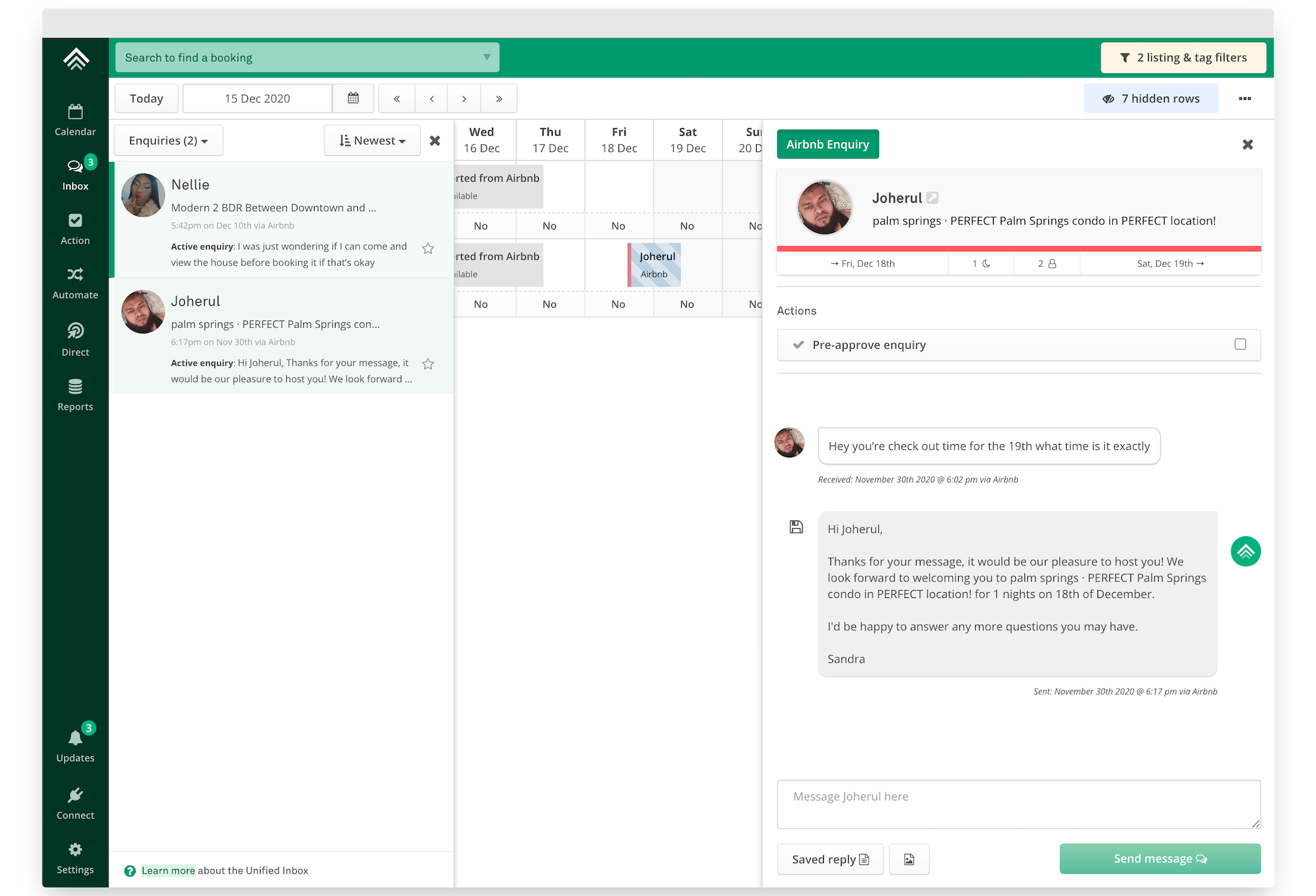
Easily pre-approve and respond to enquiries directly from your Inbox or on your calendar.
From your inbox or on the calendar
New enquiries will show as unread messages on your inbox. You can also filter by 'Enquiries' to see all enquiries. You can also open an enquiry directly on your calendar.
Open an enquiry, then pre-approve using the button and/or respond by sending a message. You can even use saved replies.
FAQ's
Do Airbnb enquiries block dates on Airbnb or other booking sites?
No, enquiries do not block dates on any booking site.
How do I remove an Airbnb enquiry from my calendar?
Airbnb enquiries are removed automatically within 24 hours.
Updated on: 12/05/2026
Thank you!