
Wheelhouse — Onboarding
Wheelhouse
Uplisting and Wheelhouse integrate directly. Wheelhouse powers dynamic pricing, benchmarking & market intel.
How to connect to Wheelhouse
- Sign-up or log into Wheelhouse here.
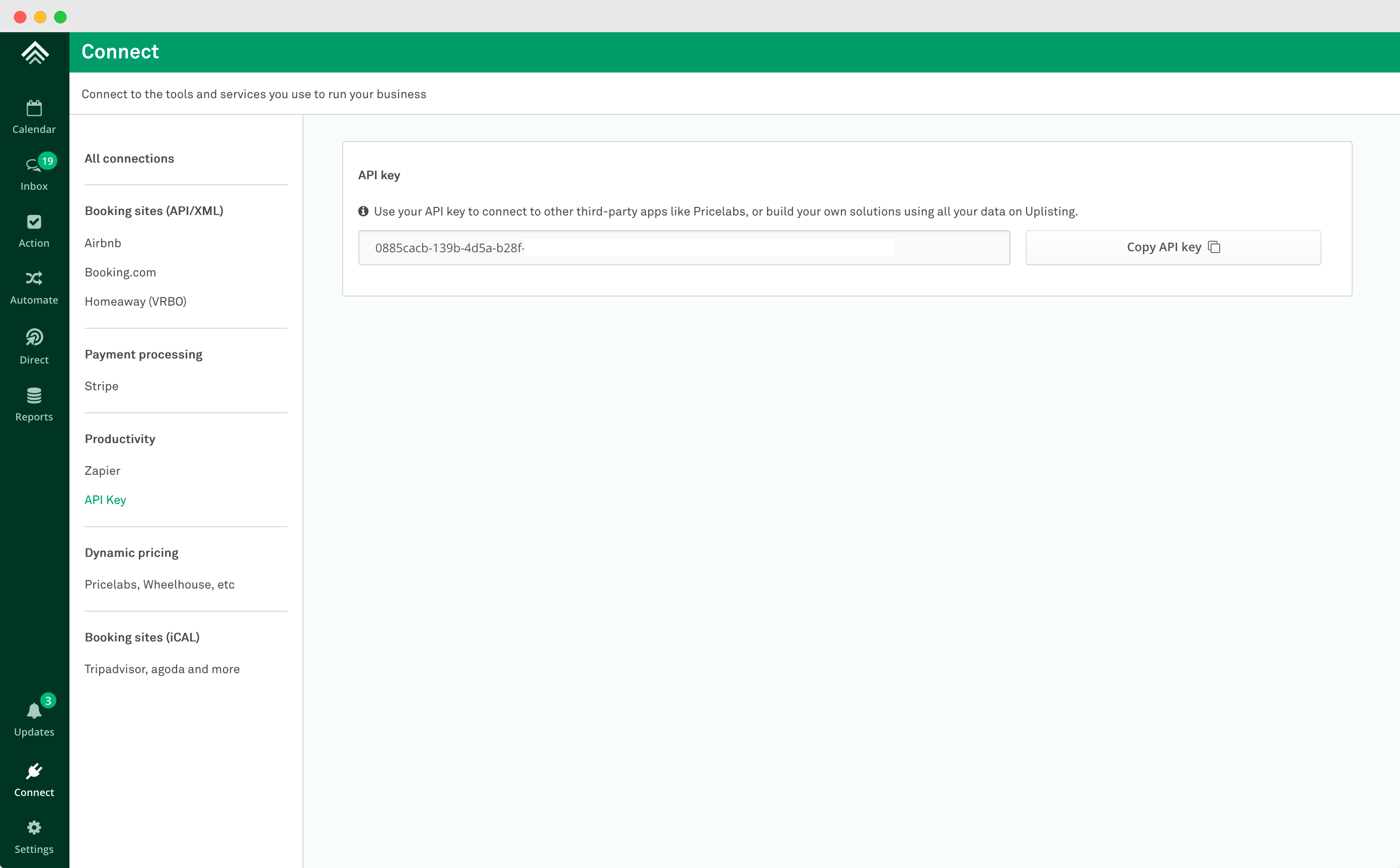
- Find your Partner API keyon the Connect page> API screen (here).
- Note: If you are using Uplisting's Dynamic Pricing, you will need to disable it before proceeding.
- Copy the API key from Uplisting
- Go to the Uplisting connection page on Wheelhouse and paste it into the "API Key" field (as shown below):
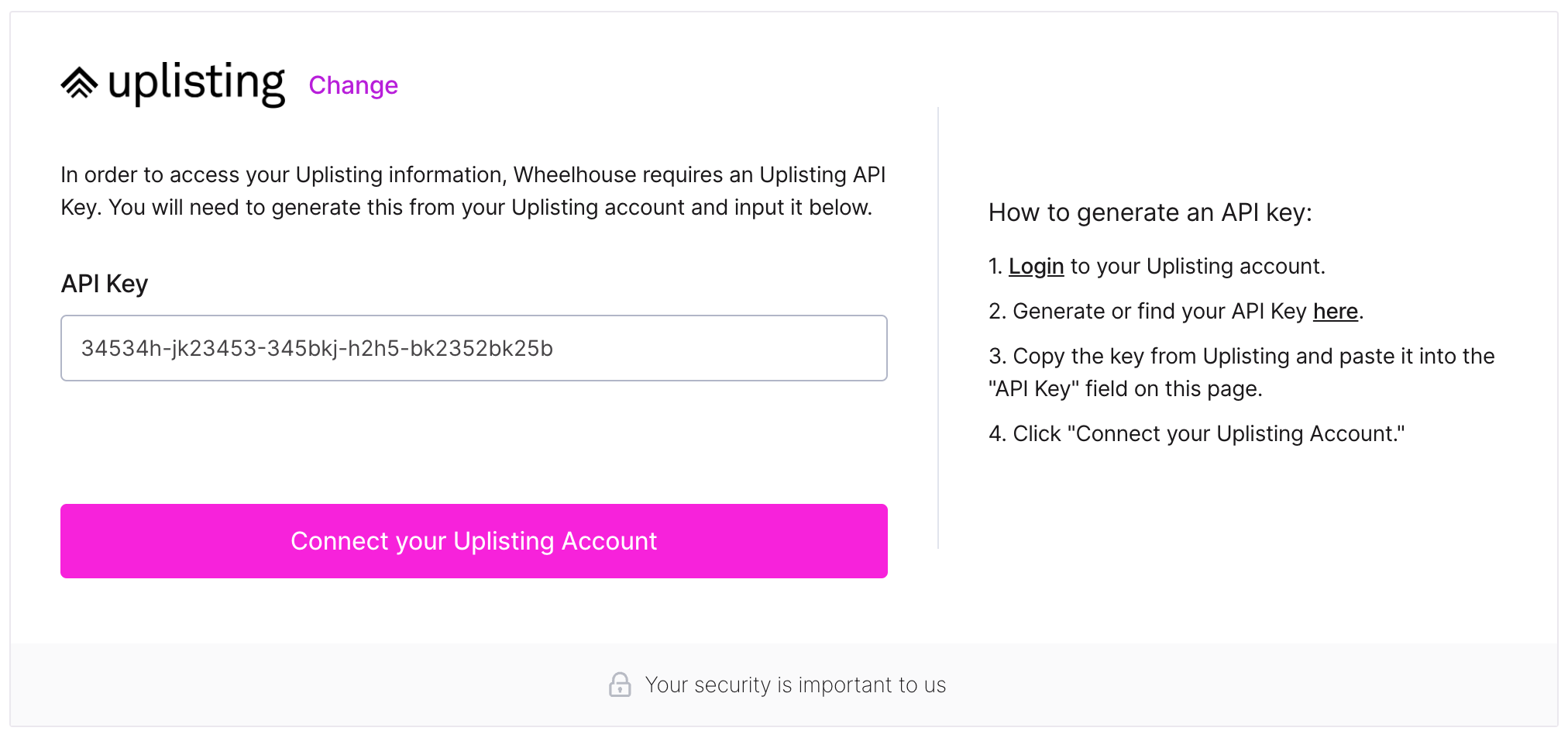
- Click "Connect your Uplisting Account" and Wheelhouse will begin importing your listings!
FAQ's
My prices aren't syncing to Airbnb
Ensure you have disabled dynamic price syncing on the Automate > Dynamic pricing sync settings page (here).
My prices are getting reset on Uplisting
Ensure you have disabled dynamic price syncing on the Automate > Dynamic pricing sync settings page (here).
Updated on: 12/05/2026
Thank you!