
How to disconnect Booking.com on Uplisting
How to disconnect Booking.com on Uplisting
To fully remove a Booking.com connection from an Uplisting property, you must remove the connection on both platforms: first on Uplisting, then in your Booking.com Extranet.
📘
We recommend generating a Bookings Report before removing the connection to ensure you have a record of all reservations.
1. Disconnect Booking.com on Uplisting
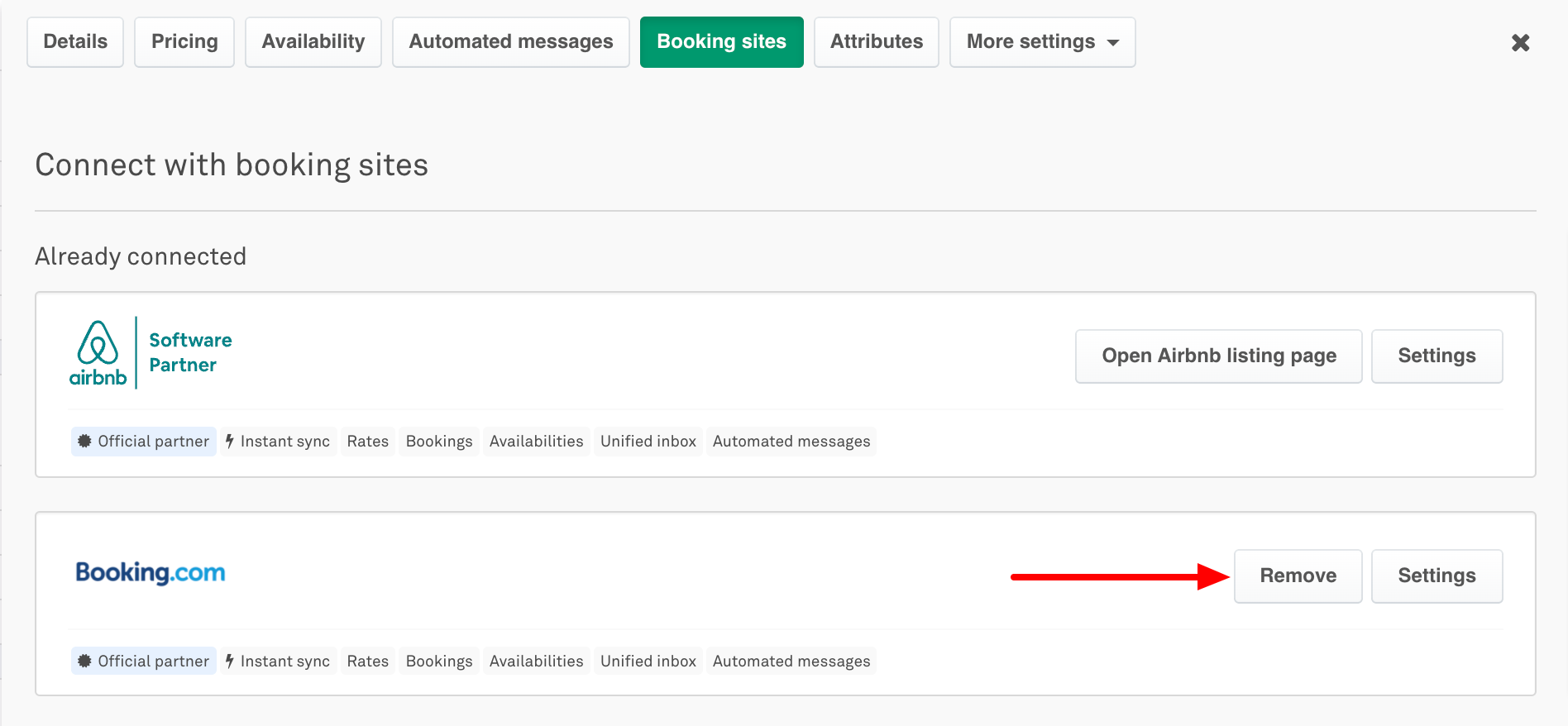
You can remove an existing Booking.com connection under the Booking sites tab of your Uplisting property:
- Click on your property within your Uplisting calendar.
- Select the Booking sites tab
- Click the Remove button and confirm the disconnection when prompted.
- Done!
2. Disconnect Uplisting as a Connectivity Provider on Booking.com
This step removes Uplisting from your Booking.com account to complete the disconnection.
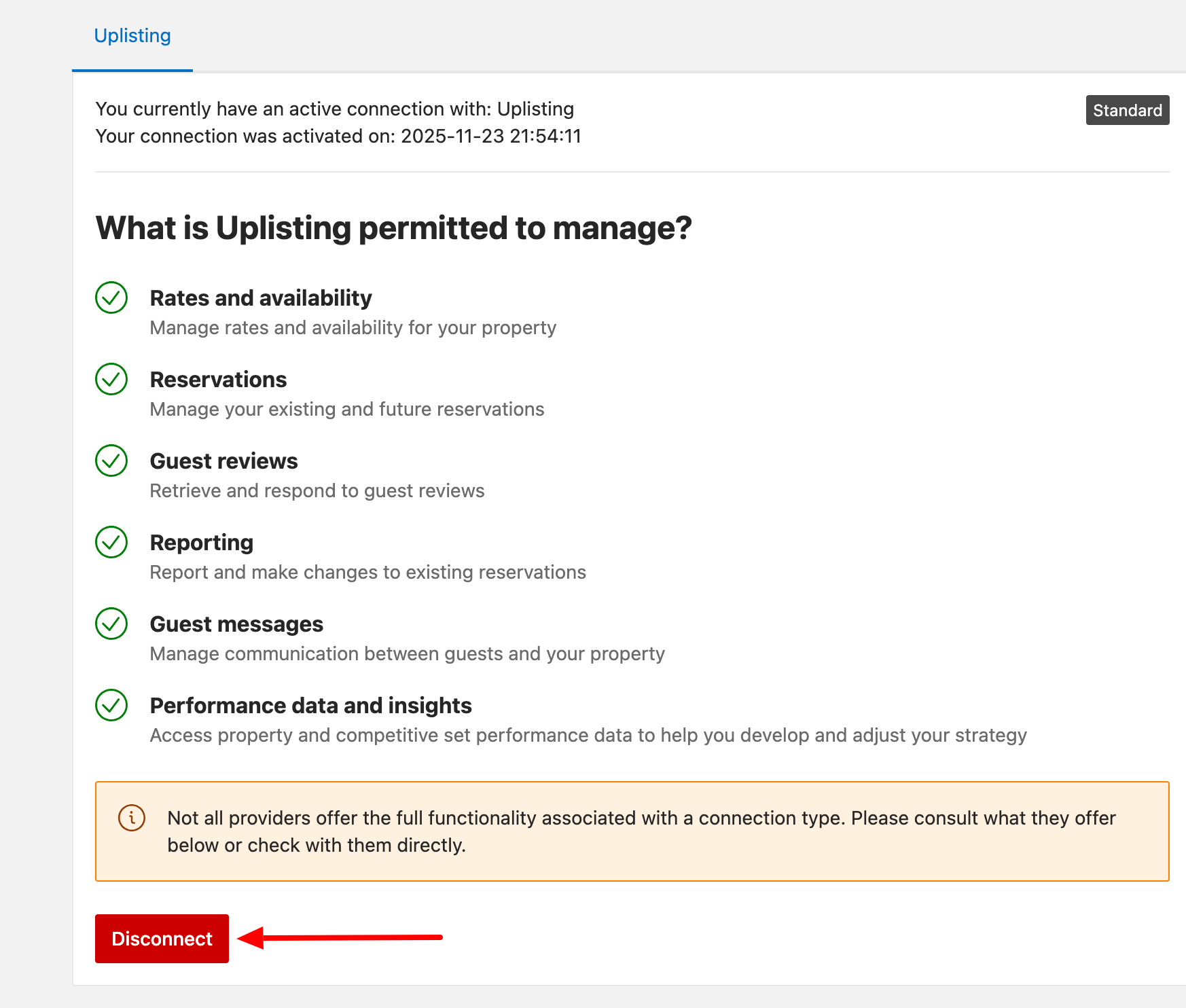
- Log in to your Booking.com Extranet.
- Click the Account icon and select Connectivity Provider.
- Disconnect/remove Uplisting as your connectivity provider (if it is currently selected).
Updated on: 12/05/2026
Thank you!