
An introduction to Reports )
An introduction to Reports
We understand that having access to your booking data is important for several reasons. Uplisting Reporting is designed to provide you with all booking data quickly and flexibly.
Available reports
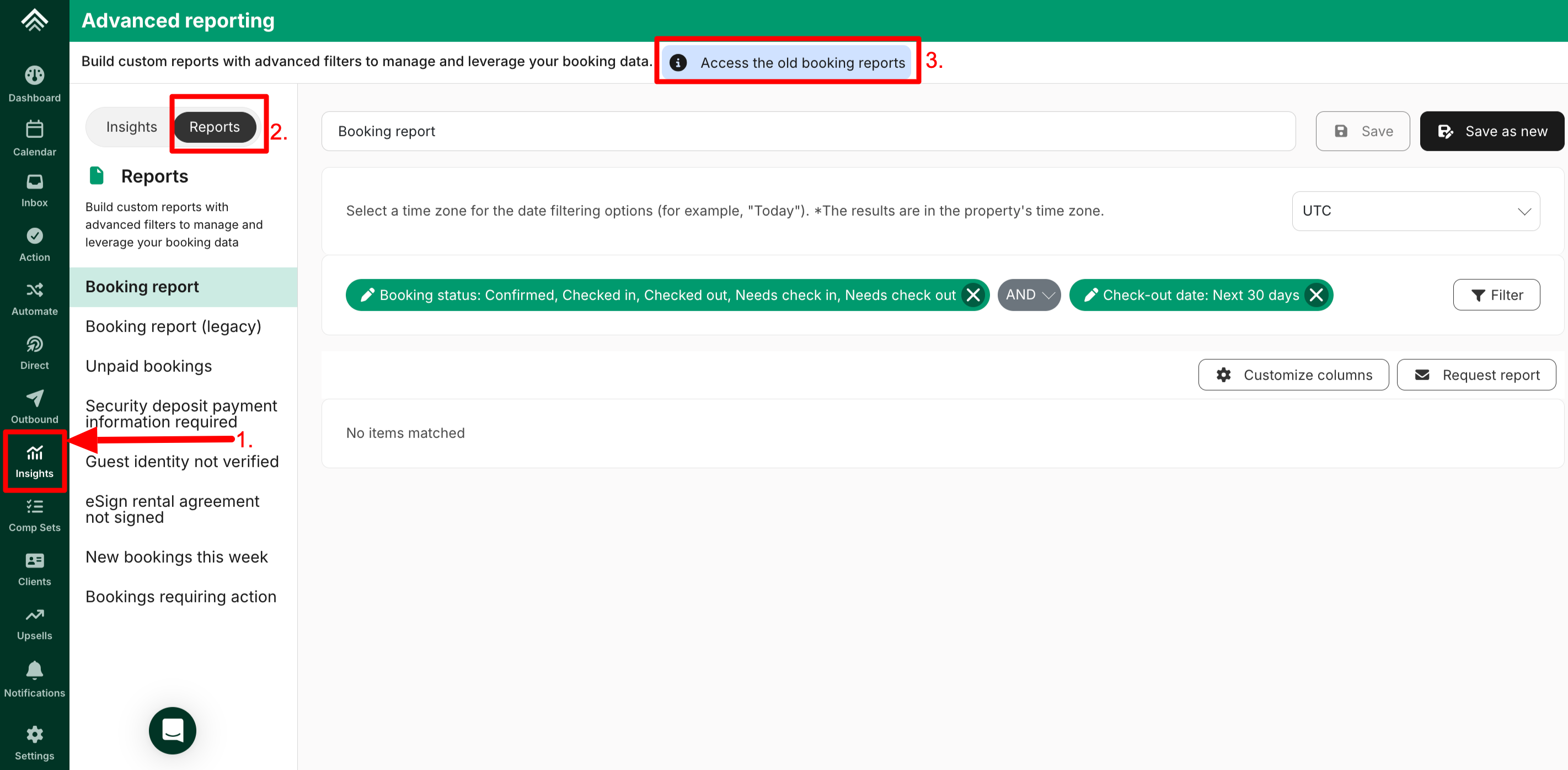
How to access the above reports
- Select the 'Insights' icon on the navigation
- Select Reports tab next to the Insights tab
- Select 'Access the old booking reports option
- Under Report type, select the report type you want
- Select one or more properties you wish to generate the report for
- Select 'Request report.'

Updated on: 06/10/2026
Thank you!