
How to cancel a VRBO booking
How to cancel a VRBO booking
Vrbo bookings (if created using the API/XML integration) are cancelled directly on Uplisting.
Introduction
If you or your guest need to cancel a Vrbo booking you can do so directly on Uplisting. This cancellation will be reflected on your Homeaway account within an hour.
How to cancel
To cancel a booking in Uplisting, go to the Summary tab on the booking you want to cancel and scroll down. You have two options:
- Report cancellation by owner.
- Report cancellation by traveller (guest)
- Confirm the cancellation on the pop-up screen.
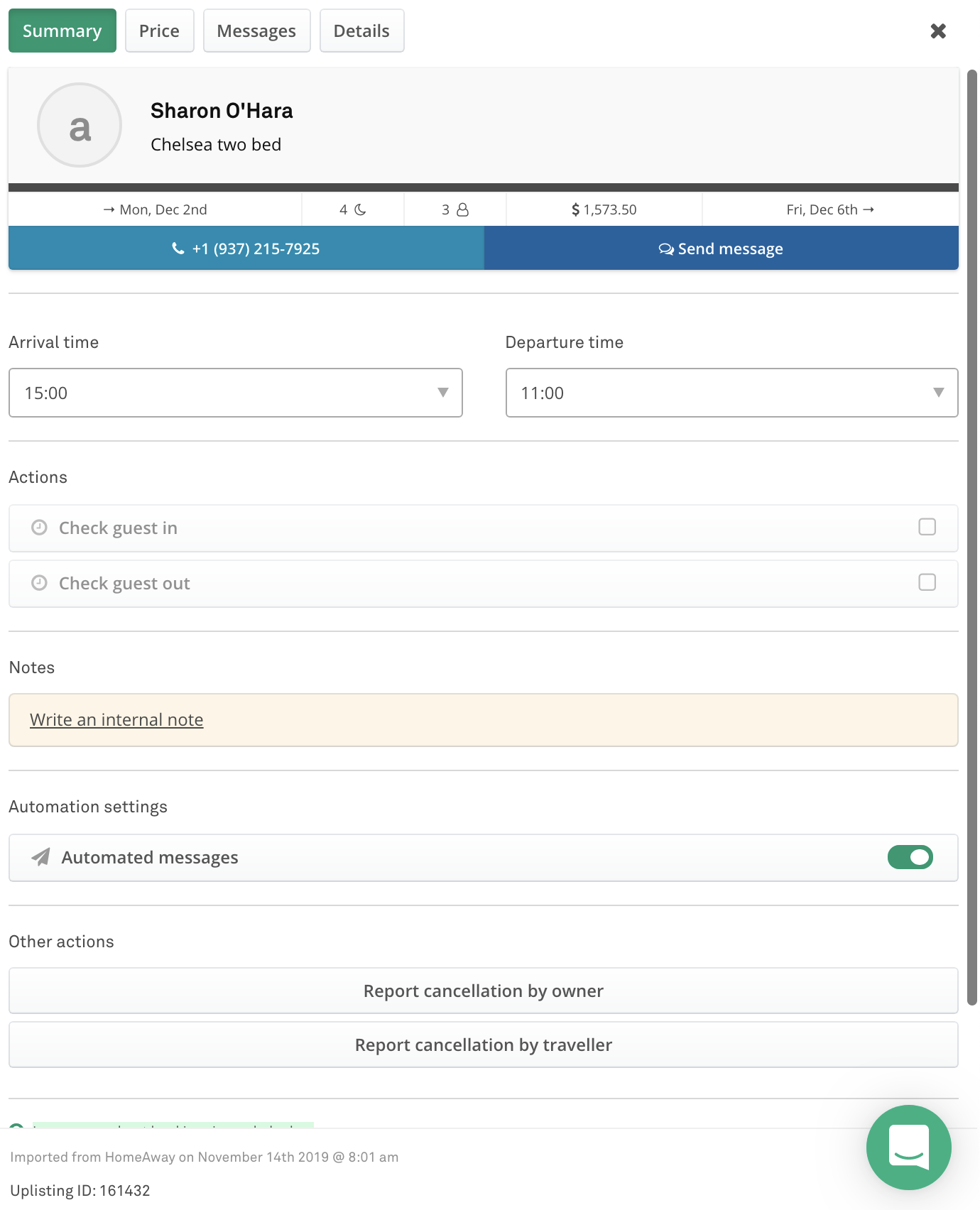
Report cancellation
How to refund
- Go to the Price tab on the booking you need to refund
- Click on 'refund payment I` to refund the first payment
- If the booking was paid for using split payments, there may be a second payment to refund (Refund payment II).
- Enter the amount to refund on the pop-up
- Click the refund button
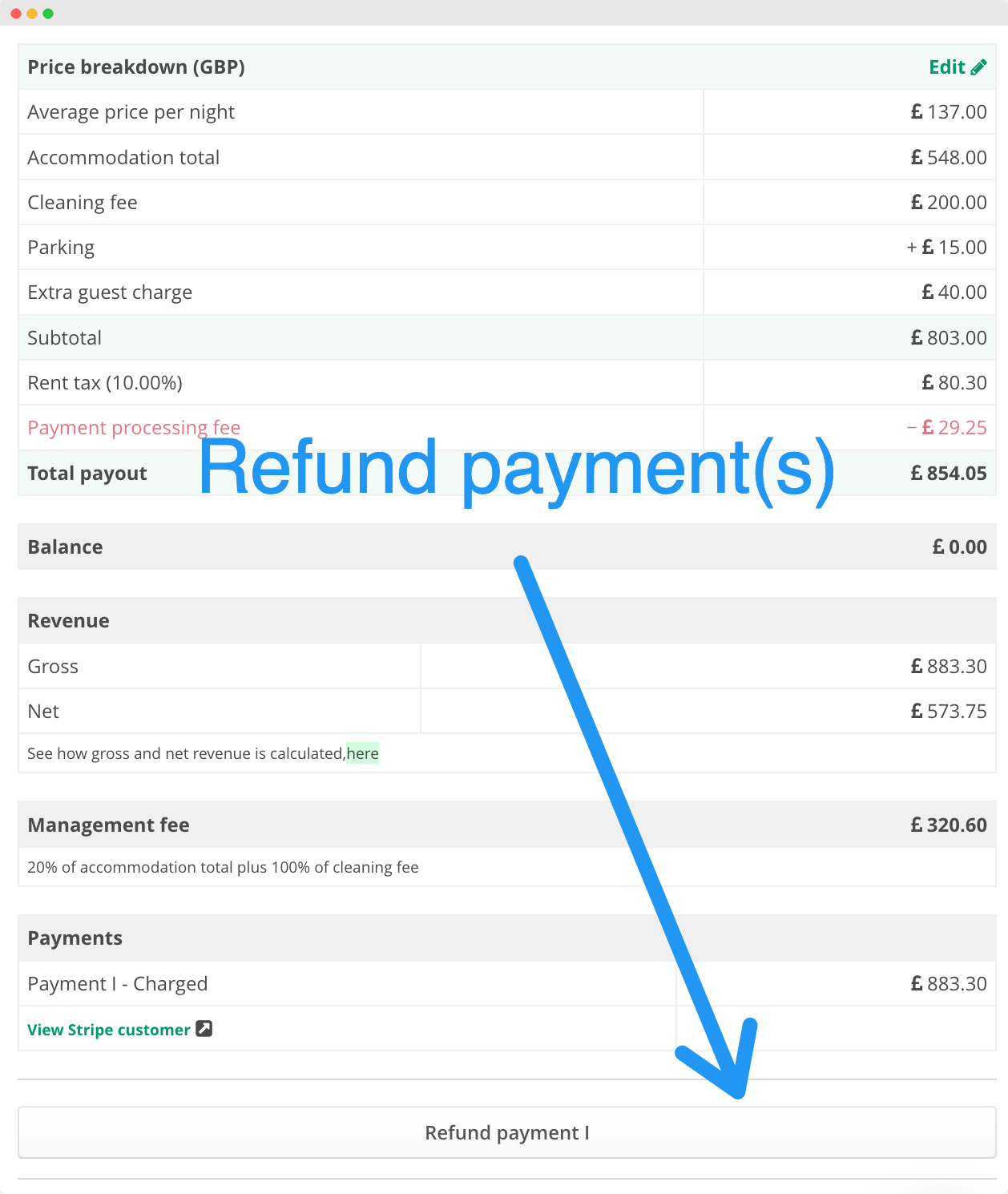
Refund payment option
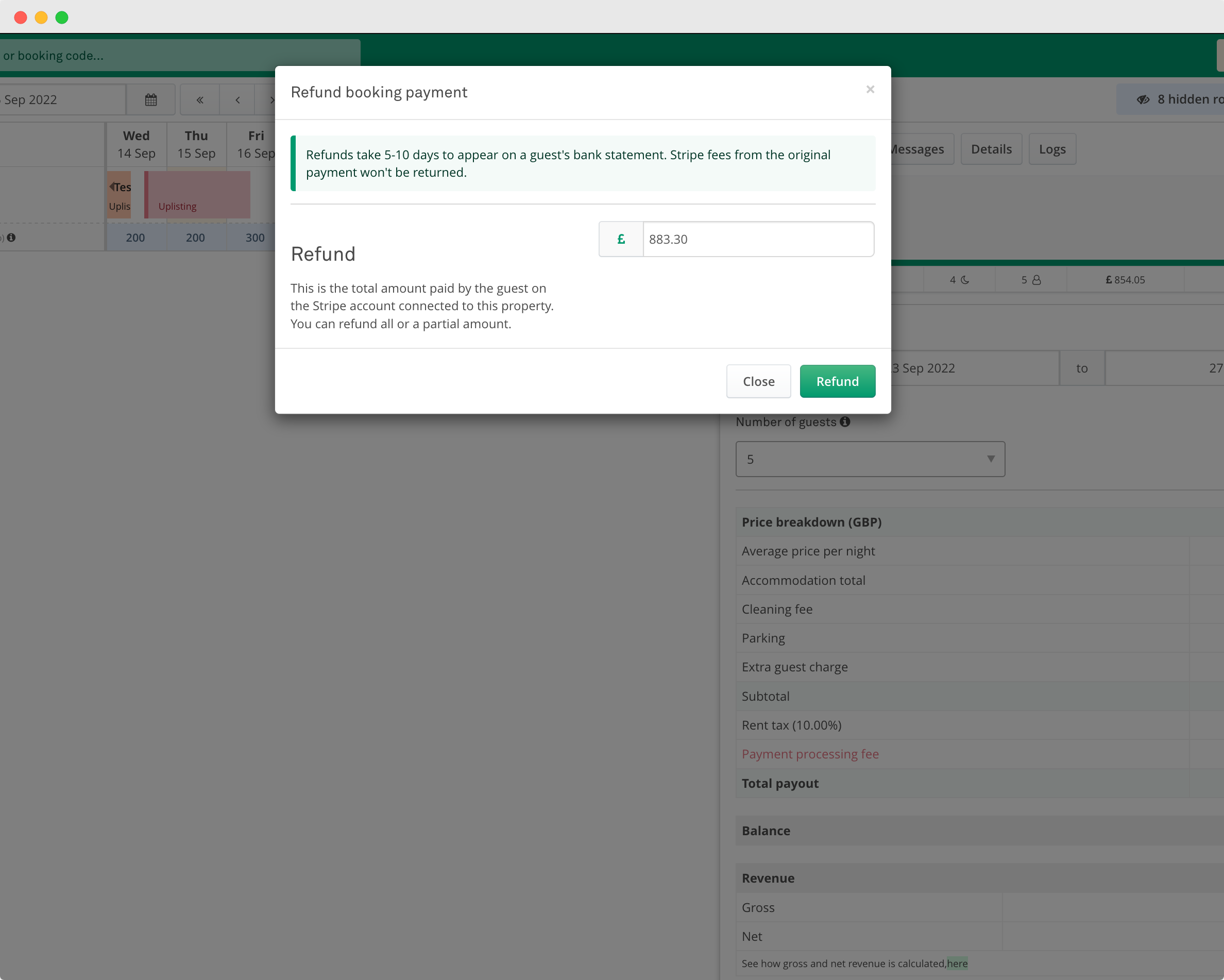
Confirm refund amount
Updated on: 12/05/2026
Thank you!