
Enquiry auto-responder
Enquiry auto-responder
Auto-respond to Airbnb enquiries and boost your listing rankings
👍 Your response rate and response time are directly linked to your search ranking on Airbnb. What does that mean? Simple. You need to respond to all guests and respond fast.
Introduction
How does the Uplisting Airbnb enquiry auto-responder help?
⤴️ Increase response rate
Auto-respond to all enquiries no matter what time of day, or night. None will be forgotten!
⏱ Reduce response time
Auto-respond to guest enquiries in seconds. Keep potential guests engaged and keep your listing at the top of their minds.
🚀 Turn more enquiries into bookings
Responding quickly to enquiries (with a personal message) helps boost conversions to book. Guests appreciate a quick and personal response.
How to enable this feature
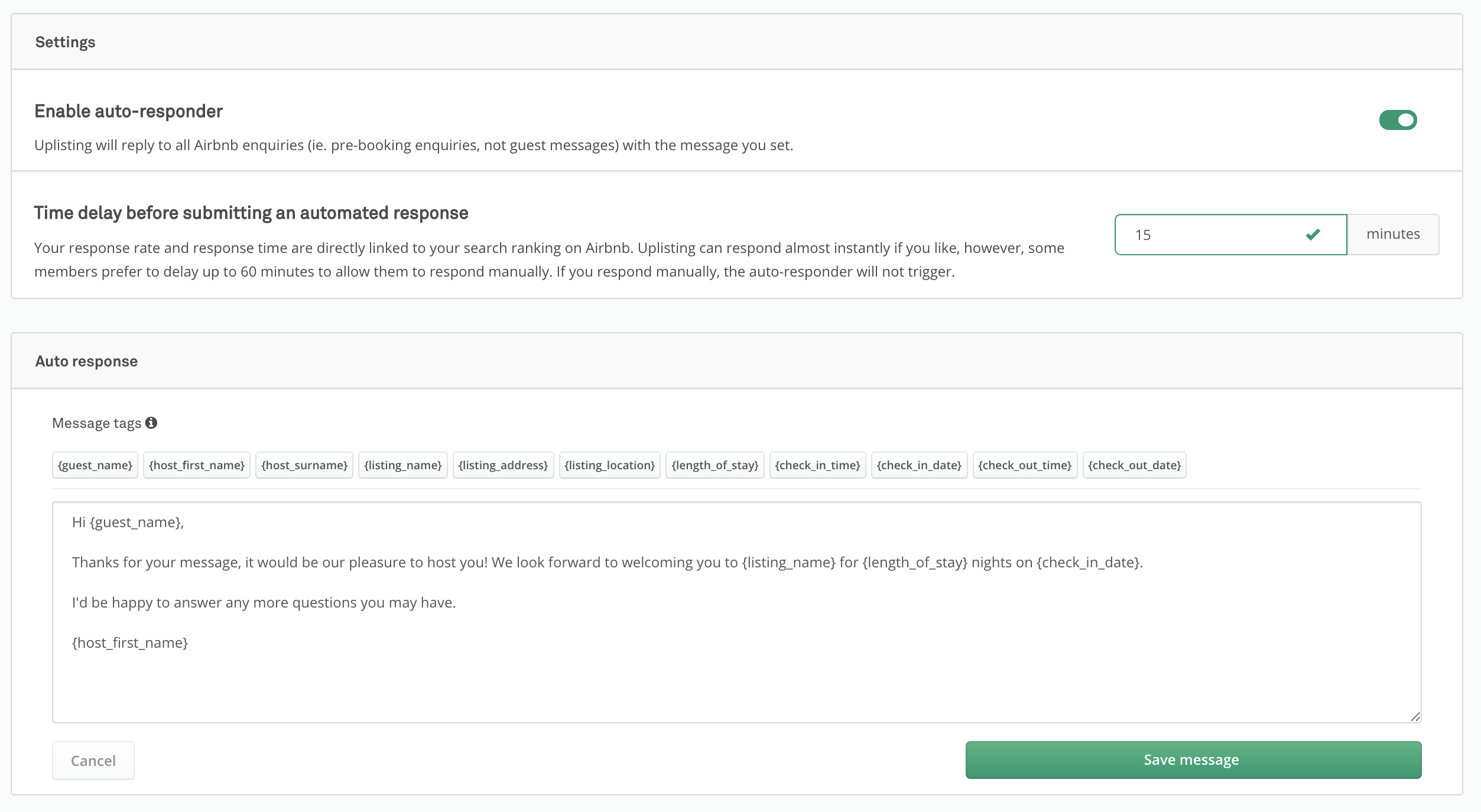
Enable this feature on the Automate screen, here.
Enable or disable
Use the toggle to enable (green) or disable (grey) the auto-responder.
Time delay
Uplisting can respond almost instantly if you like (0-minute time delay), however, some members prefer to delay up to 60 minutes to allow them to respond manually. If you respond manually, the auto-responder will not trigger.
FAQ
The auto-responder did not trigger
If you respond to the guest enquiry manually, ie. you send a message yourself, the auto-responder will not send a message. This is the desired outcome as you don't want a templated message sending after you have responded yourself.
Updated on: 12/05/2026
Thank you!