
Connecting a Partner iCal-Supported Site to Uplisting
Connecting a Partner iCal-Supported Site to Uplisting
You can connect external booking platforms that support iCal (calendar sync) to your Uplisting listing. This allows you to sync availability and bookings between systems.
📘
When should I use the Partner iCal option?
Use Partner iCal when:
- The external platform supports iCal connections, but it is not listed in Uplisting under the listing's Booking Sites tab
📘
🚫 When NOT to use Partner iCal
If:
- The external platform does not support iCal connections at all
- The platform is already available as a direct/API integration (e.g. Airbnb, Booking.com , Vrbo or Google Vacation Rentals ) .
- A native iCal option in the Booking Sites tab
In the above cases, it is recommend to use the native connection for better syncing and more features
Before connecting:
- Confirm the external platform supports iCal (or calendar export/import)
- Locate and copy the iCal/partner iCal link from that platform
⚠️ You’ll need access to both platforms during setup (Uplisting + external site)
Connecting Your Partner iCal
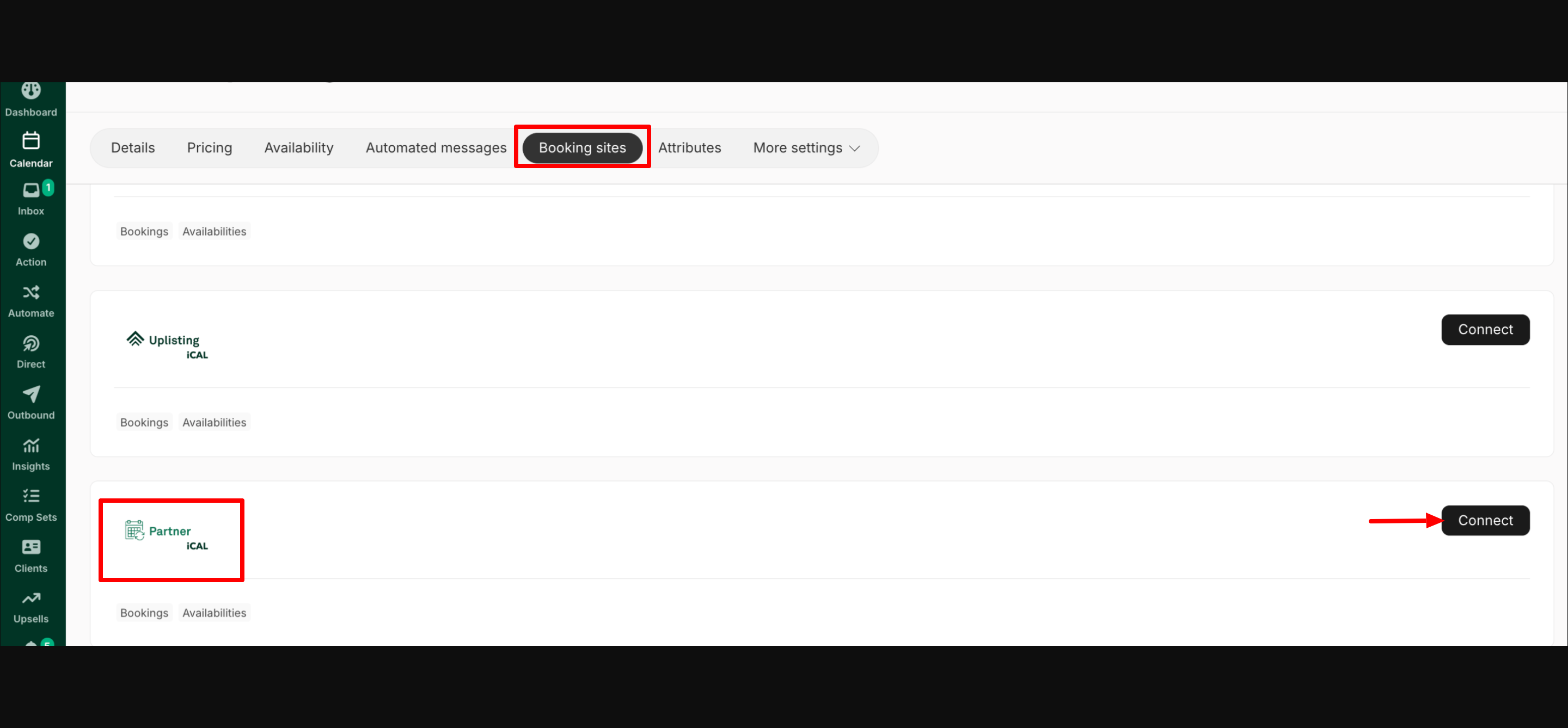
- In Uplisting, select the relevant listing
- Click on the Booking Sites tab
- Scroll down and select Partner iCal option
- Click the Connect button
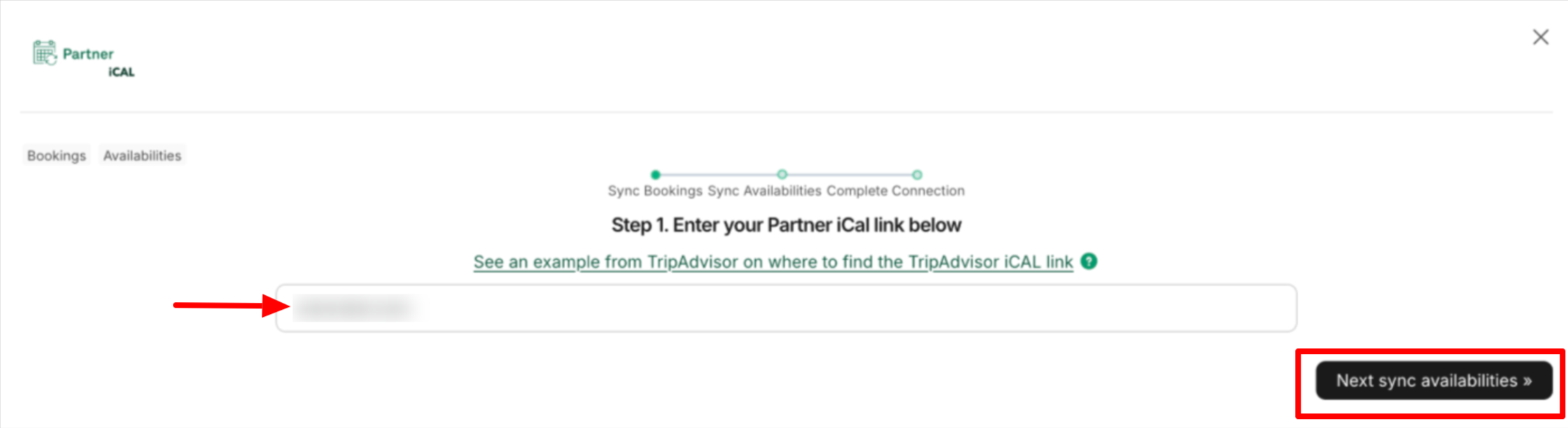
- Paste the Partner iCal link copied from the external platform into the field shown in the screenshot below
- Then click on 'Next: Sync Availabilities.'
- The listing's Uplisting iCal export link will be generated, as shown below. Copy the generated link, and do not exit this step yet.
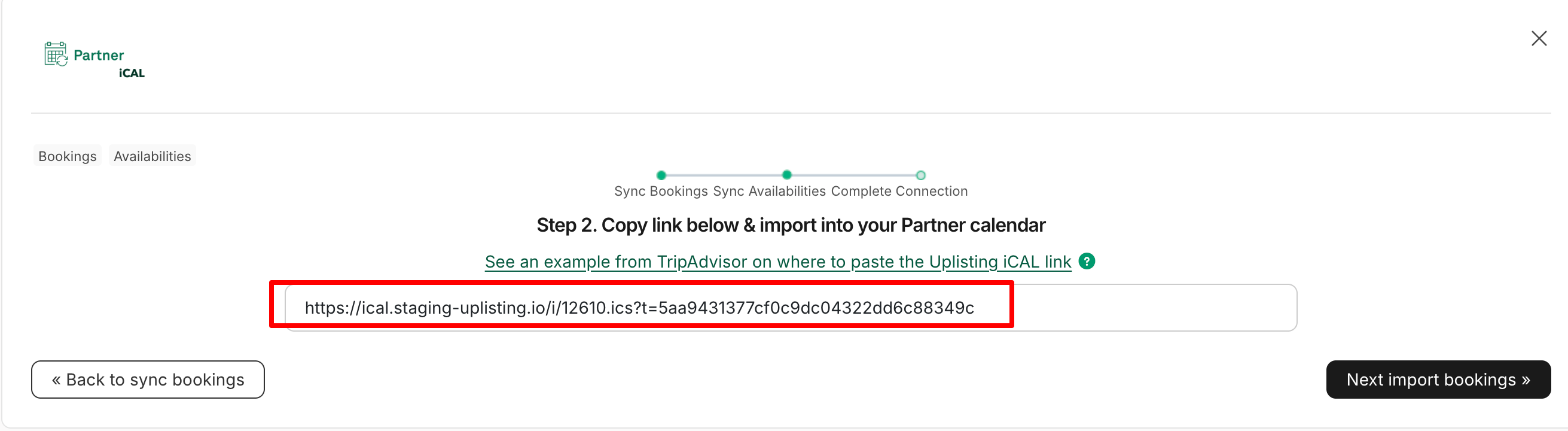
- Go to the external platform and paste the generated iCal link
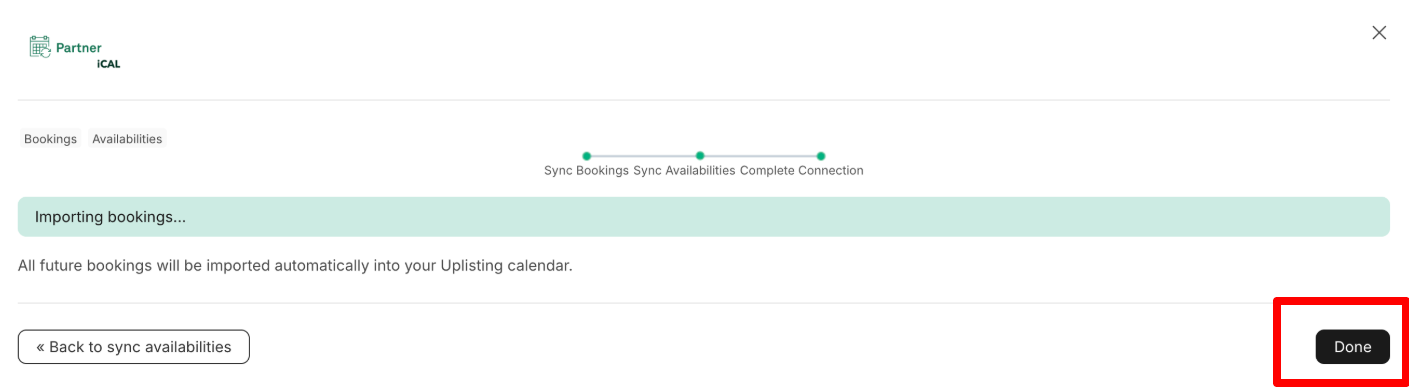
- Once done, return to Uplisting and click the 'Next: Import Bookings' button in step 6 above. This starts syncing bookings and availabilities.
- Once complete, click Done
What Gets Synced
With iCal connections, the following data is synced:
- Bookings
- Availability
(Here’s a sample screenshot showing the available tabs for a Partner iCal booking in Uplisting. )
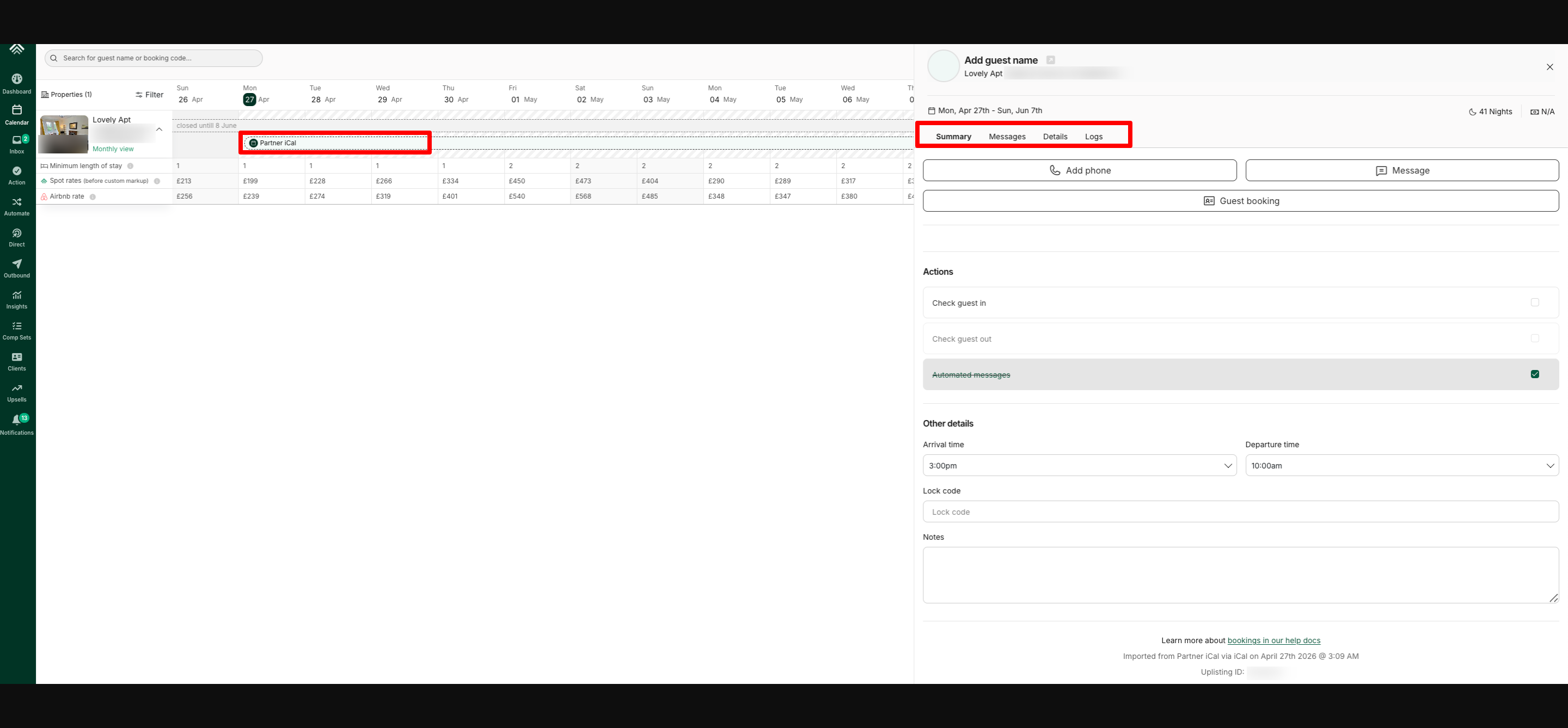
⚠️ Limitations of iCal Connections
iCal connections are limited in functionality. The following features are not supported:
- Automated messages
- The booking's Price tab
- Security deposits
- Guest Identity Verification
- Rental agreements
Workaround to Access Full Features
To use full Uplisting features for an iCal/Partner iCal booking, you'd need to manually create a booking in Uplisting for the same dates and mark the booking as paid. Here's a detailed step-by-step guide: https://support.uplisting.io/docs/how-to-take-advantage-of-uplisting-features-for-ical-bookings
Updated on: 12/05/2026
Thank you!